In 2026, furniture rendering is more important than ever. High-quality visuals can make or break a brand’s success. They help boost online sales, speed up product launches, and reduce returns by showing customers exactly what to expect.
New technology is changing how furniture is shown. AI can create fast, realistic images, while CGI offers full control and perfect detail. Choosing the right method-or using both-can save time, cut costs, and make products more appealing.
This guide will help furniture brands understand AI and CGI and how to decide which is best for their visuals.
What Is Furniture Rendering? (AI vs CGI Explained Simply)
Many people ask, “What is furniture rendering?” Simply put, it is the process of creating images of furniture digitally. Instead of photographing a real sofa or chair, brands use technology to show products in realistic, high-quality visuals.
Furniture rendering is essential for online stores, catalogs, and marketing because it helps customers see exactly what they will get. In 2026, the two main ways to render furniture are AI and CGI. Both create images, but they work very differently.
What Is AI in Furniture Rendering?
AI (Artificial Intelligence) can generate furniture visuals quickly using algorithms and machine learning. AI is great for:
Concepts: Explore new furniture ideas fast.
Mood Boards: Visualize styles, colors, and room vibes.
Marketing Ideas: Create images for social media, ads, and promotions.
Where AI works well: Early-stage design, idea testing, and fast content creation.
Where AI fails: AI images are often not precise for real-world furniture. Colors, measurements, and materials may be wrong, so they are usually not ready for production or e-commerce use.
What Is CGI / 3D Furniture Rendering?
CGI (Computer-Generated Imagery) is more detailed and accurate. It creates production-ready images that can be used for online stores, catalogs, and advertisements.
A typical CGI workflow includes:
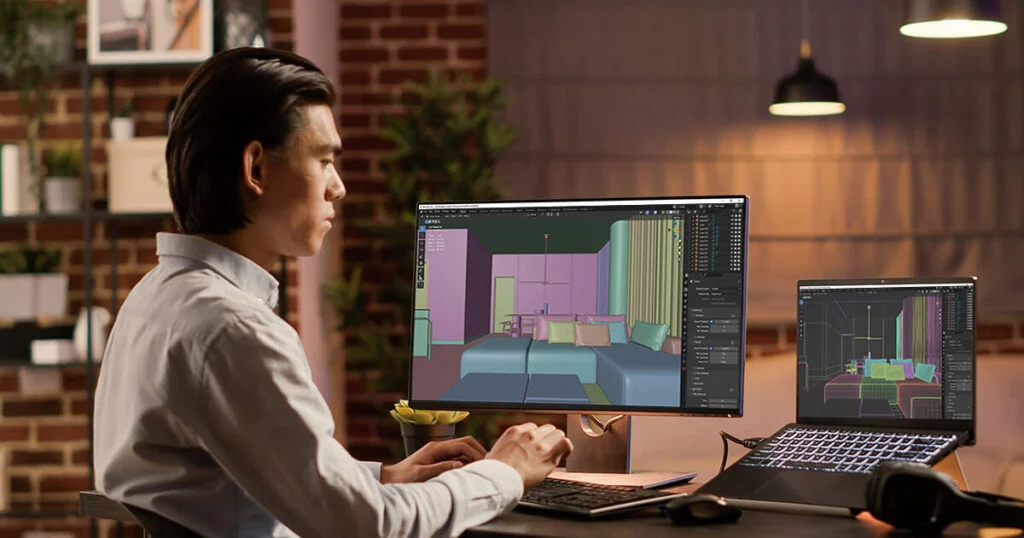
CAD / Modeling: Build a 3D model of the furniture.
Texturing & Materials: Add realistic colors, fabrics, and surfaces.
Lighting: Simulate real-world lighting for realism.
Rendering: Convert the 3D model into high-quality images.
Post-Production: Final touches like color correction and effects.
Why CGI is the industry standard: It produces controlled, repeatable, and scalable visuals. Brands can create unlimited variations of a product-different colors, materials, or angles-without taking new photos.
Why AI and CGI Are Often Confused (But Are Not the Same)
Many people mix up AI and CGI because both make digital images. But there are key differences:
AI images ≠ production-ready assets. They are fast and creative but not always accurate.
CGI = controlled, repeatable, scalable. These visuals are precise and can be used in e-commerce, catalogs, and marketing campaigns.
In short, AI is for ideas, inspiration, and speed, while CGI is for accuracy, quality, and professional use. Knowing the difference helps furniture brands choose the right tool for their needs
AI vs CGI for Furniture Rendering – Buyer-Critical Differences
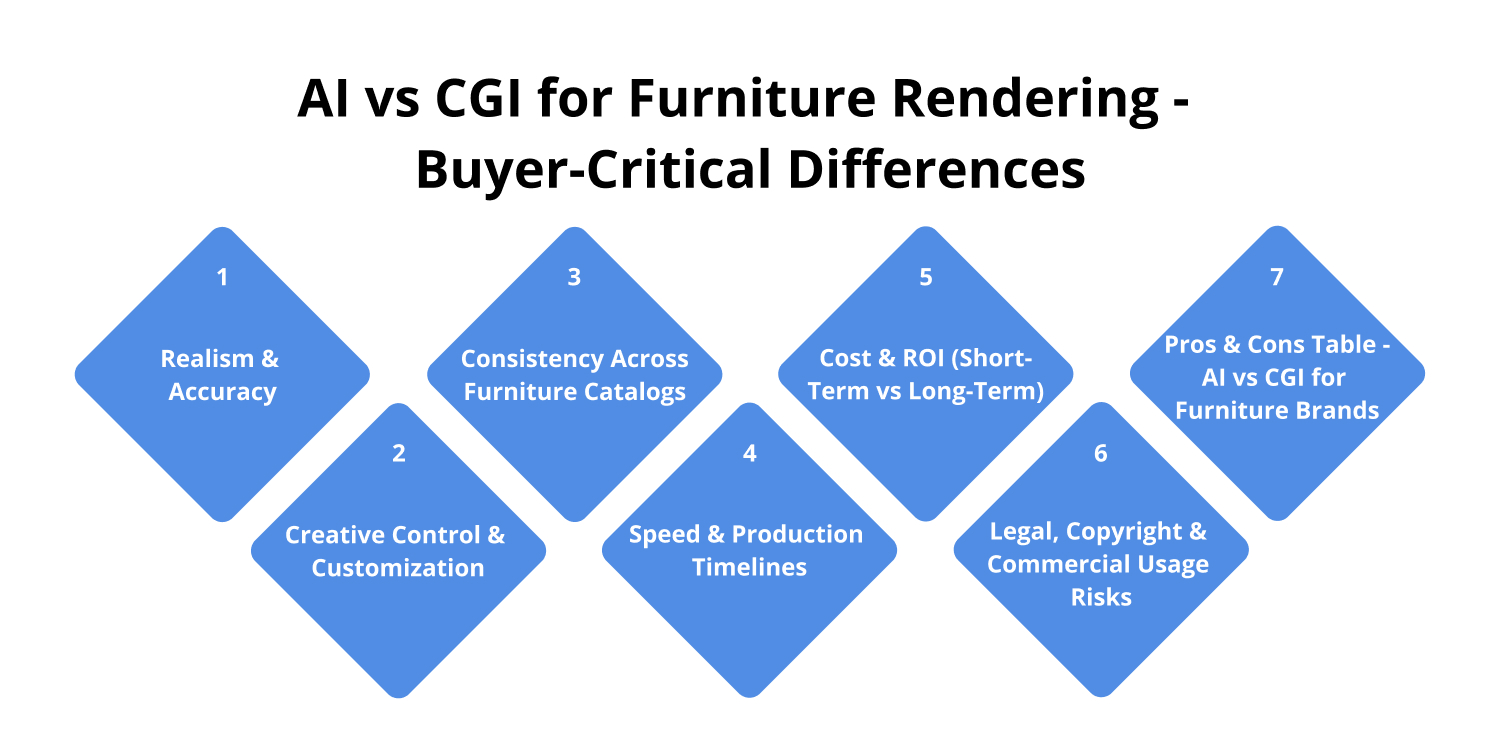
Furniture brands don’t choose rendering based on hype – they choose based on accuracy, scalability, cost efficiency, and legal safety. This section breaks down AI vs CGI using measurable performance data relevant to e-commerce, catalogs, and AR/VR use cases.
Realism & Accuracy in Furniture Rendering
Measured difference:
AI-generated furniture images are 85–90% visually realistic, but not dimensionally accurate
CGI renders achieve 99–100% visual and dimensional accuracy when built from CAD or technical drawings
Why AI falls short:
AI approximates joins, seams, and proportions
Fabric folds and wood grain direction often change between renders
Edge details break at zoom levels above 150–200%
Why CGI wins for commerce & AR:
CGI models are built at real-world scale (1:1 ratio)
Supports AR accuracy within ±2–5 mm tolerance
Reduces product return rates by up to 30–35% (industry average for accurate visuals)
👉 For eCommerce and B2B buyers, accuracy directly impacts revenue.
Creative Control & Customization Options
AI rendering limitations (measured):
Color accuracy deviation: 8–15% vs brand color codes
Fabric texture inconsistency across images: 20–40% variation
No guaranteed repeatability for SKUs
CGI rendering capabilities:
100% brand color accuracy using HEX / RGB / Pantone
Unlimited material variations from one base 3D model
Supports 50–300+ SKUs from a single model set
Measured efficiency:
Adding a new color in CGI takes 5–10 minutes
Recreating the same variation in AI often requires multiple prompts + revisions
Consistency Across Furniture Catalogs
AI consistency issues (observed):
Lighting shifts between images by 10–25%
Camera angle drift across SKUs
Shadow inconsistency across catalog pages
This breaks:
Amazon & Wayfair listing standards
Brand style guides
Catalog professionalism
CGI consistency advantage:
One lighting rig reused across entire collections
Identical camera angles for every SKU
Reusable assets for years
Measured outcome:
Brands using CGI report 20–40% faster catalog updates
Visual consistency improves brand trust metrics and buyer dwell time
Speed & Production Timelines
Measured reality:
AI is 10–20× faster for one-off concepts
CGI becomes 3–5× faster once the 3D model exists
👉 Speed depends on time horizon:
Short-term = AI
Ongoing brand growth = CGI
Cost & ROI-Short-Term vs Long-Term
Typical cost ranges (USA market):
AI rendering
$5–30 per image
No asset ownership
Repeated costs for each campaign
CGI rendering
$150–600 per 3D furniture model
$20–80 per render after modeling
Assets reusable across:
Website
Amazon
Catalogs
AR
Ads
Measured ROI insight:
CGI breaks even after 20–40 images
Over 12–24 months, CGI reduces visual production costs by 40–70%
Legal, Copyright & Commercial Usage Risks

AI legal concerns (2026 reality):
Unclear ownership rights in many platforms
Risk of training-data overlap
Some marketplaces restrict AI-generated visuals
CGI legal clarity:
Full IP ownership
Safe for Amazon, Google Ads, Meta Ads
Contractually protected assets
Measured risk factor:
Legal disputes cost brands 10–50× more than proper CGI production
Pros & Cons Table – AI vs CGI for Furniture Brands
Furniture Rendering vs. Traditional Photography-Which Is Better for Furniture Brands?
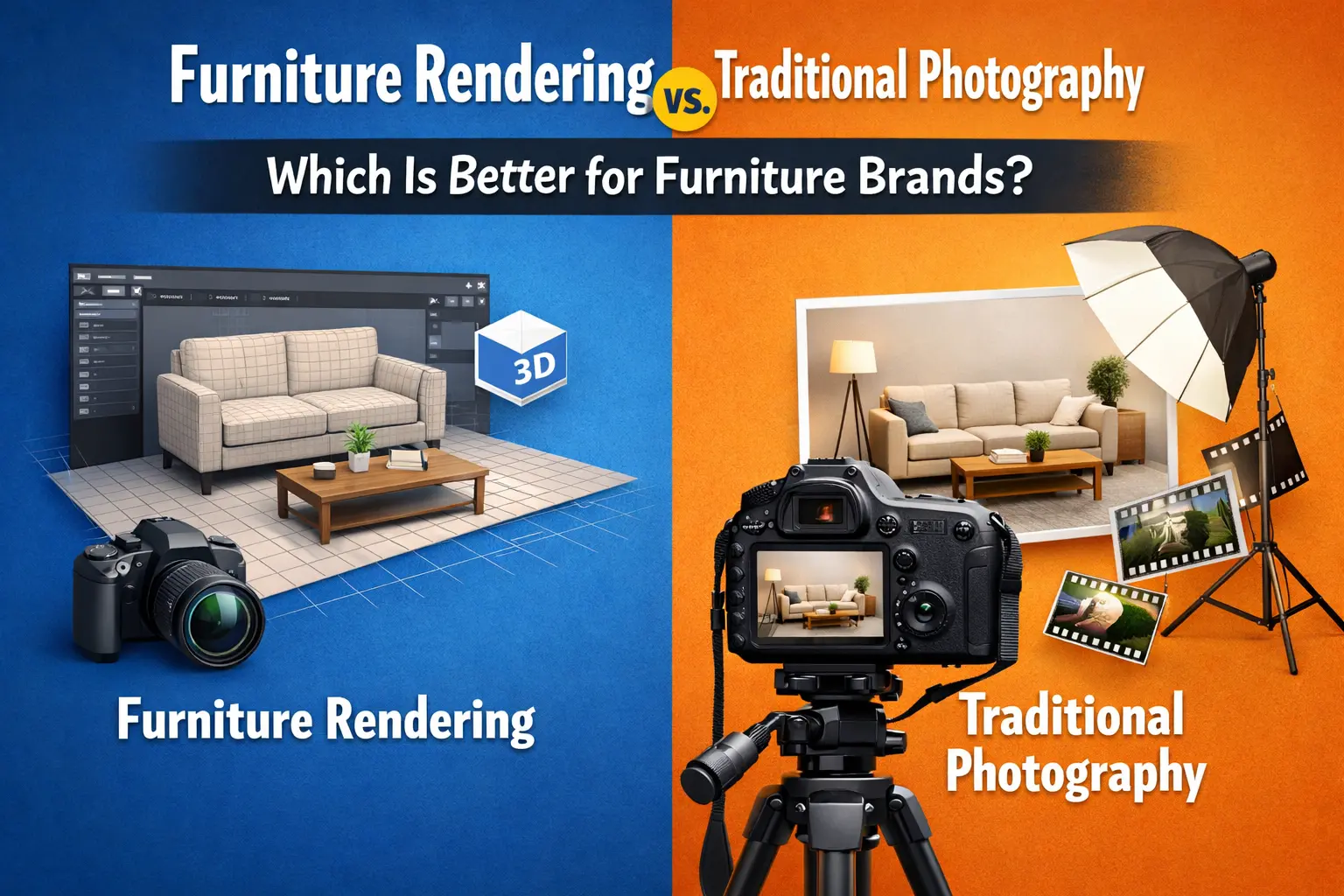
Furniture brands today must choose between traditional photoshoots and 3D furniture rendering based on cost, speed, flexibility, and long-term scalability. Here’s a clear, measurable comparison to help buyers make the right decision.
Cost Comparison-Photoshoo vs Furniture Rendering
Traditional Furniture Photography (USA Benchmarks)
Typical costs per product:
Studio rental: $1,500–$3,000/day
Photographer & crew: $2,000–$5,000
Furniture transport & handling: $500–$2,000
Set styling & props: $800–$2,500
Retouching: $30–$100 per image
Total cost per product:
➡️ $3,500–$10,000+ (before variations)
Every new color, fabric, or angle = a new shoot or added costs.
Furniture Rendering Costs
Typical CGI pricing:
3D furniture model: $150–$600 (one-time)
Photorealistic render: $20–$80 per image
New color/material variation: $0–$20
Total cost per product (first batch):
➡️ $300–$1,200
Measured savings:
Furniture brands reduce visual production costs by 60–85% using rendering.
Flexibility & Scalability
Buyer search: “How do furniture brands scale product images?”
Photography Limitations
Physical prototypes required
Limited color & material flexibility
Reshoots needed for:
New finishes
Seasonal campaigns
Marketplace updates
Scaling a 100-SKU catalog via photography often takes weeks or months.
Rendering Advantages
One 3D model = unlimited variations
Easy updates for:
New fabrics
Wood finishes
Market-specific styles
Same assets reused across:
Website
Amazon / Wayfair
Catalogs
AR & ads
Measured scalability gain:
Rendering enables 3–5× faster catalog expansion.
Speed to Market
Buyer search: “How fast can I launch furniture products with rendering?”
Photography Timeline
Prototype production: 2–6 weeks
Logistics & setup: 1–2 weeks
Shooting & editing: 1–2 weeks
➡️ Total: 4–10 weeks
Rendering Timeline
3D modeling from CAD/sketch: 1–3 days
Rendering & revisions: 2–5 days
➡️ Total: 5–10 days
Measured impact:
Brands using rendering launch products 50–70% faster than photography-based workflows.
When Furniture Rendering Can Fully Replace Photography
Furniture rendering can 100% replace photography when:
Products are sold online (eCommerce-first)
Multiple color/material variations exist
Products are still in production or pre-launch
AR previews or configurators are required
Listings require consistent angles and lighting
Real-world adoption:
Over 70% of DTC furniture brands now rely primarily on CGI for product visuals.
When Traditional Photography Is Still Useful
Photography still plays a role for:
Lifestyle campaigns with real environments
Brand storytelling & emotional marketing
PR, magazines, and editorial features
Handmade or artisan furniture where texture imperfection matters
Best practice:
Many brands combine
CGI for product listings & catalogs
Photography for lifestyle hero shots
Quick Comparison Table—Rendering vs Photography
Does Furniture Rendering Actually Increase Sales & Conversions?
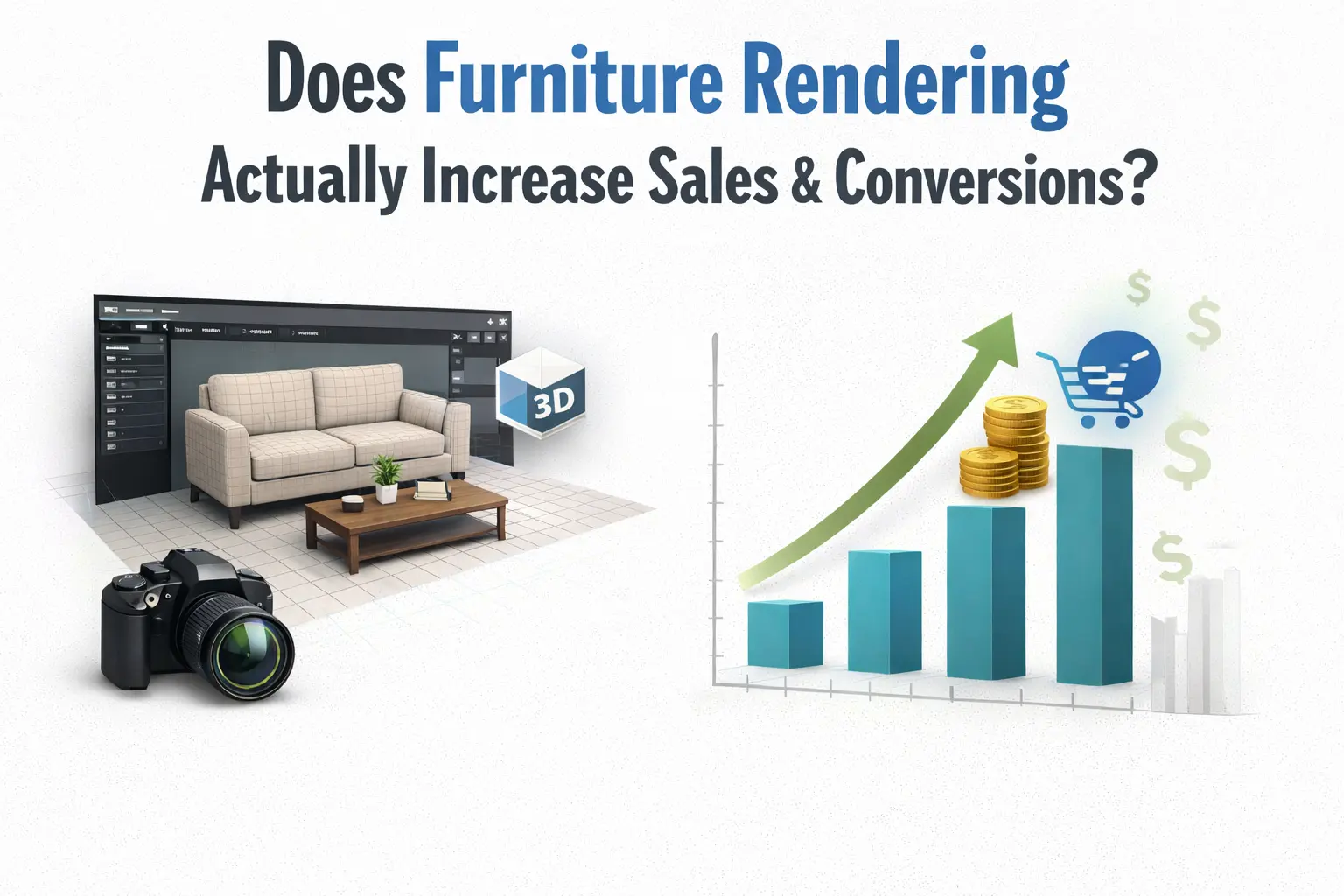
Furniture brands don’t invest in 3D rendering for visuals alone-they do it to sell more, faster, with fewer returns. The table below shows the measurable ecommerce impact of high-quality 3D furniture visuals compared to standard product photos.
SEE the 10 benefits of 3d furniture rendering.
Ecommerce Impact of 3D Furniture Rendering
What This Means for Furniture Brands
Buyers trust what they can clearly see
3D rendering removes uncertainty around size, color, texture, and fit
Fewer returns = direct profit increase, not just better visuals
Ecommerce Brand Reality
Most mid-to-large furniture brands now use:
3D rendering for product pages & variations
Photography only for lifestyle/hero banners
When Should Furniture Brands Use AI Rendering?
AI rendering is not a replacement for professional CGI or photography. However, when used at the right stage, it can save furniture brands time, cost, and creative effort. Below are the situations where AI rendering actually makes business sense.
Early-Stage Furniture Concept Exploration
AI rendering works best during the early product development phase. When designs are not finalized and multiple ideas need to be explored, AI allows brands to visualize concepts quickly.
It is especially useful for:
Testing chair, sofa, or table shapes
Exploring proportions and silhouettes
Comparing multiple design directions in a short time
At this stage, speed is more important than precision, which is why AI is effective.
Mood Boards & Design Validation
Furniture brands often use AI rendering to create mood boards and visual directions before committing to final designs.
AI helps with:
Validating design styles (modern, minimal, luxury, etc.)
Exploring color moods and material inspiration
Aligning internal teams or presenting early ideas to stakeholders
These visuals are meant for direction and inspiration, not as final product references.
Rapid Marketing Visuals for Short-Term Use
AI rendering can support quick marketing needs, such as:
Social media visuals
Ad concept mockups
Landing page backgrounds
When the goal is to communicate an idea or grab attention quickly, AI delivers fast results without long production cycles.
AI Previews for Inspiration-Not Final Assets
This is the most important distinction for buyers.
AI rendering should be used for:
Inspiration
Ideation
Concept validation
It should not be used as final assets for:
eCommerce product pages
Marketplaces like Amazon or Wayfair
AR previews or detailed catalogs
Final customer-facing visuals still require accurate, controllable CGI rendering
When Should Furniture Brands Use CGI/3D Rendering?
CGI and 3D furniture rendering should be used when accuracy, scalability, and commercial reliability are required. These are the scenarios where CGI delivers clear business value and directly impacts sales performance.
High-Accuracy eCommerce Catalogs (Shopify, Amazon, Wayfair)
CGI is essential for furniture brands selling online, especially on marketplaces with strict visual standards.
3D rendering ensures:
Exact dimensions and proportions
True-to-life materials and finishes
Consistent lighting and camera angles across all SKUs
This level of accuracy reduces buyer confusion, increases trust, and helps meet Amazon, Wayfair, and Shopify listing requirements.
Lifestyle & Hero Images

CGI is widely used to create premium lifestyle and hero visuals without the cost of physical photoshoots.
With 3D rendering, brands can:
Place furniture in realistic interior environments
Control lighting, mood, and composition
Update scenes seasonally without reshooting
This makes CGI ideal for homepages, campaigns, ads, and lookbooks.
Product Configurators
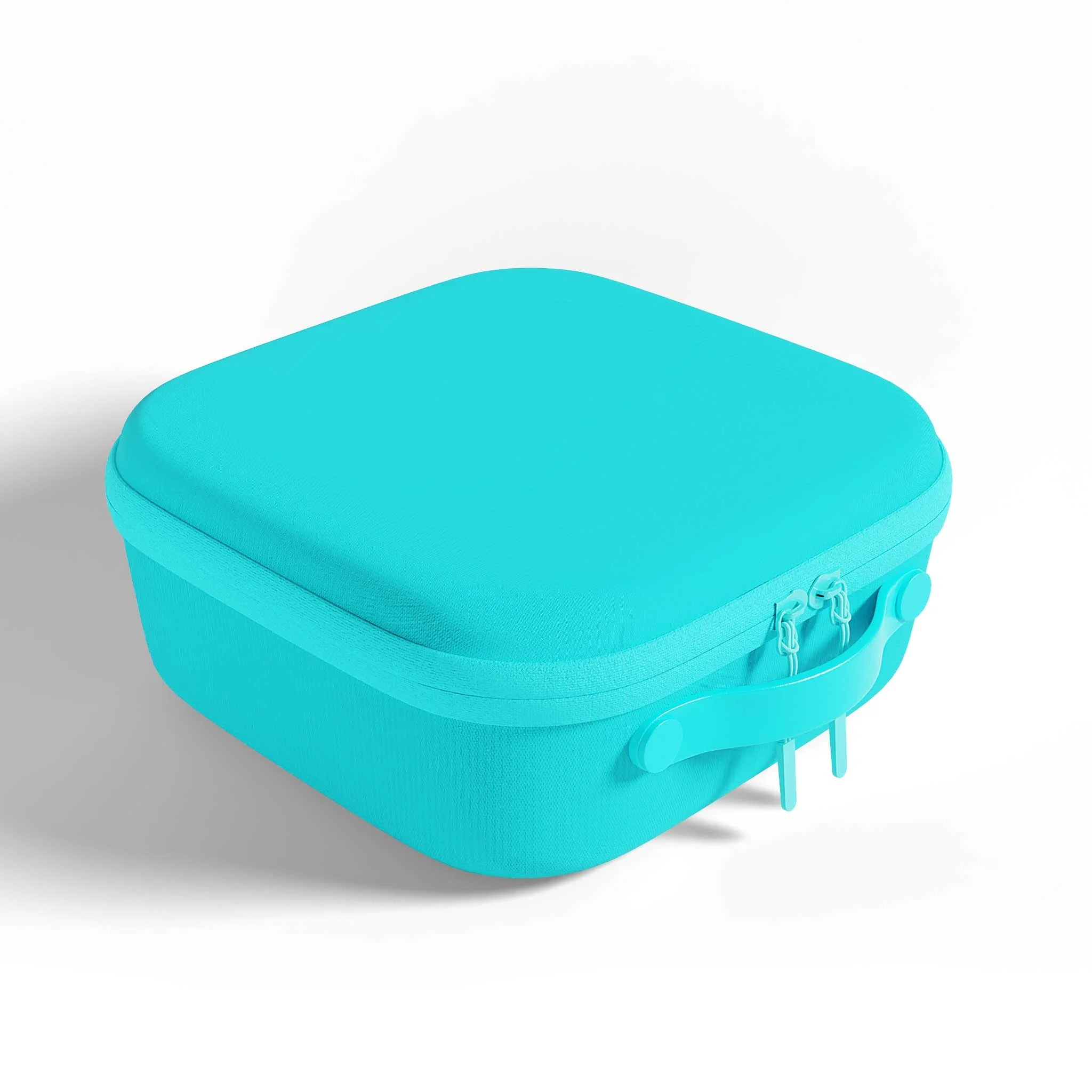
CGI is the foundation of modern furniture configurators.
Using a single 3D model, brands can offer:
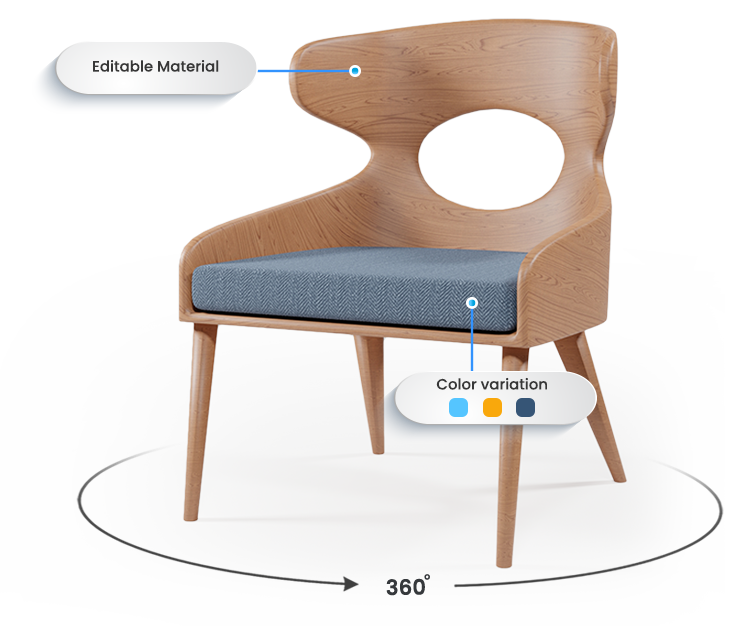
Real-time color and fabric selection
Multiple leg, arm, or finish options
Accurate previews of every configuration
Configurators improve buyer engagement and reduce decision friction, especially for custom or modular furniture.
AR/VR & 360° Furniture Views
CGI is required for immersive visualization experiences.
3D rendering enables:
AR previews at real-world scale
360° spin views
VR showroom experiences
These tools help buyers understand size, fit, and placement-leading to higher confidence and fewer returns.
What Do You Need to Start Furniture Rendering?
Before contacting a rendering agency, buyers often ask, “What do I need to start?” Knowing the requirements helps save time and money.
CAD files vs. sketches vs. reference photos: The most accurate renders come from CAD files, but sketches or photos can work for early ideas.
Material & fabric inputs: Provide textures, fabrics, and finishes so the render looks realistic.
Dimensions & accuracy requirements: Exact measurements are important for CGI. Even small errors can make the final render unusable.
What AI needs vs what CGI needs:
AI: Works with sketches, ideas, or style references. Less precise.
CGI: Needs CAD files, exact materials, and dimensions for production-ready results.
Types of Furniture Rendering Buyers Actually Use
Buyers often search, “Which render type is best?” Here are the most popular options:
Isolated product renders (white background): Perfect for e-commerce sites and catalogs. Simple and clean.
Lifestyle & interior scenes: Shows furniture in a room. Helps customers imagine the product in their own space.
360° product views: Let buyers rotate the furniture and see it from all angles. Great for online stores.
AR-ready & interactive renders: Works with mobile apps to place furniture virtually in real rooms.
Which type works best?
E-commerce: White background, 360° views, and AR-ready renders.
Ads & marketing: Lifestyle and interior scenes help attract attention and inspire buyers.
Hybrid AI + CGI Workflow for Furniture Rendering
In 2026, many furniture brands are combining AI and CGI for the best results.
Step 1: AI for ideation & fast concepts
Generate design ideas quickly.
Test colors, fabrics, and room styles.
Step 2: CGI for final production assets
Turn concepts into accurate, high-quality images.
Create images ready for e-commerce, catalogs, and ads.
Why hybrid workflows are growing in 2026:
Faster than CGI alone.
More creative than AI alone.
Gives brands the speed of AI and the precision of CGI.
In-House vs Outsourced Furniture Rendering
When furniture brands decide to create high-quality 3D renders for chairs, sofas, and office furniture, one of the biggest strategic choices is whether to build an in-house rendering team or outsource to a professional studio. Both approaches have distinct advantages and challenges, and the right choice depends on your brand’s budget, project volume, timeline, and long-term goals.
Pros & Cons of In-House Teams
When furniture brands consider building an in-house 3D rendering team, it comes with both advantages and challenges. Understanding these can help you decide if this approach fits your business needs.
Pros of In-House Teams
Full Creative Control: You can ensure all renders perfectly match your brand style, product colors, and design standards.
Immediate Collaboration: Designers, marketers, and product managers can work closely with the rendering team for faster feedback and adjustments.
Consistency Across Projects: Maintaining a uniform look and feel across product lines is easier with an internal team.
Long-Term Investment: If rendering is a core part of your business, in-house talent can become a strategic asset over time.
Cons of In-House Teams
High Upfront Costs: Hiring staff, buying software licenses, and investing in hardware can be expensive.
Training & Skill Development: The team may need ongoing training for new tools, AI integration, or advanced rendering techniques.
Limited Scalability: Handling large volumes of products or urgent projects can be difficult if the team is small.
Maintenance Responsibility: You are responsible for software updates, hardware maintenance, and workflow optimization.
💡 Tip: In-house teams work best for large furniture brands with continuous rendering needs and long-term projects, but smaller brands might find outsourcing more cost-effective
When Outsourcing Makes More Sense
Outsourcing furniture rendering to a specialized studio is ideal for brands that want high-quality visuals without the overhead of an internal team. Professional vendors bring years of experience, advanced tools, and fast turnaround times, which is especially useful for seasonal catalogs, bulk projects, or testing new furniture lines. Communication and clear project briefs are critical to ensure quality and alignment with your brand standards.
Cost, Quality & Scalability Comparison
To help furniture brands make an informed decision, here’s a quick comparison of in-house vs outsourced rendering:
Furniture Rendering Use Cases Across Industries
Furniture rendering is no longer limited to product visualization. Different industries use CGI and 3D rendering for distinct commercial goals, from selling products to validating designs before production.
E-Commerce Furniture Brands
Online-first furniture brands rely on 3D rendering to:
Create consistent product catalogs
Show multiple colors, fabrics, and configurations
Launch products before manufacturing
Rendering allows brands to scale SKUs quickly while maintaining visual accuracy across platforms like Shopify, Amazon, and Wayfair.
Interior Design & Virtual Staging
Interior designers use furniture rendering to:
Present design concepts to clients
Test furniture layouts and color combinations
Reduce revisions before final approval
Virtual staging also helps designers visualize spaces without purchasing or moving physical furniture.
Real Estate & Showrooms
Developers and real estate companies use furniture rendering to:
Stage empty properties virtually
Create showrooms before construction is complete
Present multiple layout options to buyers
This improves buyer perception and speeds up sales cycles.
AR-Enabled Online Furniture Stores
Brands offering AR experiences depend on accurate 3D models to:
Show furniture at real-world scale
Improve buyer confidence
Reduce size-related returns
Without CGI-based assets, AR experiences are unreliable.
Future of Furniture Rendering Beyond 2026
Furniture rendering will continue evolving, but the core role of CGI remains strong.
Will AI Replace CGI?
Short answer: No.
AI can generate visuals quickly, but it cannot:
Guarantee dimensional accuracy
Maintain consistency across catalogs
Provide clear legal ownership
CGI remains essential for production-level visuals.
AI + CGI Evolution
The future lies in hybrid workflows, where:
AI supports ideation and concept testing
CGI handles final, commercial-grade assets
This combination improves speed without sacrificing accuracy.
Digital Twins, AR, and VR
3D furniture models are becoming digital twins used across:
eCommerce
AR previews
VR showrooms
Product configuration tools
One accurate model supports multiple channels.
Sustainability Benefits of Virtual Prototyping
Furniture rendering reduces:
Physical prototypes
Transportation emissions
Waste from sample production
Virtual prototyping supports sustainable product development.
How to Choose the Right Furniture Rendering Approach (Decision Checklist)
Furniture brands should choose their rendering approach based on business needs-not trends.
Consider the following factors:
Budget
Limited budget → AI for early concepts
Long-term growth → CGI investment pays off
Accuracy Requirements
Selling online or using AR → CGI required
Concept validation only → AI is acceptable
eCommerce Platform Needs
Marketplaces demand:
Consistent angles
Accurate materials
Professional lighting
CGI meets these standards reliably.
Legal & Commercial Use
If visuals are used for:
Ads
Marketplaces
Global sales
Clear ownership through CGI is safer.
Scale & Future Growth
Brands planning to:
Expand SKUs
Add configurators
Enter AR/VR
Need reusable 3D assets
Real Examples & Case Scenarios
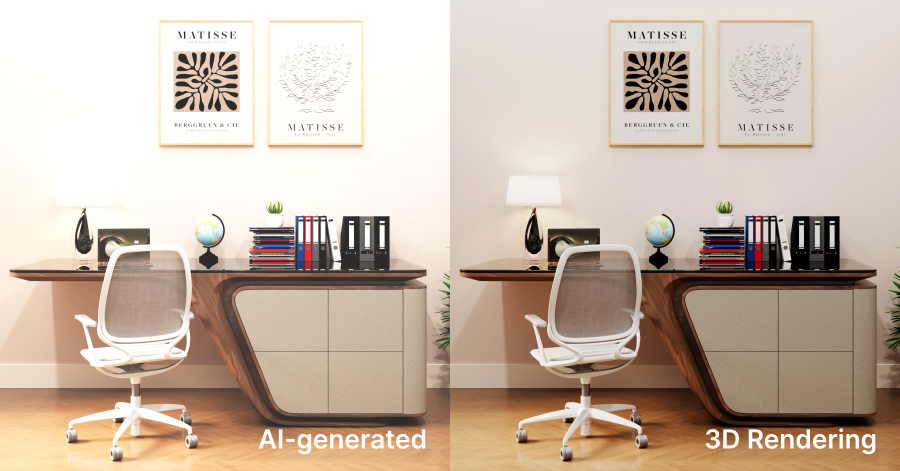
AI vs CGI Side-by-Side Visuals
AI: fast, creative, inconsistent
CGI: accurate, repeatable, production-ready
Time, Cost & Quality Comparison
AI saves time upfront
CGI saves cost over time
CGI delivers consistent quality at scale
Marketing Performance Impact
Brands using CGI report:
Higher buyer trust
Longer page engagement
Fewer returns
Furniture Rendering – Short FAQs
1. What is furniture rendering?
It’s the creation of realistic furniture images using AI or 3D software instead of photography.
2. Is AI furniture rendering good for eCommerce?
No. AI lacks accuracy and consistency for online selling.
3. What’s the main difference between AI and CGI rendering?
AI is fast for ideas; CGI is accurate for selling.
4. Can AI renders be used on Amazon or Wayfair?
Usually no. CGI is the safe option.
5. Is 3D furniture rendering better than photography?
Yes, for eCommerce and catalogs.
6. Does furniture rendering increase sales?
Yes. It boosts conversions and reduces returns.
7. When should brands use AI rendering?
For concepts, mood boards, and quick marketing visuals.
8. When is CGI furniture rendering required?
For eCommerce, catalogs, AR, and configurators.
9. How much does CGI furniture rendering cost?
$150–600 per model, $20–80 per image.
Conclusion-What Furniture Brands Should Use in 2026
Furniture rendering is no longer optional-it’s strategic.
Clear Takeaway
AI = ideas and exploration
CGI = production and selling
Hybrid = best balance
Final Recommendation
Furniture brands in 2026 should:
Use AI for speed and creativity
Use CGI for accuracy, scalability, and revenue
Build workflows where both tools support growth, not replace each other
The winning brands will not choose AI or CGI—they will use each where it performs best.
If you’re still unsure, the best way to decide is to try a free trial from a professional furniture rendering company