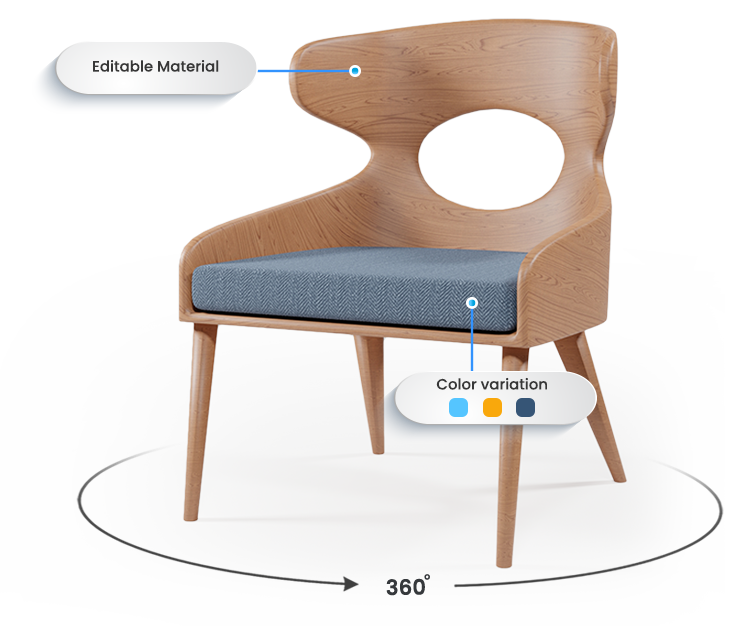
3D furniture modeling is a cornerstone of modern design, marketing, and manufacturing. From eCommerce catalogs to virtual reality experiences and product visualization, high-quality 3D models can make a furniture design stand out before a single piece is physically created. However, many designers-both beginners and experienced professionals-often make avoidable mistakes that can compromise the realism, usability, or efficiency of their models.
In this post, we’ll explore the 10 most common mistakes in 3D furniture modeling and provide practical tips to help you avoid them. By the end, you’ll have actionable insights to create accurate, visually appealing, and production-ready 3D furniture models.
1. Incorrect Scale and Proportions
One of the most critical mistakes is modeling furniture without accurate real-world dimensions. Even the most beautifully detailed chair or table will appear unrealistic if its scale or proportions are off.
Why it matters: Scale affects not only the look of the furniture but also how it interacts with other objects in a scene. For example, a sofa that is too small or too large will look awkward in a living room render.
How to avoid it:
-
Always model in real-world units (centimeters, millimeters, or inches depending on your region).
-
Keep a human-scale reference in the scene to check proportions.
-
Double-check measurements with manufacturer specifications or reference blueprints.
-
Use modular components (like chair legs or drawer handles) to maintain consistency across multiple models.
Example: Many beginners make the mistake of modeling a dining table without considering chair height, which makes the furniture appear disproportionate in renders.
2. Overcomplicated Geometry
Adding excessive polygons in an attempt to make a model look realistic is a common trap. While high detail may seem appealing, it often leads to slow renders, heavy file sizes, and difficulties during post-production or animation.
How to avoid it:
-
Use simple geometry for flat surfaces and rely on textures to simulate fine details.
-
Apply subdivision only where necessary.
-
Replace complex details like screws, bolts, or carvings with normal or bump maps.
Example: Instead of modeling every groove on a wooden chair, use a normal map to achieve the same visual effect without increasing poly count.
3. Poor Topology
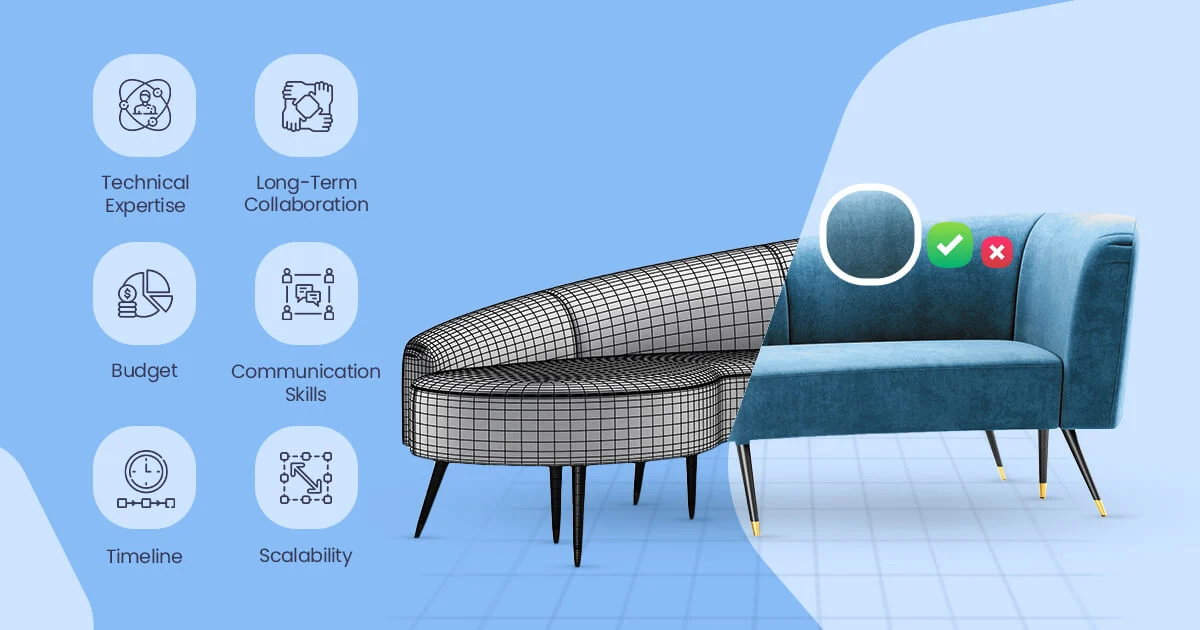
Topology refers to the structure of your 3D mesh. Poor topology, such as n-gons or chaotic edge loops, can cause rendering artifacts, shading errors, and problems when applying textures or animating models.
How to avoid it:
-
Stick to quads as much as possible.
-
Maintain clean edge loops around curves and joints.
-
Plan topology for future edits or UV unwrapping.
-
Test your model under different lighting conditions to spot shading errors.
Example: A coffee table with uneven topology may appear warped when a reflective material is applied, making the render look unrealistic.
4. Low-Quality or Incorrect Textures
Textures play a crucial role in achieving realism. Using low-resolution or poorly scaled textures can instantly ruin a furniture model, making it appear cheap or unrealistic.
How to avoid it:
-
Use high-resolution PBR textures for wood, metal, or fabric.
-
Ensure textures are properly scaled to match the real-world size.
-
Check for repetition or tiling errors, especially on large surfaces.
-
Adjust roughness, specular, and bump maps for realistic material behavior.
Example: A sofa rendered with stretched fabric textures will immediately look fake and unprofessional, even if the geometry is perfect.
5. Ignoring Material Accuracy
Not all materials behave the same way. Using generic materials or ignoring real-world properties like reflectivity, glossiness, or fabric weave results in models that feel “off” in renders.
How to avoid it:
-
Study real-world materials before modeling.
-
Observe how light interacts with surfaces like polished wood, brushed metal, or soft fabric.
-
Test materials under different lighting setups to ensure realism.
-
Adjust shader parameters carefully rather than relying on default settings.
Example: A metal chair modeled with a matte material will fail to convey its reflective surface, making it appear plastic-like.
6. Lack of Reference Materials
Many 3D modelers attempt to create furniture purely from imagination, which often leads to inaccuracies or unrealistic details.
How to avoid it:
-
Collect multiple reference images from different angles.
-
Use technical drawings, blueprints, or CAD files when available.
-
Observe construction details like joints, screws, seams, or upholstery folds.
-
Take note of scale, texture, and proportions for consistency.
Example: Modeling a bookshelf without reference can result in shelves that are too thin to support books, which reduces credibility in visualization.
7. Incorrect UV Mapping
UV mapping is critical for applying textures correctly. Incorrect or inconsistent UVs lead to stretched, distorted, or misaligned textures.
How to avoid it:
-
Unwrap UVs logically and systematically.
-
Avoid overlapping UVs unless necessary.
-
Maintain consistent texel density across the model to ensure textures look uniform.
-
Test textures in rendering software before finalizing the model.
Example: A wood grain texture stretched on a table surface will break immersion and reduce realism.
8. Unrealistic Edge Sharpness
Real-world furniture rarely has perfectly sharp edges. Ignoring subtle beveling or rounding makes 3D models appear artificial.
How to avoid it:
-
Apply small bevels or chamfers to edges.
-
Observe real furniture to understand natural edge rounding.
-
Adjust bevel size proportionally to the object scale.
-
Use micro-bevels for high-resolution renders to catch light naturally.
Example: A cabinet with razor-sharp edges looks mass-produced and digital, especially under reflective lighting.
9. Poor Lighting During Preview Renders
Even a flawless model can appear unconvincing if the lighting setup is inadequate. Many designers neglect lighting during modeling, leading to surprises in final renders.
How to avoid it:
-
Use HDRI lighting or professional studio setups for previews.
-
Check models under multiple light angles to spot geometry or texture issues.
-
Avoid overly bright or harsh shadows that mask details.
-
Experiment with different light temperatures to match intended environments.
Example: A sofa modeled perfectly may look flat or dull under single, harsh directional light, giving the wrong impression to clients.
10. Not Optimizing for the Final Use Case
A 3D model intended for high-quality marketing renders may require more detail, whereas models for AR, VR, or online catalogs need optimization to maintain performance.
How to avoid it:
-
Clarify the end purpose before modeling.
-
Keep a high-poly version for renders and a low-poly version for real-time applications.
-
Optimize geometry, textures, and materials for the target platform.
-
Test models in the intended software or platform to ensure smooth performance.
Example: A highly detailed chair for an online AR catalog may slow down the app, frustrating users and affecting sales.
Final Thoughts
Avoiding these 10 common mistakes will save you time, reduce revisions, and help you create professional-grade 3D furniture models. Attention to detail-clean topology, accurate scale, realistic materials, and proper optimization-is what separates amateur work from industry-standard results.
Whether you’re designing for eCommerce, marketing, or manufacturing, mastering these fundamentals will make your models more believable, functional, and visually appealing.
Take Action: See Your Furniture Designs in 3D-Risk-Free!
Bring your furniture designs to life today with Orbe3D, a leading 3D modeling and rendering service for designers, manufacturers, and marketers.
Take advantage of our free trial and experience how your ideas can transform into stunning, photorealistic 3D visuals. Whether you need models for product visualization, immersive presentations, or eCommerce catalogs, Orbe3D makes it fast, easy, and professional.
Visit Orbe3D.com now and try it for free-your designs deserve to be seen in their full 3D potential!