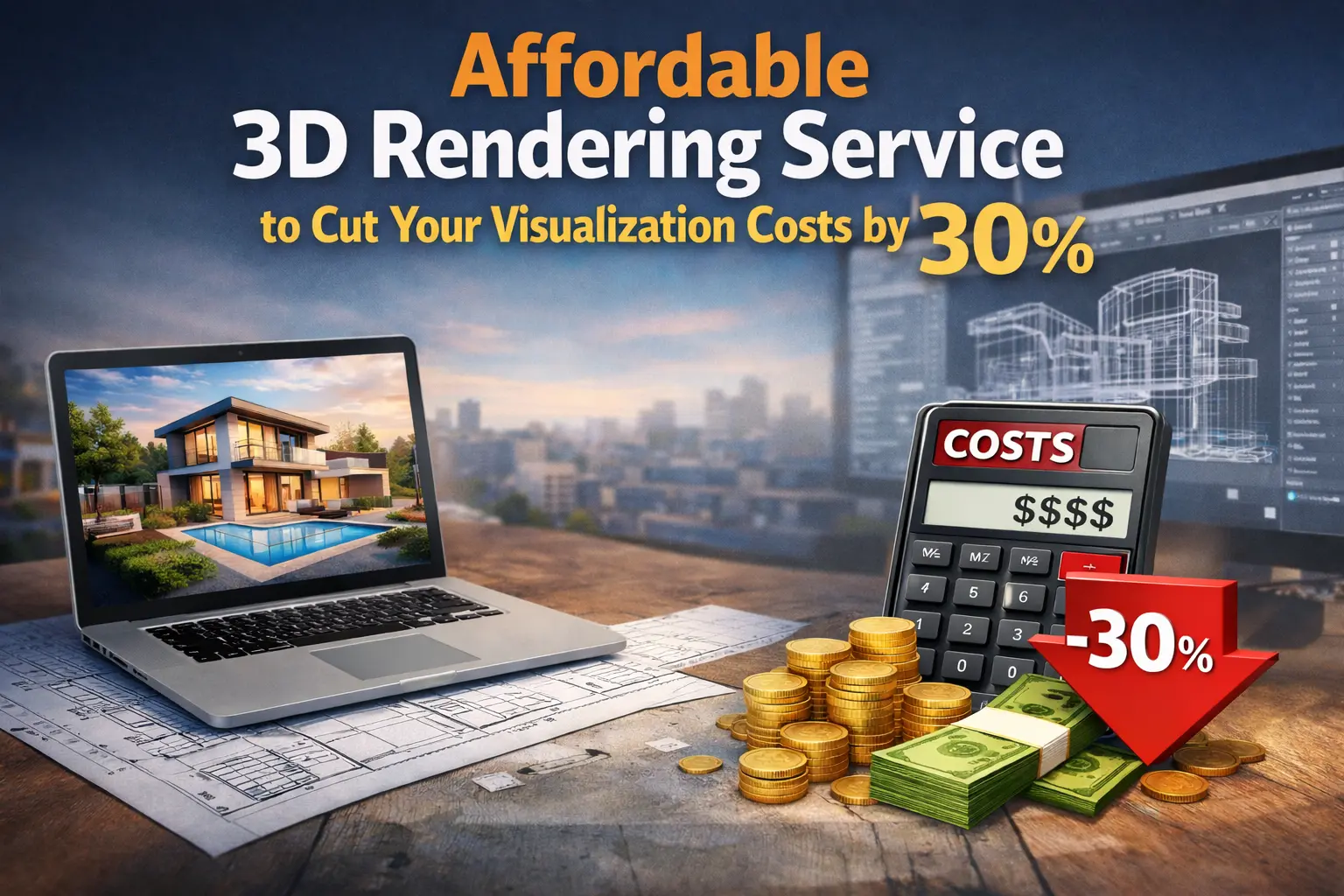
I’ve run furniture brands for years, and I’ve learned one painful truth: photoshoots are expensive and slow. You book a studio, ship products, hire a crew, and wait for the final images. If anything goes wrong, a wrong angle, bad lighting, or the color doesn’t match, you do it all over again. That costs time, money, and patience.
When I discovered 3D product visualization and professional 3D rendering services, everything changed. Suddenly, I could create hundreds of images without shipping a single product. I could test colors, fabrics, and angles instantly. The best part? It cut our content production costs by around 30%. Using high-quality 3D visuals and 3D rendering software, I could save time and reduce unnecessary costs.
In this guide, I’ll show you how 3D rendering works, how it saves money, and how you can use it to scale your content. I’ll share real examples, rendering prices, workflow insights, and KPIs I track to measure savings. By the end, you’ll know exactly how to produce images faster, cheaper, and smarter using outsourced 3D visualization services.
Step-by-Step 3D Rendering Process
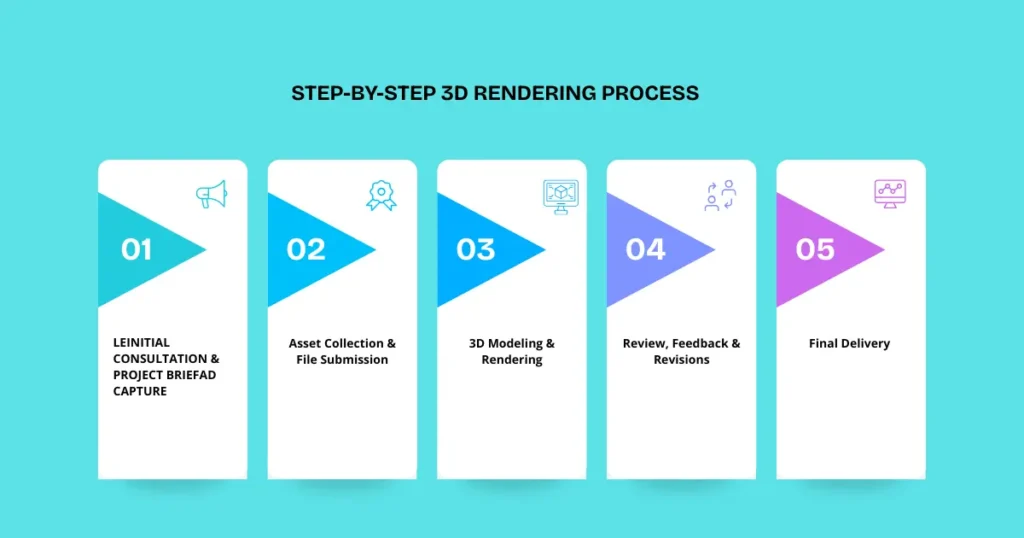
I like to start by showing the actual process because seeing the steps up front helps you understand how everything fits together. Here’s how I do it with my team:
Step 1: Initial Consultation & Project Brief
I start by discussing your goals, products, and brand style. Whether it’s a chair, table, or full room, we tailor the workflow to your visualization project.
Step 2: Asset Collection & File Submission
I gather CAD files, product photos, color swatches, and material notes. You can share files securely any way you like. Using proper 3D architectural visualization files ensures level of detail and faster rendering times.
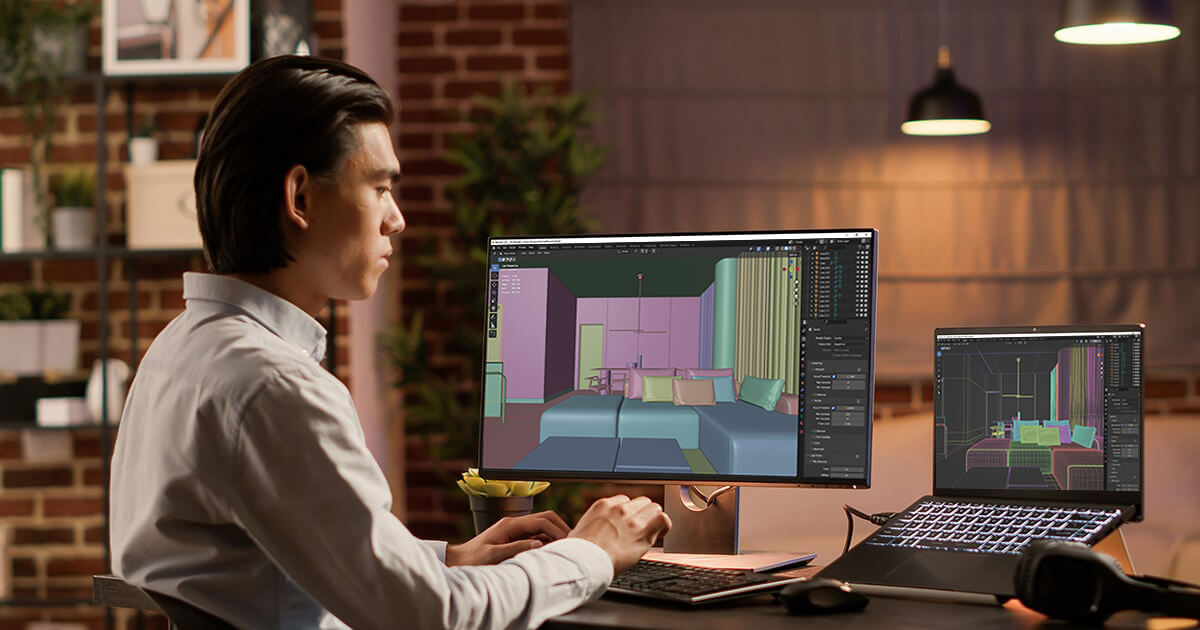
Step 3: 3D Modeling & Rendering
Our rendering professionals create realistic models with accurate textures, materials, and lighting. Every render reflects your product perfectly. By using 3D rendering software, we reduce rendering time and save money in the long run.
Step 4: Review, Feedback & Revisions
You review the renders and give feedback. We adjust lighting, textures, or details in 1–3 revision rounds until it’s perfect. This process helps manage costs and avoids unexpected costs.
Step 5: Final Delivery & Post-Production
After approval, we deliver high-quality 3D visualizations ready for web, AR, or marketing. Post-production ensures polished, consistent visuals across all platforms. This reduces much virtual staging costs compared to traditional photography.
Quick Summary: The 30% Saving with 3D Rendering Services
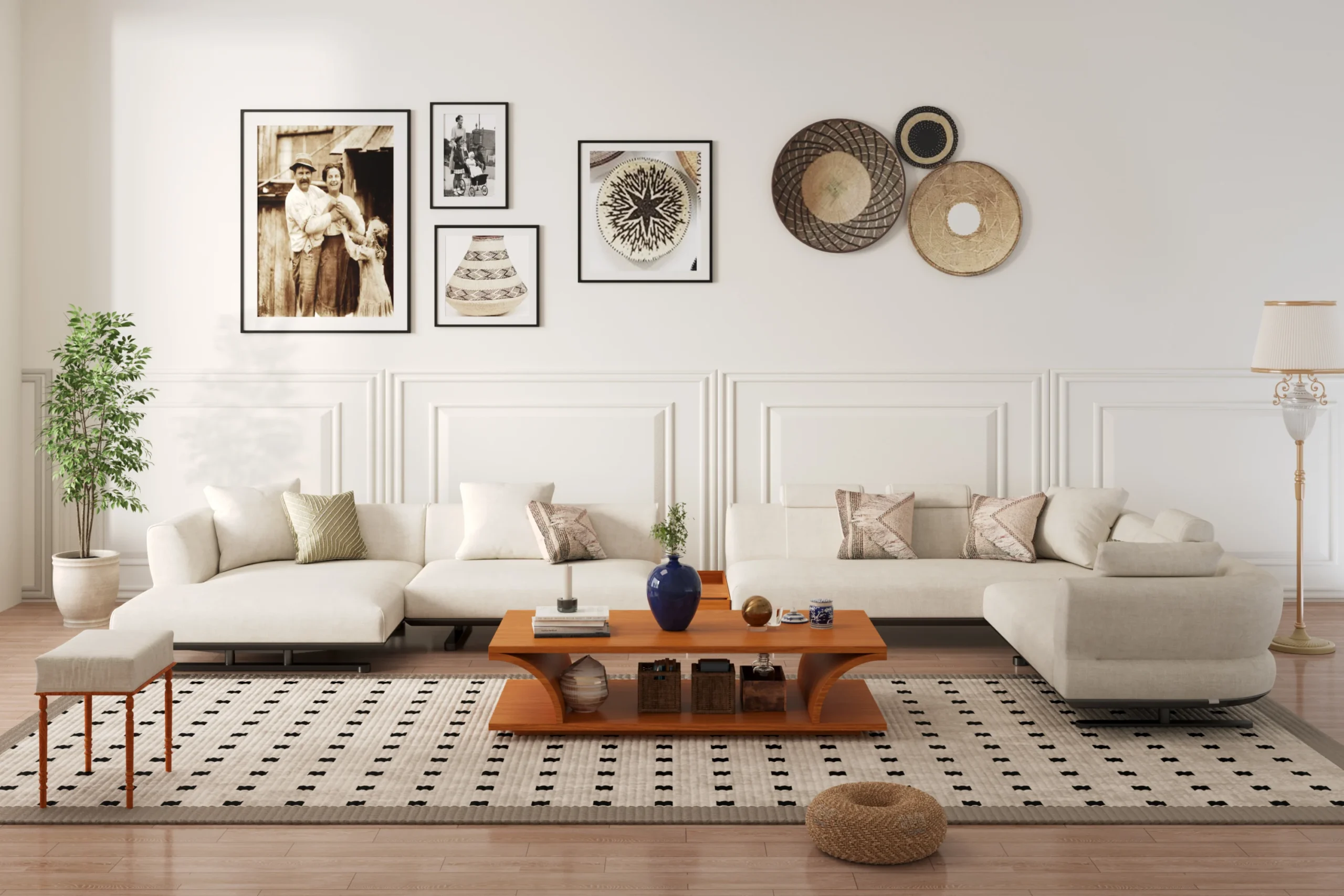
3D rendering saves money because you model once and reuse endlessly. You can create any angle, color, or style without rebuilding. Here’s what we save:
- No studio or location fees.
- No props, equipment, or travel.
- Fast revisions with no retakes.
- Cheap color and material variants.
- Reusable assets for ads, web, and catalogs.
- Faster delivery and product launches.
For example, when we updated our furniture catalog last season, creating new images for 50 products cost us almost nothing because the models already existed. Using 3D architectural rendering or 3D product visualization drastically reduces costs without sacrificing quality.
Comparison: 3D Rendering vs Photoshoot (Cost & Visualization Breakdown)
Feature / Aspect | Traditional Photography | Affordable 3D Rendering Service |
Cost per product | $150 – $300 per shot | $100 – $200 per shot |
Setup & shooting time | 2–3 days per product | 4–6 hours per product |
Revisions / edits | $50–$100 per revision | Free / included digitally |
Number of products per month | ~30 products | ~100 products |
Consistency / image quality | 70–85% consistent | 95–100% consistent |
Interactive / AR capability | 0% | 100% available |
Risk of product damage | 5–10% | 0% |
Turnaround time for full catalog | 1 month for 100 products | ~10 days for 100 products |
Feature / Aspect | Traditional Photography | Affordable 3D Rendering Service |
Cost per product | $150 – $300 per shot | $100 – $200 per shot |
Tip: I also use this table as a social share image to explain savings to stakeholders.
ROI & Cost Savings in 3D Rendering
The biggest advantage? Long-term savings. Once a model exists, the cost per image is tiny. I can reuse the same models for ads, landing pages, catalogs, and social media posts. Using 3D rendering software and visualization studios, we reduce rendering time and cut unnecessary costs.
Where the 30% saving comes from in rendering projects
- No location or studio fees
- No crew or equipment rental
- No shipping products
- No reshoots
- Cheap variants for every color
- No physical prototypes
- Faster product launches
For instance, we replaced a photoshoot for 60 SKUs with 3D renders and saved roughly $8,000 in one year. Leveraging professional 3D rendering makes it possible to cut costs while improving content output.
Modeling an ROI calculation for rendering budgets
- 60 SKUs per year × $350 each = $21,000 (traditional photoshoot)
- 3D: Modeling $180–$250 per SKU + $10–$30 per variant = $12,000–$14,000
- Savings: $7,000–$9,000 (30–40%)
- Break-even: 3–6 months
KPIs to track savings and cost reduction
I always track:
- Cost per SKU image
- Time-to-market (save time)
- Conversion lift
- Return rate drop
- Cost per acquisition (CPA)
- Variant creation cost
- Page engagement metrics
Tracking KPIs shows benefits of 3D visualization and helps manage costs for future projects.
3D vs Traditional Photography for Visualization & Marketing
Traditional photography requires shipping products, renting studios, and hiring teams. Weather or damaged items can delay projects. 3D rendering professionals remove all that. I can create endless variations instantly: new colors, fabrics, room styles, lighting changes, or seasonal backgrounds. Using 3D architectural visualization also ensures level of detail and faster rendering times.
Quality and conversion tradeoffs in 3D rendering vs photos
3D is as real as photography for furniture, electronics, and decor. It keeps lighting consistent, boosting conversions. I still use photography when I need human emotion or lifestyle hero shots.
Time and scalability differences for affordable rendering
With 3D, one model can produce 50 color variants in hours. Photos cannot scale this way. This is how 3D product visualization reduces costs without unnecessary expenses.
Hybrid workflows that work with 3D and traditional visuals
For my brand, I combine:
- One hero photoshoot for lifestyle images
- 3D packshots for catalog and marketplace
- Quick 3D seasonal updates
This gives the speed of 3D plus the realism of photography when needed.
Deliverables & Output Types in 3D Visualization Services
When I work with 3D studios, I always request a full range of deliverables. The more formats I have, the more I can reuse them across e-commerce, social media, catalogs, and AR/VR experiences. Using professional 3D rendering services and high-quality 3D visuals makes these assets versatile. Here’s what I usually ask for:
- High-resolution still images – For product pages, hero shots, and marketing campaigns (benefits of 3D visualization)
- White-background shots – Perfect for marketplaces like Amazon, Shopify, or Etsy (lower costs for virtual staging)
- Lifestyle room scenes – Helps customers visualize the product in real-life settings (3D architectural visualization)
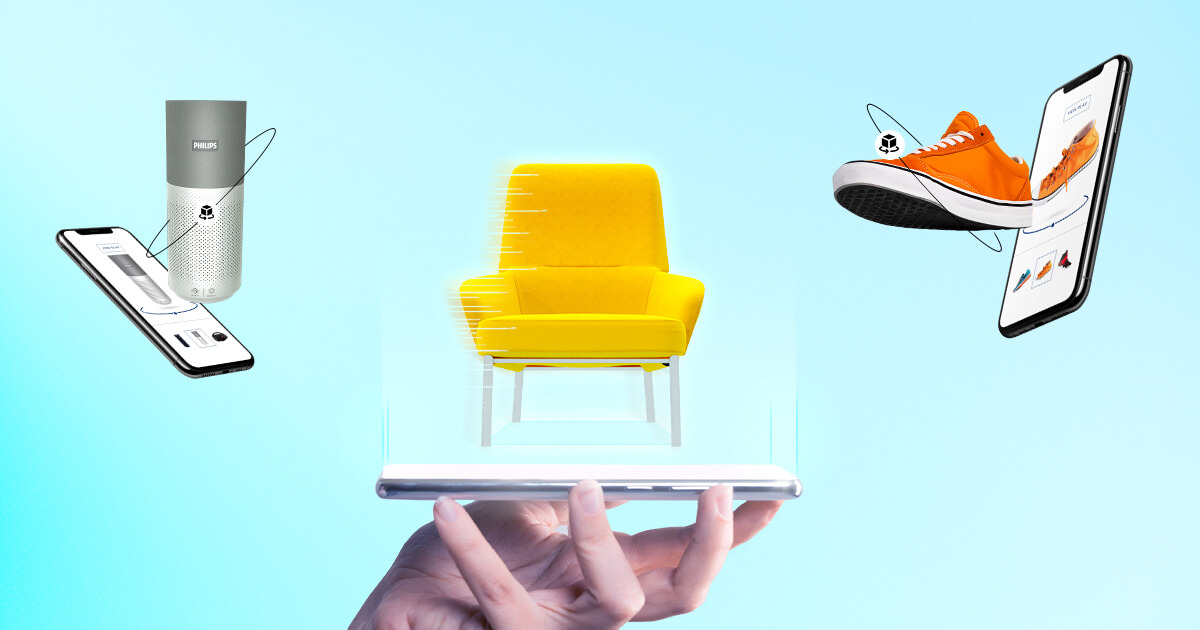
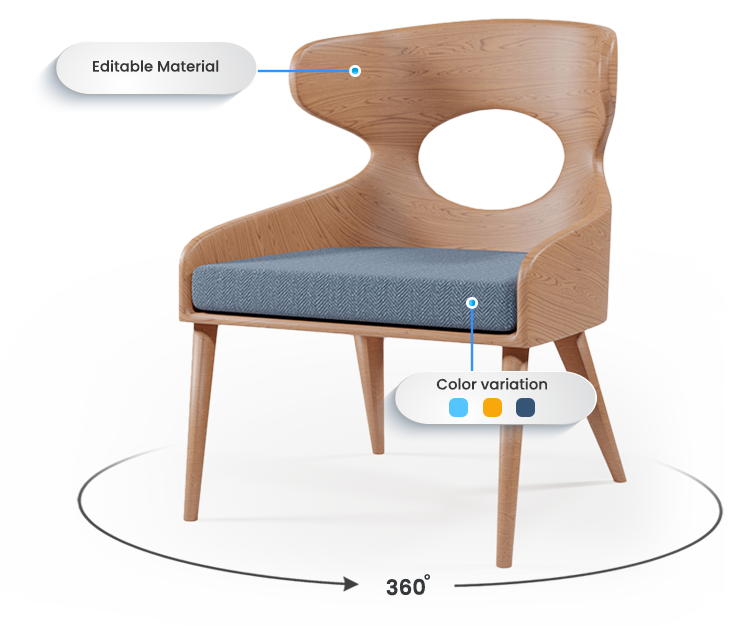
- 360-degree spins – Interactive views let shoppers rotate the product online (3D product visualization)
- Zoomed-in detail shots – Highlights stitching, textures, and premium finishes (level of detail)
- Animations – Short loops to show functionality or rotating products (3D visuals, animation)
- AR/VR-ready models (USDZ, GLB) – Lets customers view products in their own space using mobile devices (real estate developers, 3D real estate)
Common Deliverables Explained: Animation, 3D Renderings, and Architectural Visualization
Here’s how I usually categorize and use the deliverables from a 3D project:
- Packshots: Standard front, back, and side shots of each product. Great for catalogs or online stores. (3D rendering price can vary by complexity)
- Lifestyle renders: The product in a room or scenario to tell a story and increase conversions. For example, placing a sofa in a bright living room helps shoppers imagine it in their home.
- 360-degree spins: I embed these on product pages so users can rotate the product themselves. Especially effective for furniture, electronics, and luxury items. (faster rendering times)
- AR/GLB files: Used in augmented reality apps or websites to let customers “place” the product in their space. (outsourced 3D visualization)
- Layered PSD files: Essential for marketers who want to tweak backgrounds or adjust lighting in post-production. (rendering tools)
- Web-ready JPG and PNG: Optimized images for e-commerce platforms, ensuring fast loading without losing quality (cut costs and improve turnaround time)
File Formats & Commerce Needs for 3D Services
When I plan 3D assets for my brand, file formats matter as much as the visuals. Using the right formats ensures level of detail and compatibility with all platforms:
- PBR textures: For realistic materials like fabric, leather, or wood (high-quality 3D)
- EXR files: High-quality render passes for post-editing and color correction (rendering time reduction)
- sRGB color space: Ensures consistency across e-commerce platforms (benefits of 3D)
- GLB/GLTF files: Compatible with AR viewers, websites, and apps (3D architectural visualization)
- Responsive sizes & naming: Makes it easy for developers and marketers to upload images without mistakes (manage costs and optimize turnaround time)
Revisions and Source Files in Outsourced 3D Rendering Projects
I always clarify upfront when working with visualization studios:
- How many revision rounds are included. Usually, 1–3 rounds keep the project efficient (rendering professionals help reduce unexpected costs)
- Who owns the 3D model – essential if I want to create new variants or re-use models in the future (3D rendering software ensures reusability)
- Access to scene files – sometimes I need Blender, Cinema 4D, or 3ds Max files (producing 3D efficiently)
- Licensing terms and NDA protection – especially if images are for advertising or exclusive products (save time and money)
Pricing & Budgeting for 3D Rendering Services
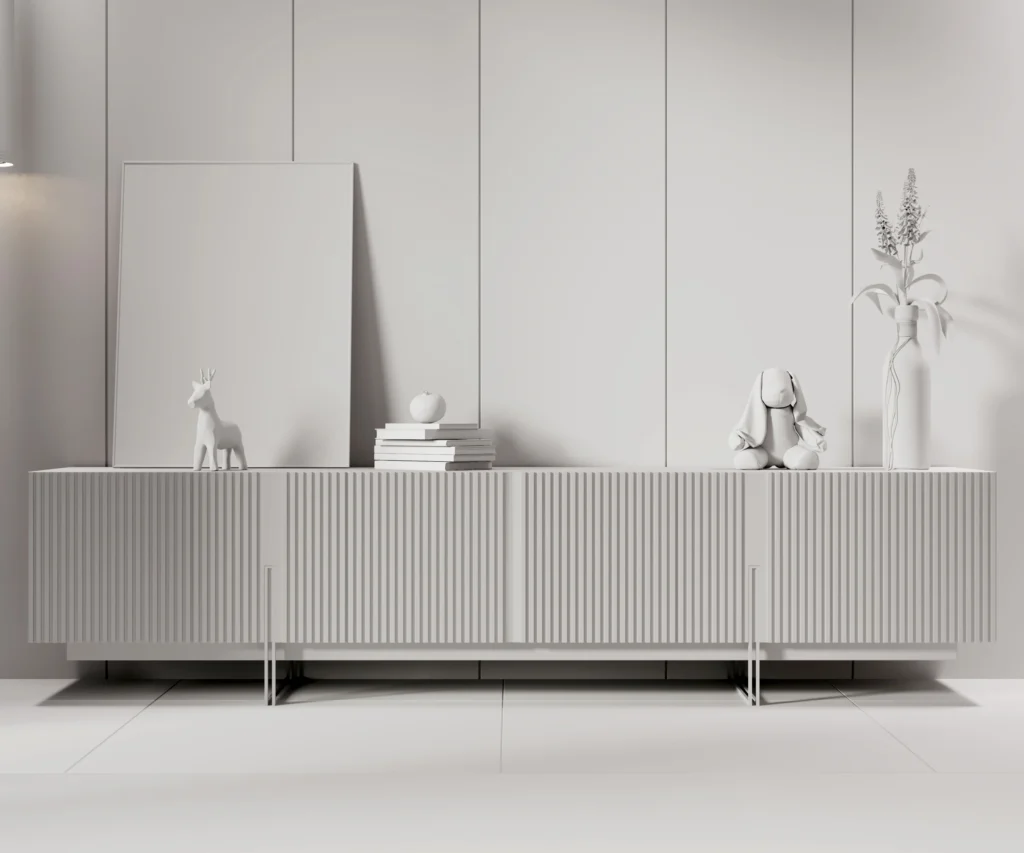
Rendering costs depend on complexity, materials, number of views, and scene types. Even premium lifestyle scenes are often cheaper than repeated photoshoots, especially when scaling. Using 3D product visualization can save money in the long run, reducing unnecessary costs. I’ve saved 30–50% on catalog updates alone.
Typical Rendering Prices and Service Models
Here’s how I usually see 3D rendering services charge:
- Per image: Good for small projects or testing (3D rendering price)
- Per SKU: Great when you have multiple products or variants (visualization project)
- Subscription: Ideal for ongoing content needs for e-commerce brands (lower costs)
- Retainer: Perfect for agencies that need consistent production each month (turnaround time)
- Volume-based packages: Discounts for large catalogs or batch rendering (rendering professionals reduce cost of 3D)
Cost Drivers to Expect in Visualization Projects
Factors that affect pricing:
- Product complexity (curves, textures, fabrics) (level of detail)
- Material realism (metallic finishes, leather, reflective surfaces) (high-quality 3D visualizations)
- Number of views and angles needed
- Animations or AR/VR models (3D visuals, 3D architectural visualization)
- Rush orders or quick turnarounds (faster rendering times)
- Number of revisions (unexpected costs)
For example, a highly detailed leather armchair with 50 color variants costs more than a simple wooden stool with one variant (3D rendering software influences the cost).
How to Budget for Scale and Lower Unnecessary Costs
I always separate costs into two parts:
- Upfront modeling cost – the one-time effort to build the 3D model (cost of 3D visualization)
- Low incremental cost per variant – adding colors, fabrics, or angles costs very little (cut costs, save time)
Tips I use:
- Ask for tiered pricing based on volume (rendering services charge)
- Request batch discounts if you have many SKUs (manage costs)
- Consider a retainer for continuous content needs (producing 3D efficiently)
- Set clear SLAs to ensure deadlines are met (faster rendering times)
Choosing a 3D Rendering Service or Outsource Provider
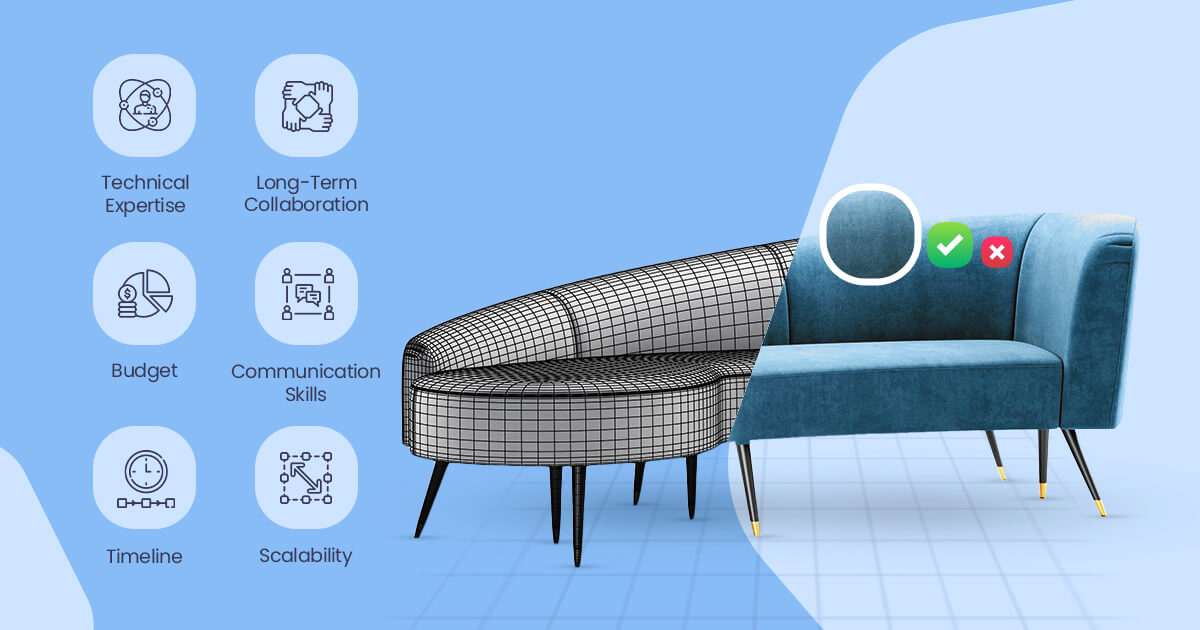
Choosing the right 3D partner can make or break your project. From my experience, it’s not just about cost,it’s about expertise, reliability, and how smoothly they integrate into your workflow. Working with professional 3D studios ensures high-quality 3D visualizations, reduces unexpected costs, and speeds up the turnaround time.
For example, one of our clients shared their experience while working on a recent furniture catalog. They mentioned that partnering with a studio that truly understood their 3D product visualization needs saved weeks of back-and-forth. Without a knowledgeable partner, they noted, projects can face inconsistent textures, poor lighting, or time-consuming revisions. Working with Orbe3D, an experienced 3D rendering studio, ensured that their visuals were accurate, high-quality, and delivered efficiently.
Portfolio and Niche Fit for Architectural Rendering and Visualization
When hiring a 3D rendering agency, it’s important to know what to look for in their portfolio. Here are the key aspects I always recommend checking:
- Realistic fabric textures and finishes – Make sure the materials in their renders closely match real-life fabrics and surfaces.
- Accurate wood grains, metals, and reflective surfaces – High-quality rendering should bring every material to life.
- Attention to fine details – Check stitching, seams, and corners to ensure the studio delivers precision.
- Consistent and natural lighting – Lighting should convey the right mood and feel realistic in every scene.
For example, a portfolio that showcases velvet sofas under natural light with incredible realism shows that the studio can handle even subtle texture differences in furniture. This gives confidence that they can deliver professional-quality 3D renders for your own projects.
Workflow and Communication with a 3D Service
Workflow clarity is critical. I always suggest to ask any studios:
- Do they have project managers to ensure smooth delivery (rendering services charge)
- Which render engines do they use, and are they up to date (3D rendering software, rendering tools)
- Can they handle large batch orders efficiently without errors (producing 3D)
- Do they offer cloud rendering for faster outputs (faster rendering times)
- How do they review and approve revisions (unexpected costs)
One of our clients shared that before working with Orbe3D, they had collaborated with a different studio that lacked a clear revision process, resulting in a two-week delay. Since then, they always ensure a transparent workflow, which saves both time and costs, and makes project turnaround much smoother.
Legal and Ownership Terms for Your 3D Visualization Projects
Legal clarity is essential. I confirm:
- Who owns the final 3D model (cost of 3D visualization)
- Can I reuse scenes for ads or new SKUs (producing 3D)
- Are NDAs in place to protect unreleased products (save time and money)
- Do I have advertising and marketplace rights (3D product visualization)
For example, a previous project required the same 3D assets across Amazon, Shopify, and Instagram. Clear ownership saved renegotiation time and reduced unnecessary costs.
Industry Use Cases for 3D Rendering and Visualization
3D rendering isn’t limited to one type of business. Over the years, I’ve seen it transform multiple industries, from furniture to real estate. Using 3D architectural visualization and 3D product visualization allows brands to save time, cut costs, and scale efficiently.
Furniture & Lifestyle Rendering Projects
I often rely on 3D to:
- Show multiple fabric or wood options instantly (level of detail)
- Render entire room scenes digitally (3D residential)
- Produce ad assets for social media and email campaigns (high-quality 3D visualizations)
In one case, I rendered a full living room set in multiple colorways overnight, saving nearly $2,000 in studio costs for my client (money in the long run, lower costs).
Real Estate & Architectural Visualization
We also rendering interiors and exteriors for:
- Pre-sale brochures (3D real estate)
- Marketing campaigns (architectural visualization)
- Client presentations (exterior rendering)
This approach eliminates the need for physical staging (much virtual staging costs) while maintaining high-quality 3D visualizations.
Jewelry, Textiles, and Packaging Visualization
High-fidelity 3D works perfectly for:
- Reflective metals and gemstones (3D architectural, 3D visuals)
- Leather, cloth, and textile textures (level of detail)
- Packaging with intricate designs (3D product visualization)
For a jewelry brand, we created 3D renders of rings and necklaces that captured reflections and textures perfectly, saving money in the long run and reducing unnecessary costs.
Technical Workflow & Delivery in 3D Rendering Services
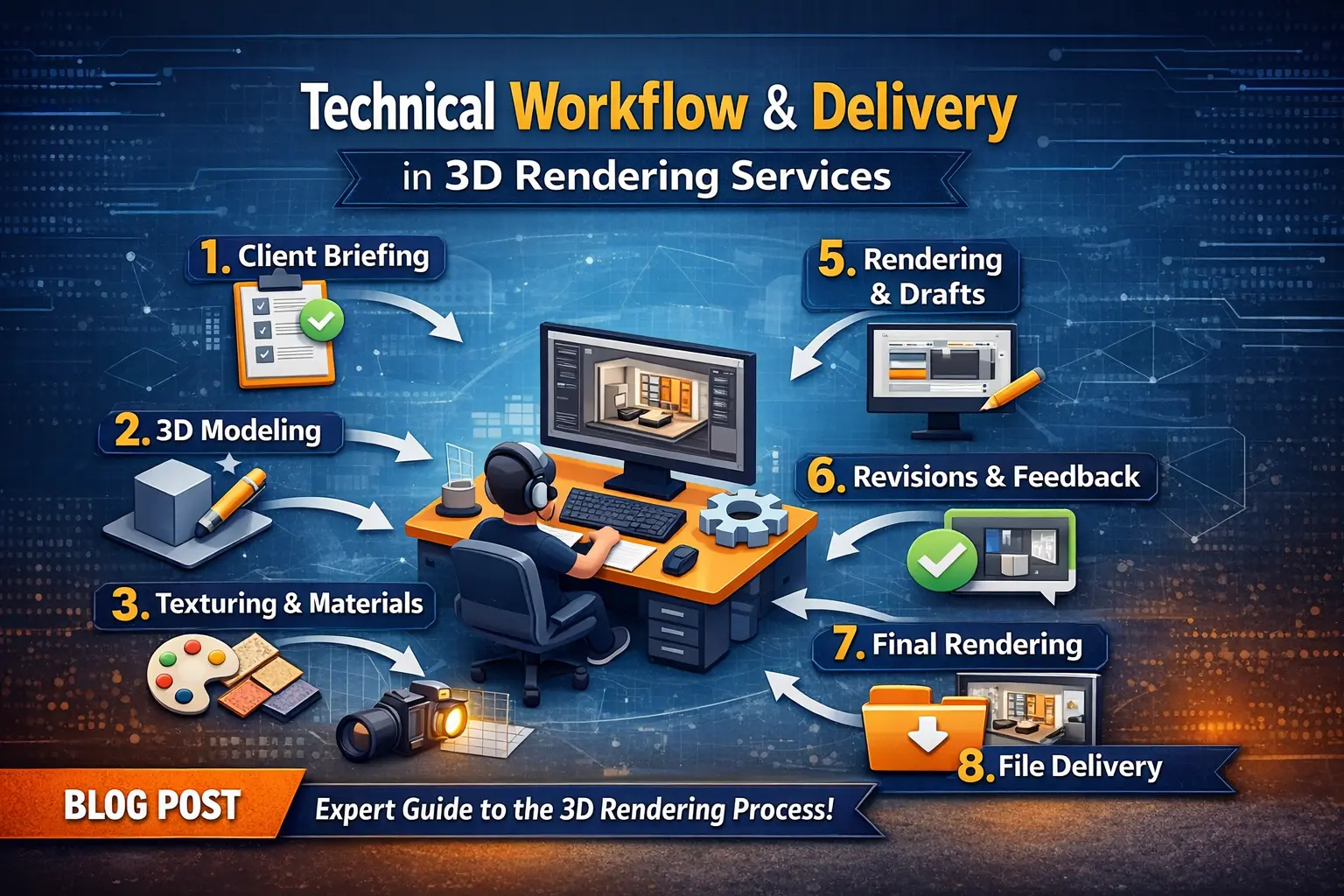
A structured workflow is essential for speed, quality, and scalability. Using 3D rendering software and professional 3D visualization studios ensures consistent results and efficient rendering time. Each step builds on the previous one, allowing multiple variants while maintaining high-quality 3D visualizations.
From Brief to Final Asset: Understanding the 3D Rendering Process
It always starts with a clear brief. I provide:
- References, CAD files, colors, and sizes (3D architectural visualization, architectural rendering)
- Product notes and style preferences (3D product visualization)
Then the studio models the product, applied materials and textures, sets up lighting, and renders images ready for web, AR, or marketing (rendering professionals, level of detail).
For example, when launching a modular sofa line, we delivered all color and fabric variants within a week,a result impossible with traditional photography (save time and money, cut costs).
Speedups: Render Farms, Denoising, and Animation
Cloud rendering and rendering tools have been a game-changer. I rely on:
- Render farms to generate multiple angles simultaneously (faster rendering times)
- Denoising tools to create near-final images from shorter renders (lower costs)
When producing a catalog of 100 SKUs, these speedups saved days of work and reduced unnecessary costs (money in the long run).
Quality Control & Level of Detail in Architectural and Product Rendering
I never skip quality checks. My workflow includes and always suggest for all:
- Reviewing ICC profiles for accurate colors (high-quality 3D visualizations)
- Test renders to verify material fidelity (level of detail)
- Checking lighting consistency across all images (architectural visualization)
Once, a single overlooked texture caused a product to look off online, which reinforced why QC at every stage is non-negotiable (rendering professionals, 3D product visualization).
SEO & Commerce Integration for 3D Rendering Assets
3D renders don’t just save time,they improve e-commerce performance. More images lower bounce rates, keep users engaged, and AR previews increase time on page (benefits of 3D visualization, professional 3D).
Image SEO Best Practices for 3D Visualizations
I make sure:
- Filenames are clear and descriptive (3D rendering price)
- Alt text describes the product accurately (3D product visualization)
- Captions are added when useful (3D visuals)
- Structured data is applied (architectural rendering)
- Responsive image sizes work on mobile (cut costs, save time)
One catalog update increased traffic by 15% simply because images were optimized properly (rendering professionals).
Integrating 3D into Product Pages and AR Experiences
Embedding 3D files requires attention to performance:
- Use GLB or GLTF with lightweight viewers (3D architectural visualization)
- Deploy via CDN to keep load times fast (faster rendering times)
- Ensure smooth mobile performance (lower costs, manage costs)
This allows shoppers to interact with products without frustration (benefits of 3D visualization).
Tracking Impact, Conversions, and ROI from Rendering Services
I track metrics like:
- 3D viewer interactions (3D product visualization)
- Conversion lift (benefits of 3D)
- Return rates (cut costs)
- A/B test performance (rendering time)
For example, adding interactive 3D views on a high-end chair page increased conversions by 12% in one month (professional 3D, rendering professionals).
FAQ: Understanding 3D Rendering Cost, Services, and Projects
What is 3D product rendering?
A digital method that creates real-looking images using 3D rendering software.
How much does 3D rendering cost?
Usually $150–$300 for modeling and $10–$30 per variant (3D rendering price, understanding the cost).
Is 3D always cheaper than photos?
Yes, for most products at scale (cut costs, lower costs).
How long does modeling take?
1–7 days depending on complexity (rendering time, turnaround time).
Do I get source files?
Only if the agreement includes it. Always confirm (rendering professionals, outsourced 3D visualization).
Can I use 3D images in ads and marketplaces?
Yes, including Shopify, Amazon, and Meta Ads (3D visuals, 3D product visualization).
Final Thoughts
My main goal with this blog is to bring more organic visitors and share clear information that helps people learn. High-quality 3D visualizations and professional 3D services allow you to save time, cut costs, and produce scalable content.
Good content answers real questions and supports smart decisions (benefits of 3D visualization, rendering professionals, 3D architectural visualization). If this guide helps new visitors learn more about 3D rendering services, it has done its job well.