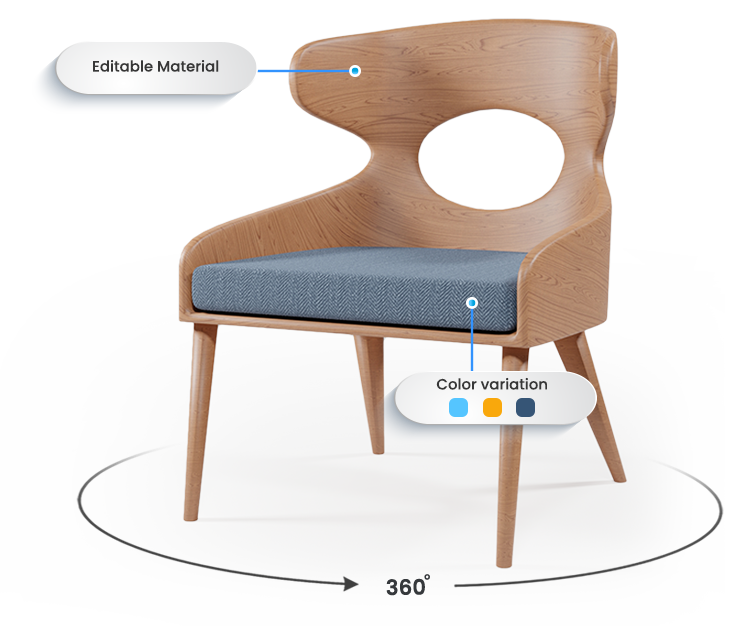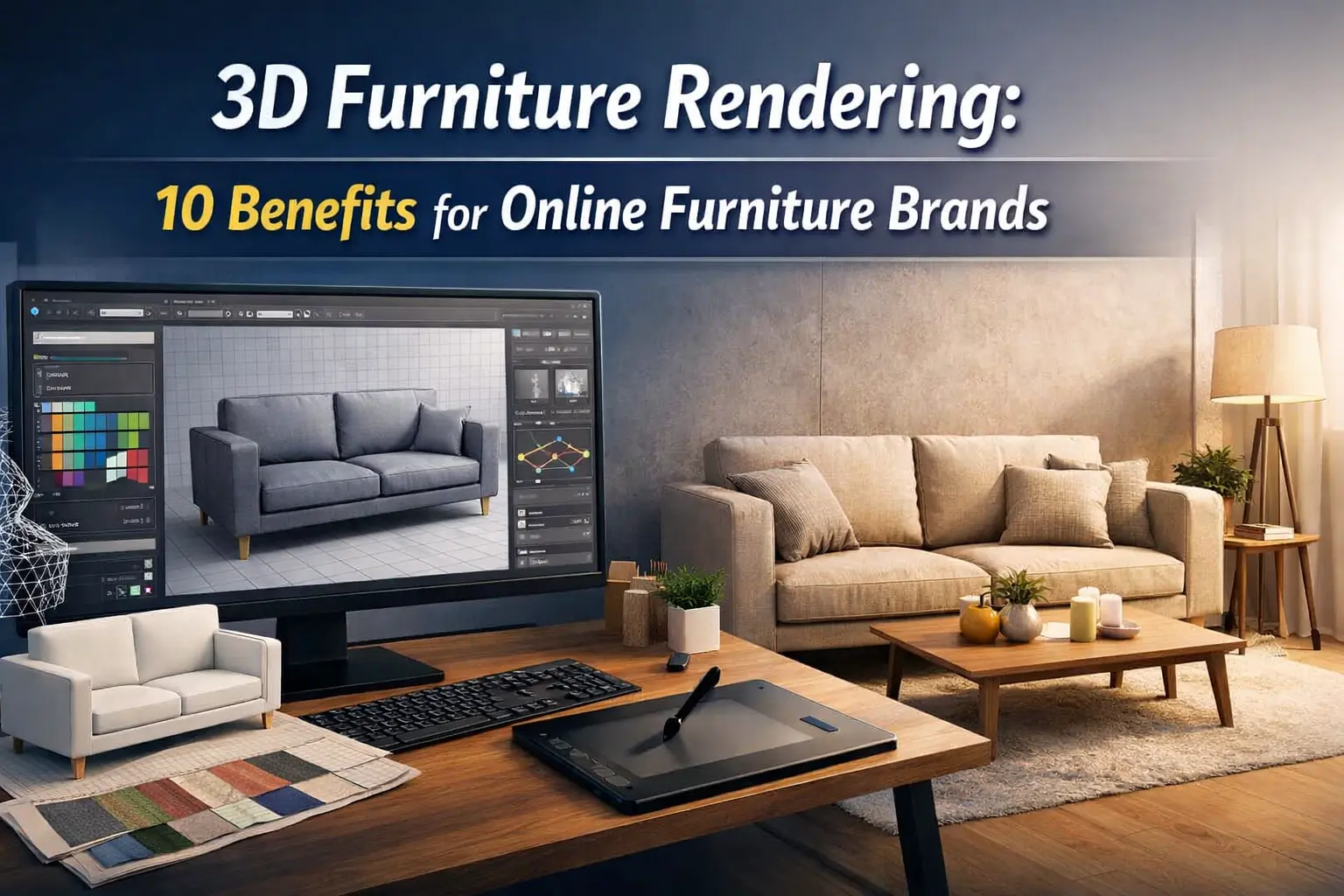
In today’s competitive online furniture market, first impressions matter more than ever. Shoppers want to see every detail of a product before they buy, but traditional photography can be time-consuming, expensive, and limited in flexibility. This is where 3D furniture rendering comes in.
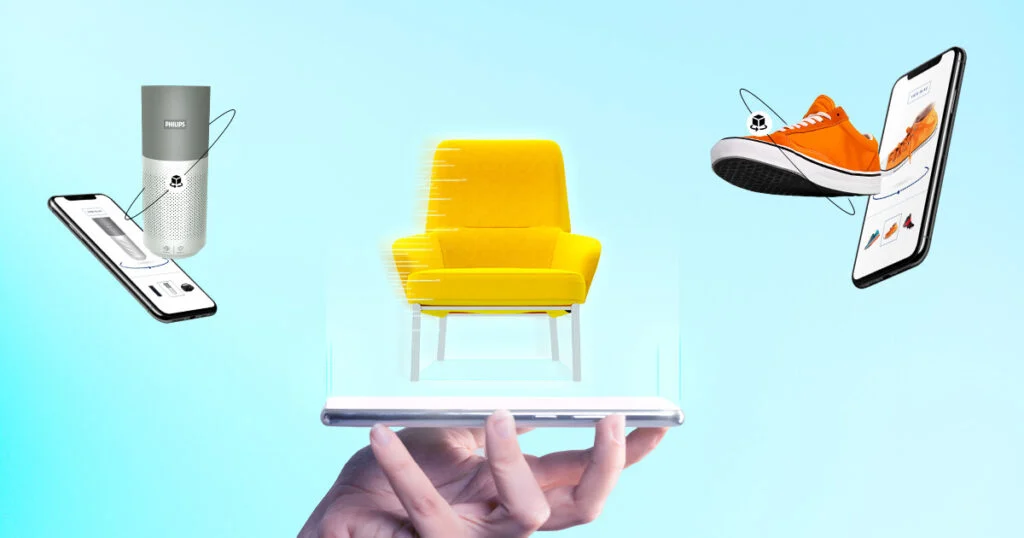
By creating photorealistic 3D models of your products, you can showcase furniture from every angle, let customers visualize it in their own space, and even offer interactive features like 360° views or augmented reality. Leading e-commerce and D2C brands are already using 3D rendering to boost sales, reduce returns, and enhance the overall shopping experience.
Today, we see 10 key benefits of 3D furniture rendering and why it’s becoming an essential tool for online furniture brands that want to stay ahead of the competition.
What Is 3D Furniture Rendering?
3D furniture rendering is the process of creating highly realistic, computer-generated images of furniture from 3D models to visualize designs before production or for online marketing.
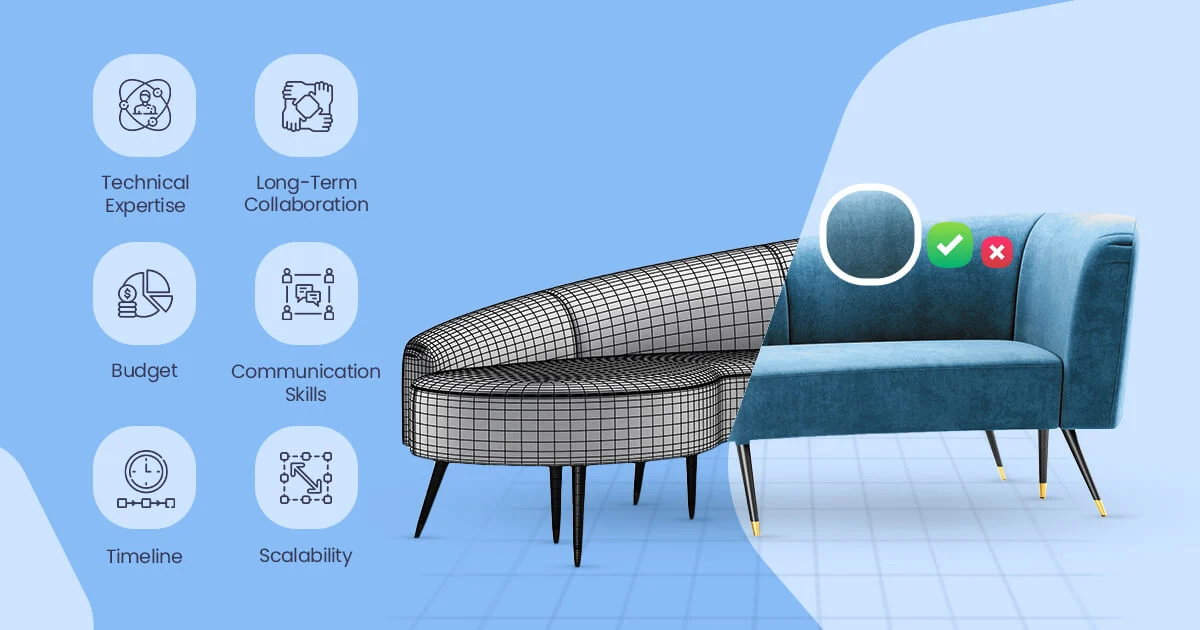
3D furniture rendering transforms a digital 3D model of a furniture piece into a photorealistic image or animation. This allows designers, manufacturers, and online furniture brands to see exactly how a product will look in different environments, colors, or materials without building a physical prototype.
How It Works:
- 3D Modeling: The furniture is first designed in software like Blender, 3ds Max, or SolidWorks.
- Texturing & Materials: Wood grains, fabrics, metal finishes, and other surface details are applied digitally.
- Lighting & Camera: Virtual lights and cameras mimic real-world conditions to create shadows, reflections, and depth.
- Rendering Engine: Software like V-Ray or Corona Renderer processes all these elements to produce a realistic image.
- Post-Processing: Optional editing enhances realism and adds final touches for marketing or catalogs.
Practical Example on an industry leader of a furniture brand:
- IKEA uses 3D rendering for its online catalogs. Instead of photographing every furniture variation, they create 3D models and render thousands of scenes, saving millions in production costs while maintaining photorealistic visuals for their e-commerce platform.
- A report from Statista (2024) shows that companies using 3D visualization in e-commerce increased product page engagement by 37% and reduced return rates by 23%, proving that 3D rendered images help online customers make confident purchase decisions.
Why It’s Important for Online Furniture Brands:
- Cost Efficiency: Avoids photographing every SKU or variation.
- Marketing Flexibility: Can showcase furniture in any interior, color, or material instantly.
- Enhanced Customer Experience: Buyers can visualize the furniture in their space, especially when combined with AR tools.
Authority Reference / Research:
- Increased Engagement: Interactive 3D product visualization can boost customer interaction by up to 80%, with some furniture brands seeing a 35% rise. [ According to Threekit ]
- Higher Conversions: Products with 3D images or AR experiences can increase conversion rates by up to 94%, and 3D configurators can lift conversions by 40%.[According to the research]
Why Online Furniture Brands Are Switching to 3D Rendering
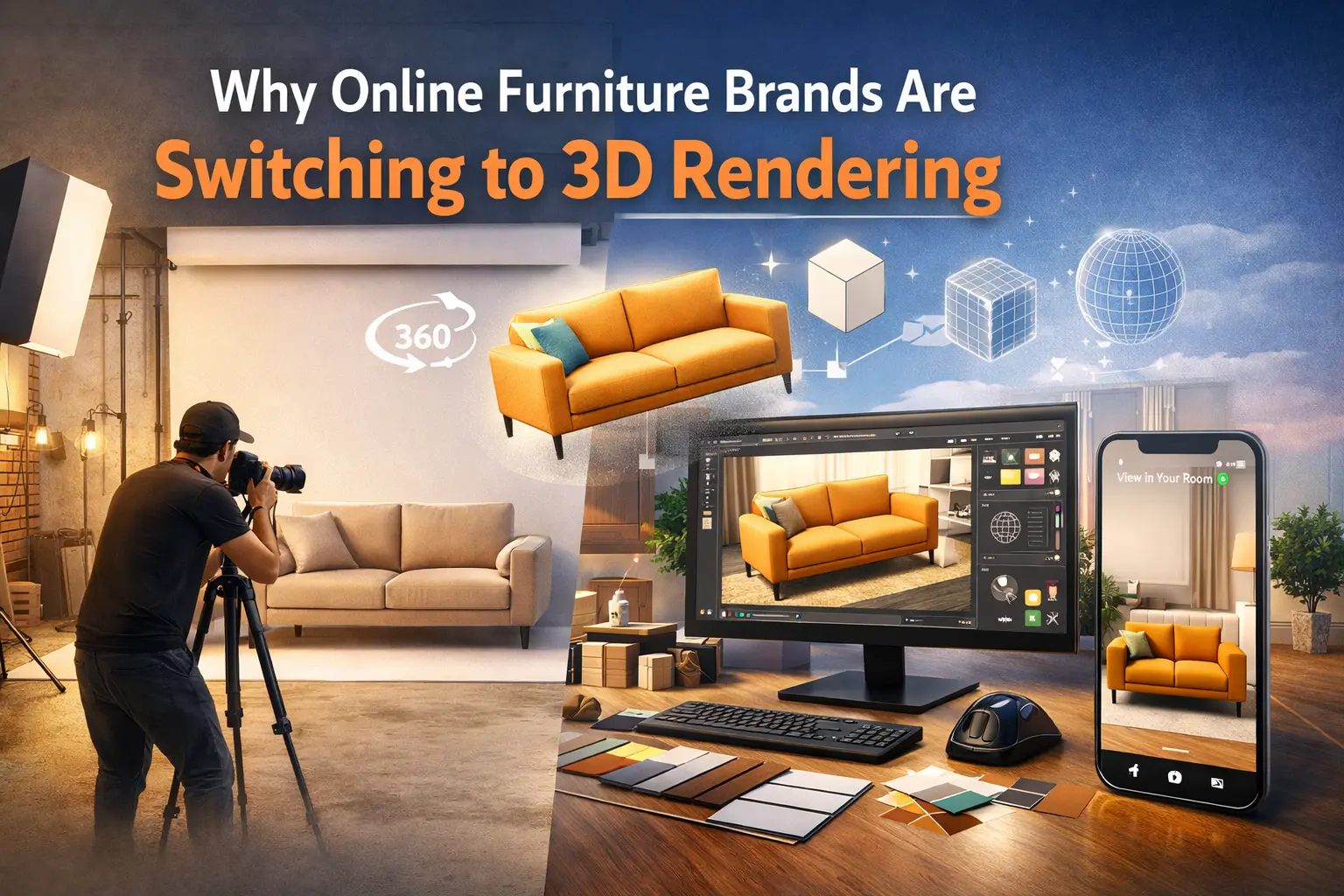
The furniture industry is evolving rapidly, and online brands are turning to 3D rendering to stay ahead. Traditional photography, while effective, comes with limitations-high costs, time-consuming setups, and limited flexibility. 3D rendering offers a smarter, faster, and more scalable alternative.
💡More than 65% of major online retailers had adopted some form of 3D visualization by 2023. [ According to Marketgrowthreports]
Cost Efficiency
Producing professional photographs of furniture requires studio space, lighting, props, and models, often for every single product variation. 3D rendering eliminates most of these costs. A single digital model can be reused in multiple scenes, colors, and styles, dramatically reducing production expenses.
Speed and Flexibility
Creating new furniture content using photography can take days or even weeks. With 3D rendering, brands can produce realistic images in a fraction of the time. Designers can quickly adjust colors, materials, textures, and lighting without reshooting, making it perfect for seasonal catalogs or rapid product launches.
Unlimited Customization
3D rendering allows brands to showcase products in any environment, such as modern living rooms, cozy bedrooms, or outdoor patios, without physically building the scene. Customers can visualize furniture in different styles and settings, improving engagement and purchase confidence.
Enhanced Online Shopping Experience
Online shoppers rely heavily on visuals to make buying decisions. High-quality 3D images provide accurate, detailed, and lifelike representations of furniture, bridging the gap between the digital and real world. Some brands even integrate 3D models into AR apps, letting customers “place” furniture in their own homes before buying.
Scalability for Growth
For brands managing hundreds or thousands of products, photography becomes nearly impossible to scale. 3D rendering allows them to quickly expand their product catalog online, keeping content fresh and visually consistent without extra photoshoots.
🌍 Overall 3D product visualization market (including rendering for online stores) is forecasted to grow from roughly $2.85 B in 2024 to more than $12 B by 2033, a strong sign that more companies will adopt it.
10 Key Benefits of 3D Furniture Rendering for Online Brands
1. Higher Conversion Rates with Photorealistic Product Images
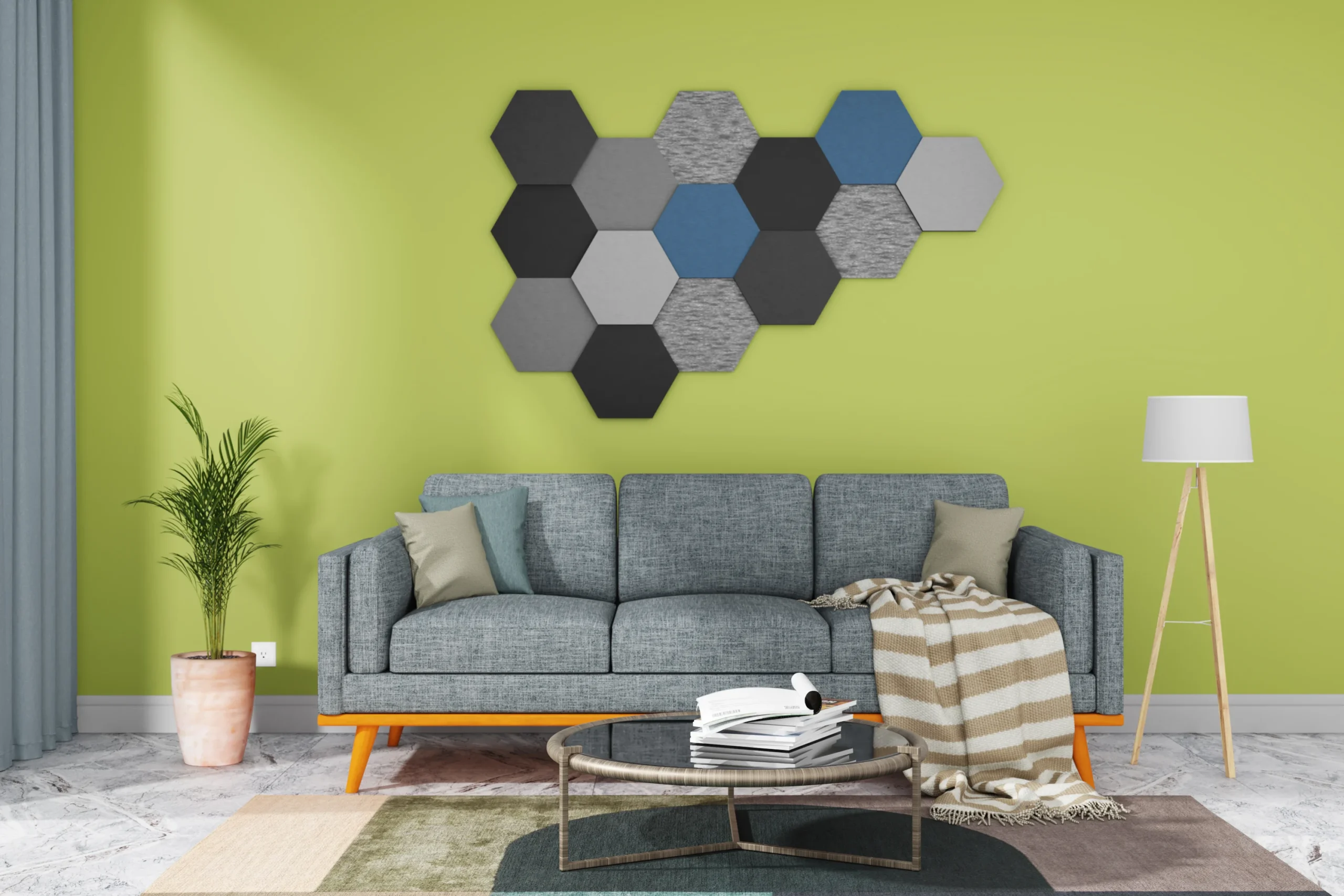
Online shoppers rely heavily on visuals to make purchasing decisions. Photorealistic 3D renders allow customers to see every detail of a furniture piece, its texture, material, and dimensions, just as they would in a showroom. This realistic presentation significantly increases trust and reduces hesitation, leading to higher conversion rates. Many online brands report that customers are more confident to purchase after interacting with 3D product images, which directly boosts sales.
2. Massive Cost Savings vs Traditional Photoshoots
Traditional product photography can be expensive. Studios, lighting, props, models, and repeated shoots for multiple variations can quickly add up. 3D rendering eliminates these costs. A single digital model can be reused in countless scenarios, from different colors and finishes to varied lighting setups and room environments. For growing brands, this means saving a substantial portion of the budget that would otherwise go to photoshoots.
3. Faster Product Launches for Growing Catalogs
Creating high-quality product images using traditional methods takes time, weeks, or even months for new collections. With 3D rendering, images can be generated instantly after the digital model is ready. This allows brands to launch products quickly, keeping up with seasonal trends and market demand. Rapid image production ensures that growing catalogs remain up-to-date and visually consistent, giving online stores a competitive edge.
4. Unlimited Customization (Colors, Materials, Variations)
3D models provide unmatched flexibility. Brands can instantly showcase the same furniture piece in different colors, fabrics, finishes, or design variations without creating multiple physical samples. This customization not only enhances the shopping experience but also allows customers to visualize their preferred options in real time, which increases engagement and satisfaction.
5. Reduced Product Returns & Fewer Customer Complaints
Returns are a major challenge for online furniture retailers. Customers often return products because they don’t match their expectations in size, color, or material. High-quality 3D visualizations accurately depict every detail of the product, helping shoppers make informed decisions. When buyers know exactly what they’re getting, return rates drop, customer complaints decrease, and overall satisfaction rises.
6. Better Customer Confidence & Buying Experience
Interactive 3D models enable shoppers to rotate, zoom in, and view furniture from multiple angles. This creates a more immersive and realistic online shopping experience, similar to examining products in a physical store. Customers gain confidence in their choices, are less likely to abandon their cart, and feel more positive about the overall shopping experience.
7. Scalable Visual Content for E‑commerce Platforms
As online stores grow, managing product imagery can become overwhelming. 3D rendering allows brands to scale efficiently: a single digital model can generate countless images for product pages, marketing campaigns, catalogs, and advertisements. This ensures visual consistency across all channels while drastically reducing production time and effort, making it ideal for e-commerce platforms with large product catalogs.
8. Stronger Marketing Performance Across Ads & Social Media
High-quality 3D visuals grab attention more effectively than static photos. Brands can use these images in social media campaigns, display ads, and email marketing to increase engagement. Interactive 3D content encourages users to explore products, leading to higher click-through rates, better ad performance, and improved return on marketing investment.
9. AR‑Ready Assets for “View in Room” Experiences
3D models can be directly integrated into augmented reality (AR) applications, allowing customers to visualize furniture in their own homes before buying. This immersive experience reduces uncertainty, improves confidence, and increases the likelihood of purchase. AR tools also create a modern, tech-savvy brand image, helping retailers stand out in a competitive online market.
10. Long‑Term ROI & Reusable Digital Assets
Unlike traditional photography, 3D models are reusable and adaptable. Once created, they can be modified for new product variations, seasonal campaigns, or different marketing channels without additional costs. This long-term usability maximizes ROI, making 3D rendering not just a short-term solution but a strategic investment that supports growth and efficiency over time.
Types of 3D Furniture Rendering Used by Online Brands
Online furniture brands use different types of 3D rendering depending on their goals, whether it’s marketing, e-commerce product pages, or augmented reality experiences. Here is a short table showing each type of 3D furniture rendering, who typically uses it, ROI impact, production time, and ideal use case. This will make it clear to readers which type is best for which brand or purpose
Type of 3D Rendering | Who Typically Uses It | Average ROI / Benefit | Time to Produce | Best For / Use Case |
Still Image Rendering | Small to medium online stores, catalogs | Medium – 20–40% higher engagement vs photos | 1–3 days per product | Product pages, e-commerce listings, marketing images |
360° Product Rendering | E-commerce brands selling individual pieces | High – up to 50–70% more clicks | 2–5 days per product | Interactive product pages, online stores, furniture comparisons |
3D Animation & Walkthroughs | Large furniture brands, interior designers | High – boosts conversions and user engagement | 1–2 weeks per room or set | Marketing videos, showroom demos, online product storytelling |
Real-Time Rendering / Configurators | Medium to large online retailers | Very High – personalized experiences increase sales by 30–50% | 1–3 weeks to set up | Customizable products, configurators for fabrics, colors, and sizes |
Virtual Reality (VR) Rendering | Luxury brands, showrooms | High – premium experience builds brand image | 2–4 weeks per room | Immersive brand experiences, virtual showrooms, trade fairs |
Augmented Reality (AR) Rendering | E-commerce, mid-large brands | Very High – reduces returns by 25–40% | 1–2 weeks | Customers placing furniture in their homes, AR apps for online shopping |
Product Configurators | Large e-commerce stores | Very High – increases average order value 15–30% | 2–4 weeks to set up | Customization-heavy products, multi-option furniture (color, material, size) |
Notes / Insights:
- Small brands often stick to still images and 360° rendering because they are cheaper and faster.
- Medium to large e-commerce brands use configurators, AR, and real-time rendering for higher engagement and ROI.
- Luxury brands use VR and animations to create premium experiences and showcase room setups.
- Time & cost increase with interactivity and realism, but ROI is typically much higher for interactive formats because of higher engagement and reduced returns.
Details breakdown Types of Furniture Rendering:
1. Still Image Rendering
Still image rendering is the most basic and widely used type of 3D furniture visualization. Brands create photorealistic images of furniture from different angles, which can be used on product pages, catalogs, and marketing campaigns. It gives customers a clear view of the product without the need for physical photography, saving time and cost.
- Pros:
- Quick and cost-effective
- Easy to produce for small catalogs
- Works on all platforms
- Cons:
- Static images, no interactivity
- Limited engagement for customers
- Why use it: Ideal for small to medium stores that need professional visuals without high investment.
- ROI: Medium – increases engagement and conversion 20–40% vs standard images.
- Time to produce: 1–3 days per product
2. 360° Product Rendering
360° rendering allows customers to rotate furniture digitally and view it from all angles. This interactive type of rendering helps shoppers explore textures, finishes, and proportions, creating a closer-to-real shopping experience than static images.
- Pros:
- Highly interactive and engaging
- Shows product details clearly
- Cons:
- Slightly higher production cost
- Requires more setup than still images
- Why use it: Perfect for e-commerce stores to boost engagement and help buyers feel confident in their choice.
- ROI: High – can increase clicks and interactions by 50–70%
- Time to produce: 2–5 days per product
3. 3D Animation & Walkthroughs
3D animation and walkthroughs show furniture in motion or within a virtual room. This type of rendering is excellent for large furniture items like sofas, wardrobes, or modular setups, allowing customers to see how products fit and function in a space.
- Pros:
- Immersive and visually appealing
- Ideal for storytelling and marketing campaigns
- Cons:
- Expensive and time-consuming
- Not practical for small product catalogs
- Why use it: Great for marketing videos, showrooms, and brands showcasing full room setups.
- ROI: High – increases engagement and brand perception
- Time to produce: 1–2 weeks per room or product setup
4. Real-Time Rendering
Real-time rendering lets users interact with 3D models live, changing colors, materials, and configurations instantly. It is commonly used in online product configurators for customizable furniture.
- Pros:
- Full interactivity for customers
- Allows live customization
- Cons:
- Setup is complex and costly
- Requires an optimized website or software
- Why use it: Ideal for brands with customizable products to provide personalized shopping experiences.
- ROI: Very High – can increase sales 30–50%
- Time to produce: 1–3 weeks to set up per product line
5. Virtual Reality (VR) Rendering
VR rendering immerses customers in a completely virtual environment where they can walk around and view furniture as if physically present. This type is mostly used by high-end or luxury brands.
- Pros:
- Fully immersive, premium experience
- Excellent for brand positioning
- Cons:
- Expensive and time-intensive
- Requires a VR headset for customers
- Why use it: Perfect for luxury retailers, showrooms, and premium marketing campaigns.
- ROI: High – builds strong brand perception and attracts high-value customers
- Time to produce: 2–4 weeks per room or setup
6. Augmented Reality (AR) Rendering
AR rendering allows customers to place 3D furniture in real-world spaces using smartphones or tablets. This helps buyers check size, fit, and style before purchasing.
- Pros:
- Increases customer confidence
- Reduces returns
- Highly interactive and engaging
- Cons:
- Requires AR-capable devices
- Needs optimized 3D models for mobile
- Why use it: Ideal for mid to large e-commerce brands to improve online buying confidence.
- ROI: Very High – reduces returns 25–40% and increases purchase likelihood
- Time to produce: 1–2 weeks per product
7. Product Configurators
Product configurators combine 3D rendering with interactive tools to let users mix and match materials, colors, and finishes. This is perfect for furniture with multiple customization options.
- Pros:
- Highly interactive and engaging
- Boosts average order value
- Excellent for personalized products
- Cons:
- High setup cost and time
- Requires strong website performance
- Why use it: Best for large e-commerce brands offering customizable furniture.
- ROI: Very High – increases sales 15–30%
- Time to produce: 2–4 weeks to set up
3D Furniture Rendering vs Photography (Comparison Table)
Here is the clear and professional comparison table between 3D Furniture Rendering vs Photography for online brands, highlighting key differences:
Feature / Aspect | 3D Furniture Rendering | Photography |
Visual Flexibility | Can create unlimited variations (colors, materials, finishes) without reshooting | Each variation requires a new photoshoot |
Cost | Lower long-term cost, reusable assets | High cost for studio, props, lighting, models, and multiple shoots |
Time to Launch | Fast – images can be produced instantly once the model is ready | Slow – scheduling shoots, editing, and retakes takes days or weeks |
Customization | Fully customizable; interactive options possible (AR/360°/configurators) | Limited to what is photographed; no interactive customization |
Scalability | Highly scalable – one model can generate thousands of images | Limited scalability – each new product or variation requires additional effort |
Consistency | Perfect consistency in lighting, shadows, and angles across all products | Harder to maintain consistency across multiple shoots or photographers |
Interactivity | Supports 360° views, animations, AR, and VR | Static images; no interactivity without extra technology |
Return Rates | Lower – accurate representations reduce customer mistakes | Higher – photos may misrepresent size, color, or texture |
Marketing Use | Can be used across e-commerce, ads, social media, AR, VR | Mostly used in catalogs, websites, and print marketing |
Best For | Medium to large online stores, customizable furniture, AR/VR experiences | Small catalogs, quick product listings, and when physical photography is accessible |
✅ Summary Insight:
- 3D Rendering is best for scalable, interactive, and cost-effective solutions with customization and AR/VR capabilities.
- Photography is better for small catalogs or limited budgets, where realism from actual photos is preferred, but it’s less flexible and more expensive over time.
- Conversion boosts: 20–94% increase with 3D/AR visuals.
- Return reductions: 30–40% lower return rates with accurate visualization.
- Engagement: Up to 3.5× more interaction on product pages.
- Cost advantage: 40–70% cheaper than traditional photoshoots overall.
- High ROI: Some brands see up to 300× return from 3D content reuse.
Use Cases for E-commerce & D2C Furniture Brands
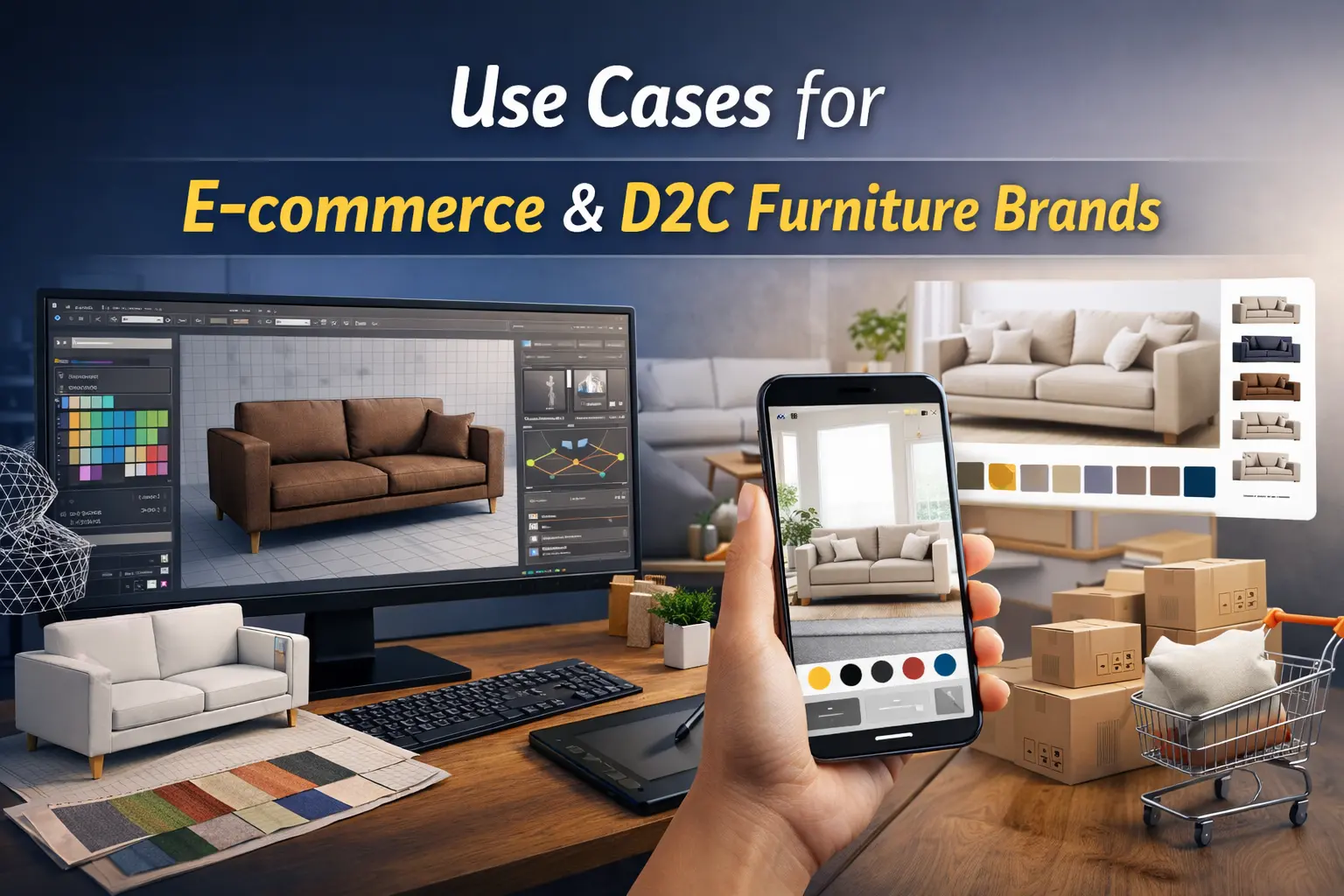
1. Wayfair – Immersive 3D & AR to Drive Engagement and Sales
Use Case: Wayfair uses photorealistic 3D models and advanced AR features in its mobile app and Digital Design Studio (DDS). Customers can place furniture in virtual rooms, rotate, move, and customize items before purchase. This interactive experience mimics real‑world shopping and eliminates guesswork.
Impact: Users who engaged with Wayfair’s AR and 3D tools were more likely to purchase and had a significantly lower return rate compared to those who didn’t use AR , showing a direct boost in conversion and customer satisfaction.
Why this matters for you: If you’re selling furniture online, giving customers the ability to visualize products in their own space dramatically increases confidence and encourages faster buying decisions.
2. IKEA -“Place in Your Room” AR & Catalog Innovation
Use Case: IKEA has been a pioneer in 3D and AR for furniture shopping. Its IKEA Place app lets shoppers place true‑to‑scale 3D models in their real rooms using a smartphone camera. IKEA also began integrating CGI as early as 2005 into product catalogs and today uses 3D for both product images and AR placement.
Measurable Outcomes:
- Millions of customers worldwide interact with IKEA’s AR tools to check furniture placement and size before buying.
- IKEA transitioned a large portion of catalog imagery to CGI and AR content to maintain consistency and reduce the need for physical products during marketing.
Why this matters for you: 3D/AR lets buyers see how furniture fits their actual space, which reduces returns and increases buyer confidence, a major pain point in furniture‑ecommerce. [Real Case Study]
3. Umage – WebAR to Boost Online Engagement
Use Case: Danish furniture brand Umage integrated 3D models and WebAR (AR viewable directly from the website, no app install needed) into its online product pages. Shoppers can view furniture in 3D and place it in their own rooms via smartphone. [According to sayduck]
Impact:
- Customers spend more time interacting with products online.
- Easier visualization leads to increased conversion and reduced returns.
Why this matters for you: WebAR is lower friction because it doesn’t require downloads, making it easier for more users to interact with your product visuals and ultimately convert faster.
4. Ashley Furniture – AR in Advertising & E‑commerce
Use Case: Ashley Furniture used AR not only on product pages but also in AR‑enabled advertising campaigns across mobile platforms. Customers could virtually place furniture in their rooms directly from ads, showcasing both product usefulness and style. [According to Webflow]
Results:
- AR ads doubled click‑through rates compared to traditional ads.
- Customer satisfaction increased because buyers could realistically preview furniture in their home settings.
Why this matters for you: Integrating 3D assets into both your e‑commerce site and advertising can improve engagement and ROI, not just on product pages.
5. Houzz, Massive 3D & AR Catalog Reach
Use Case: Houzz, a home design platform with tens of millions of users, integrated a “View in My Room 3D” feature, allowing customers to place furniture and decor virtually in their own homes. [ According to Wikipedia ]
Impact:
- Users can preview thousands of items in real spaces.
- This visualization tool has helped Houzz boost both time on site and purchase likelihood, especially for design‑centric shoppers.
Why this matters for you: Large designoriented audiences respond well to interactive visualization, which helps your brand compete on engagement and exploration, not just price.
Key Insights for Your Brand
✔ 3D furniture rendering and AR help reduce returns by letting customers confirm size and fit before purchase.
✔ Interactive visuals like WebAR and AR apps make customers more likely to buy than traditional photos. [ Sayduck Market research]
✔ Leading brands like Wayfair and IKEA show that integrating these technologies boosts engagement, conversion, and customer confidence, essential for thriving online.
Workflow of 3D Furniture Rendering
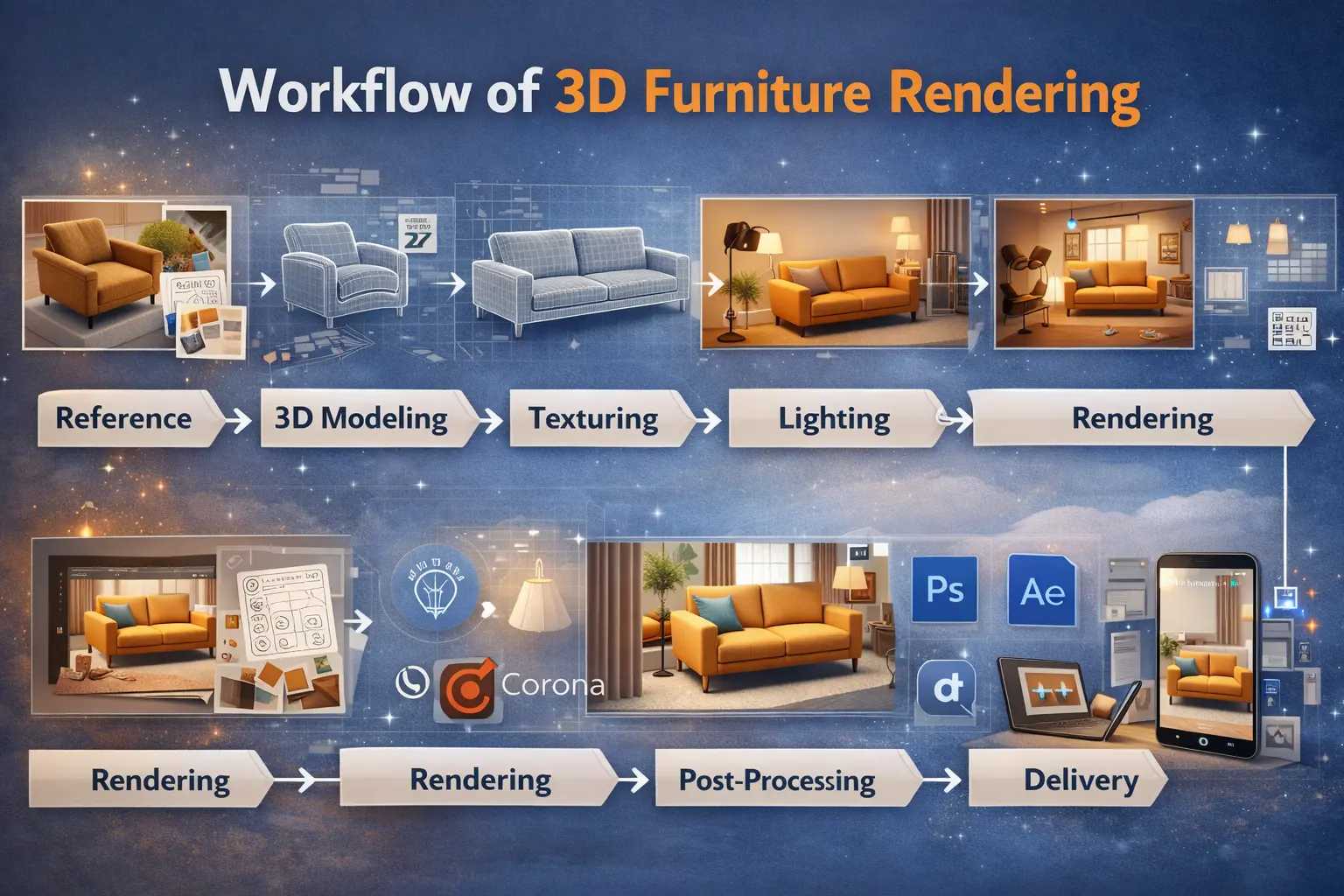
Creating photorealistic 3D furniture visuals is a structured process. Each step ensures that the final output looks realistic, engages customers, and can be used across e-commerce, AR/VR, and marketing campaigns.
The 3D furniture rendering workflow is a step-by-step process:
Reference → 3D Modeling → Texturing → Lighting → Rendering → Post-Processing → Delivery
1. Product Analysis & Reference Collection
- Goal: Understand the furniture piece in detail.
- Process: Designers collect blueprints, sketches, photos, material samples, and technical specifications.
- Importance: Ensures accuracy in dimensions, textures, and proportions before modeling starts.
2. 3D Modeling
- Goal: Build the digital geometry of the furniture.
- Process: Using software like 3ds Max, Blender, or Maya, artists create precise 3D shapes for every part of the furniture.
- Importance: Accurate modeling is essential for realistic rendering and interactive features like AR or configurators.
3. Texturing & Material Setup
- Goal: Apply realistic surfaces to the 3D model.
- Process: Materials such as wood, metal, fabric, or leather are recreated using high-resolution textures, bump maps, and reflection maps.
- Importance: Proper texturing makes furniture look photorealistic and appealing to customers.
4. Lighting & Scene Setup
- Goal: Simulate real-world lighting for a realistic look.
- Process: Artists place lights, adjust shadows, and create backgrounds or room setups in the 3D software. HDRI images are often used for natural light reflections.
- Importance: Lighting directly affects realism, mood, and visual impact of the product.
5. Rendering
- Goal: Generate the final image or animation.
- Process: Using rendering engines like V-Ray, Corona, or Unreal Engine, the software calculates how light interacts with materials to produce photorealistic visuals.
- Outputs: Can be still images, 360° spins, animations, or AR/VR-ready assets.
- Importance: Rendering transforms a 3D model into a visually compelling product image suitable for marketing and sales.
6. Post-Processing
- Goal: Enhance the rendered output for maximum impact.
- Process: Editors use tools like Photoshop or After Effects to adjust brightness, contrast, colors, remove minor flaws, or add context (like a room environment).
- Importance: Ensures the final visuals are polished, marketing-ready, and consistent with your brand aesthetics.
7. Delivery & Integration
- Goal: Make the rendered assets ready for use across platforms.
- Process: Export images, animations, or 3D files for e-commerce, AR apps, marketing campaigns, or virtual showrooms.
- Importance: High-quality assets are versatile, reusable, and cost-effective for multiple channels.
Summary:
Following this workflow ensures accuracy, realism, and consistency, helping your online store or D2C brand present furniture products in a way that drives engagement, conversions, and customer confidence.
Software & Technologies Used in 3D Furniture Rendering

Creating photorealistic 3D furniture visuals requires a combination of modeling, rendering, and post-processing tools, as well as technologies for AR, VR, and interactive configurators. Here’s a breakdown of the key software and technologies used in the industry:
A short, clean table summarizing the software and technologies used in 3D furniture rendering:
Category | Software / Technology | Use Case |
3D Modeling | 3ds Max, Blender, Maya, SketchUp | Create accurate 3D furniture models |
Texturing & Materials | Substance Painter, Quixel, Photoshop | Apply realistic surfaces, fabrics, and finishes |
Rendering Engines | V-Ray, Corona, KeyShot, Unreal Engine | Produce photorealistic images, 360° views, animations |
Post-Processing | Photoshop, After Effects | Color correction, touch-ups, marketing-ready visuals |
AR & VR | ARKit, ARCore, WebAR, Unity | Interactive visualization, AR “place in room”, VR showrooms |
Collaboration & Workflow | Trello, Asana, Shotgun, Dropbox | Project management, asset sharing, and team collaboration |
Detailed breakdown of all tools and use cases :
1. 3D Modeling Software
These tools are used to create the geometry of furniture pieces from scratch.
Autodesk 3ds Max: Industry-standard for high-quality modeling and rendering.
Blender: Open-source and versatile for modeling, texturing, and animation.
Maya: Preferred for animation-heavy projects and complex furniture designs.
SketchUp: User-friendly for fast modeling and architectural integration.
Use Case: Creating detailed 3D models of chairs, sofas, tables, cabinets, and custom furniture pieces.
2. Texturing & Material Design Software
These programs apply realistic textures, fabrics, and finishes to 3D models:
Substance Painter / Substance Designer: Industry-standard for realistic material creation.
Adobe Photoshop: Enhances textures, maps, and post-processing of materials.
Quixel Mixer: Free tool for creating realistic PBR materials.
Use Case: Simulating wood grains, fabrics, metals, and reflective surfaces accurately for photorealism.
3. Rendering Engines
Rendering engines calculate light, shadow, and reflections to produce final photorealistic visuals:
V-Ray: High-quality rendering for still images and animations.
Corona Renderer: Easy-to-use, realistic lighting, commonly used in furniture rendering.
Unreal Engine / Unity: Real-time rendering for interactive apps, AR, VR, and configurators.
KeyShot: Fast rendering for product visualization and marketing assets.
Use Case: Producing photorealistic product images, 360° rotations, and animations for online stores.
4. Post-Processing Tools
Post-processing ensures the final visuals are polished and marketing-ready:
Adobe Photoshop: Color correction, background adjustments, and touch-ups.
Adobe After Effects: Used for animation refinement and video rendering.
Use Case: Enhancing lighting, adding room environments, or creating promotional videos.
5. AR & VR Technologies
These technologies bring 3D models into interactive environments:
ARKit / ARCore: Mobile AR development platforms for iOS and Android.
WebAR (8thWall, Sayduck): Allows AR experiences directly in browsers without apps.
Unreal Engine / Unity: For virtual showrooms, configurators, and immersive VR experiences.
Use Case: Letting customers place furniture in their home (AR) or explore virtual showrooms (VR).
6. Collaboration & Workflow Tools
Tools for teamwork, asset management, and smooth delivery:
Trello / Asana / Notion: Project management for rendering projects.
Dropbox / Google Drive: Asset sharing and storage.
Shotgun / Ftrack: Industry-standard pipeline management for large-scale rendering projects.
Use Case: Ensures multiple designers, 3D artists, and marketers work together efficiently.
Summary
The 3D furniture rendering ecosystem combines:
Modeling Software: 3ds Max, Blender, Maya, SketchUp
Texturing Tools: Substance Painter, Photoshop, Quixel
Rendering Engines: V-Ray, Corona, Unreal Engine, KeyShot
AR/VR Platforms: ARKit, ARCore, WebAR, Unity
Post-Processing: Photoshop, After Effects
Collaboration Tools: Trello, Shotgun, Dropbox
By leveraging the right combination of software and technologies, your brand can produce photorealistic, interactive, and scalable furniture visuals that engage customers and increase sales.
FAQs: 3D Furniture Rendering for E-commerce & D2C Brands
1. How much does 3D furniture rendering cost for online brands?
Prices vary by complexity, but most high-quality renders start around $50–$150 per product.
2. Can 3D renders replace physical photoshoots completely?
Yes, for e-commerce catalogs, social media, and ads – especially for multiple product variations.
3. How long does it take to create a 3D furniture render?
A typical still image render takes 1–3 days, depending on complexity and textures.
4. Are 3D renders suitable for small furniture brands?
Absolutely – even small brands can scale visuals quickly without high photography costs.
5. Can 3D models be reused for AR and VR experiences?
Yes – one 3D model can be adapted for interactive apps, AR “view in room,” and VR showrooms.
6. Does 3D rendering help with international e-commerce?
Yes – it allows customers worldwide to see realistic product visuals without shipping samples.
7. Are 3D renders SEO-friendly for e-commerce sites?
Yes, optimized 3D images and AR previews can improve page engagement and search rankings.
Why 3D Rendering Is a Must-Have for Furniture Brands in 2026
In 2026, the online furniture market is more competitive than ever, and customer expectations are higher. Shoppers want photorealistic visuals, interactive experiences, and confidence that a product will fit their space -all before they click “Buy.”
3D rendering delivers on all these fronts. It allows brands to showcase products from every angle, create endless variations, integrate AR/VR experiences, and scale content quickly without the high costs of traditional photography. Brands that adopt 3D rendering not only improve customer engagement and reduce returns but also gain a clear competitive edge in digital commerce.
In short, if you want to future-proof your furniture brand in 2026, 3D rendering isn’t just an option; it’s a necessity. If you want professional 3D rendering and visualization services, Orbe3D can be your trusted white-label partner. Explore our services and start your free trial today!