Home / 3D Furniture Modeling / 3D Modeling in Product Design: The Strategic Guide for Faster Launches & Higher Sales (2026)

3D Modeling in Product Design: The Strategic Guide for Faster Launches & Higher Sales (2026)

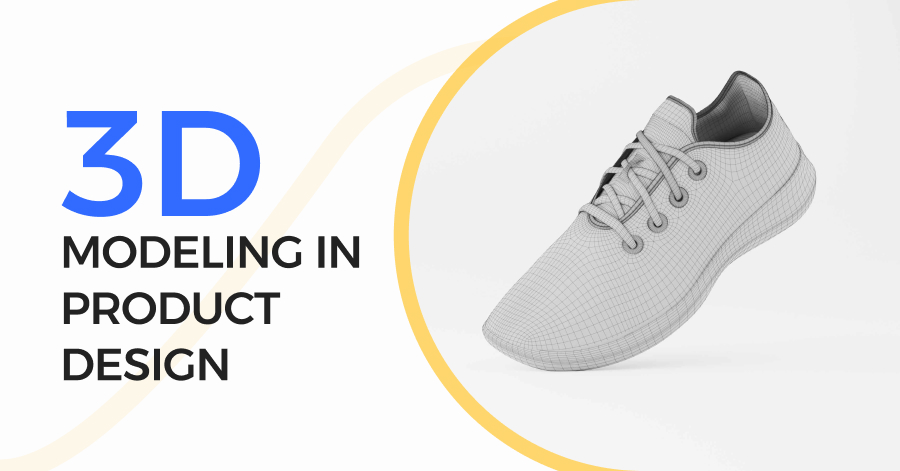
3D Modelling in Product Design

Top brands today don’t just build products; they use 3D modeling in product design to speed up decisions, reduce mistakes, and create interactive experiences that engage customers. In this guide, I’ll show you how 3D models can transform the way you design, test, and sell products, helping you save time, cut costs, and get real results.

What is 3D modeling in product design?

When people ask me what 3D modeling in Product Design really means, I keep it simple.

It’s the process of creating a digital 3D version of a product on a computer before anything is manufactured. This 3D model shows the product’s shape, size, structure, and details from every angle.

Think of it like this:
Instead of guessing how a product will look or work, you can see it, rotate it, test it, and improve it in a digital space.

This 3D model becomes the base of all 3D product visualization, from design validation to realistic renders, animations, and even AR experiences.

In my experience, once teams see their product in 3D, decisions become much faster and clearer.

Why It’s Non-Negotiable in 2026

From what I’ve seen working with clients in the USA and Europe, 3D modeling is no longer optional-it’s expected.

For business decision-makers, 3D modeling  directly affects:

  • ROI – fewer physical prototypes mean lower costs
  • Speed-to-market – design changes happen in hours, not week
  • Smarter decisions – you approve products based on real visuals, not assumptions

I’ve had clients tell me they cut their design cycle almost in half just by switching to a fully 3D-based workflow.

For design and engineering teams, it’s even more critical:

  • It supports iteration without risk
  • Errors are caught before production
  • Everyone works from the same accurate digital model

In 2026, an error-proof, digital-first workflow starts with 3D modeling-there’s no way around it.

The Core Idea: One Model, Multiple Uses

This is the part many companies overlook-and where real value is created.

I always recommend a single pipeline approach:
👉 One 3D model, used everywhere

The same 3D model can be used for:

  • Engineering and manufacturing validation
  • High-quality product renders
  • Marketing images and animations
  • Website visuals, ads, and even AR previews

I’ve seen companies waste time recreating models for design, marketing, and sales. When you use one optimized 3D model, everything stays consistent, faster, and cost-efficient.

That’s the real power of 3D modeling in Product Design-it’s not just a design tool, it’s a strategic business asset.

How 3D Modeling Actually Works: The End-to-End 5-Step Workflow
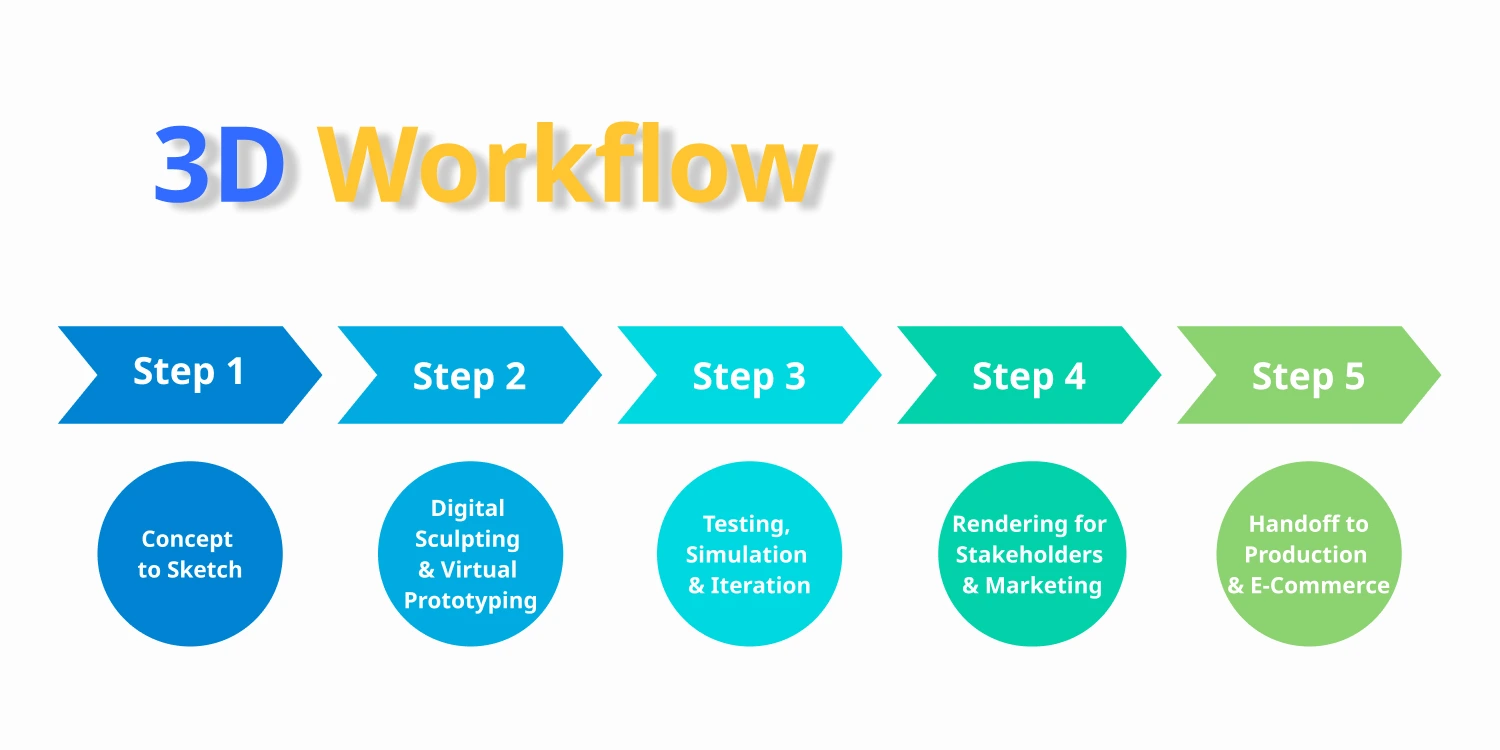
How 3D Modeling Actually Works: The End-to-End 5-Step Workflow

When I explain 3D modeling in Product Design to clients, I always walk them through the full workflow. Not the theory, but what actually happens in real projects.

This is the same end-to-end process I’ve seen work best for teams in the USA and Europe, where speed, accuracy, and ROI are key.

Step 1: Concept to Sketch

Every strong 3D model starts before the computer.

At this stage, the idea moves from concept to scale-accurate sketches. These can be hand-drawn or digital, but the key is accuracy.

My advice to design and engineering teams:
Start with correct proportions and real measurements. I’ve seen teams rush this step, and it always creates rework later, especially when the model reaches engineering or manufacturing.

Common pitfall I see:
Beautiful sketches with no scale. They look great, but they break the workflow when converted into 3D.

Step 2: Digital Sculpting & Virtual Prototyping

This is where the product truly comes to life.

The sketch is converted into a digital 3D model using professional 3D modeling software. Here, choosing the right modeling approach matters more than people think.

What I usually recommend:

  • NURBS / CAD modeling  → Best for engineering, manufacturing, and precision parts


  • Polygon (Poly) modeling  → Best for organic shapes, consumer products, and marketing visuals


I’ve worked with clients who used the wrong approach early and later had to rebuild the entire model. Choosing based on the final use case saves both time and money.

This stage acts as a virtual prototype, reducing the need for multiple physical samples.

Step 3: Testing, Simulation & Iteration

This step is critical, especially for 3D modeling software for manufacturing.

Here’s where CAD tools prove their real value.

At this stage, teams test:

  • Fit and assembly


  • Structural behavior


  • Tolerances and clearances


  • Functionality under real-world conditions


I’ve seen design flaws caught digitally that would have cost thousands if discovered during production. This is where fast iteration happens: adjust, test, repeat, without slowing the project.

For product teams, this step alone justifies the investment in professional 3D modeling .

Step 4: Rendering for Stakeholders & Marketing

Now the same model takes on a new role.

The 3D model is transformed into a high-quality 3D product visualization, used for:

  • Investor and stakeholder presentations


  • Website and landing pages


  • Product catalogs and ads


I’ve had clients approve products faster simply because stakeholders could see the product realistically instead of imagining it.

This step bridges design and marketing, using the same accurate model-no guesswork, no redesign.

Step 5: Handoff to Production & E-Commerce

This is the ultimate goal of the entire workflow.

One master 3D model is used to generate:

  • Manufacturing-ready files


  • Supplier documentation


  • Interactive 3D views for e-commerce


  • Live web-based 3D product visualization


I always tell clients:
If you end up with separate models for design, production, and marketing, the workflow is broken.

When done right, 3D modeling in Product Design becomes a single, connected pipeline from idea to factory to online store.

The 7 Key Types of 3D Modeling (And When to Use Each)
The 7 Key Types of 3D Modeling

When I started working with clients in the USA and Europe, one thing became clear: not all 3D models are created equal. Choosing the right type is crucial for accuracy, speed, and cost-efficiency. Here’s the full breakdown:

1. Solid modeling 

Best for: Precision, engineering, and manufacturing.
This is the core of CAD-based modeling. Everything is mathematically defined, making it perfect for parts that must fit or move.
Example: Mechanical components, industrial equipment.

2. Parametric modeling 

Best for: Iterative design and complex assemblies.
Parametric models allow you to change dimensions or parameters and automatically update the entire model.
Example: Automotive parts, consumer electronics.

3. Polygonal modeling 

Best for: Organic shapes, marketing visuals, gaming.
Uses polygons (triangles/quads) to create surfaces. Ideal for curved, flowing designs.
Example: Furniture, toys, wearable products.

4. NURBS modeling  (Non-Uniform Rational B-Splines)

Best for: Smooth, highly accurate curves and surfaces.
NURBS are mathematically precise and perfect for luxury products or automotive design.
Example: Car bodies, designer furniture, high-end appliances.

5. Subdivision modeling 

Best for: High-detail organic shapes, animation, and visual effects.
Refines polygonal meshes to make surfaces smooth.
Example: Product animations and character modeling for AR/VR.

6. Procedural modeling  / AI-Assisted modeling 

Best for: Fast concept generation and repetitive design tasks.
Uses algorithms or AI to automate parts of the modeling process, speeding up production and reducing errors.
Example: Modular furniture collections, customizable products.

7. AR & VR Integrated modeling 

Best for: Immersive design reviews, client presentations, and e-commerce visualization.
Transforms your 3D model into an interactive experience, so stakeholders can see and test products virtually before anything is built.
Example: Virtual furniture placement in homes, VR walkthroughs for industrial equipment.

💡 Pro tip from my experience:
The real power is when you combine multiple types in a single workflow. For instance, CAD for engineering + polygonal/NURBS for marketing + VR/AR for client review. This approach saves time, reduces errors, and impresses clients.

Who Gets the Biggest ROI? Industry Use Cases

When I talk to clients, the first question they ask is, “Will 3D modeling really pay off for my business?”

The answer? Yes, but it depends on your industry and how you use it. Let me break it down based on real projects I’ve worked on in the USA and Europe for multiple clients.

E-Commerce & DTC Brands

For marketers and e-commerce managers, 3D modeling is a game-changer.

  • Interactive product configurators: Let customers mix and match colors, materials, or features.

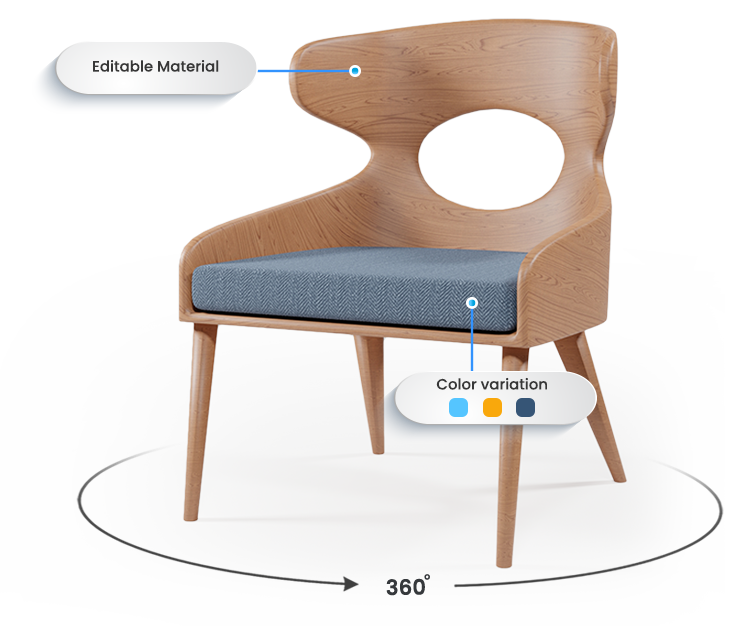
  • 360° product views: Shoppers can see products from every angle, building trust.

I’ve seen DTC brands slash return rates by up to 30% simply by giving customers a realistic digital preview before they buy.

If you’re running an online store, these tools turn your 3D models directly into sales-driving assets.

Furniture & Home Goods

For business decision-makers in furniture and home goods, the magic word is AR “try-before-you-buy.

  • Customers can place a digital sofa, table, or lamp in their room before ordering.

  • It reduces hesitation, builds confidence, and often increases average order value.

I have a client whose AR-enabled catalog boosted online sales by nearly 25% in just a few months. When you combine 3D modeling with immersive AR, the ROI is immediate and measurable.

Related post: Benefits for Online Furniture Brands

Automotive & Industrial

For design and engineering teams in automotive or industrial sectors, 3D modeling is about precision, collaboration, and speed.

  • Complex simulation: test aerodynamics, structural strength, and functionality digitally.

  • Team collaboration: multiple departments can work on the same model without creating errors.

I’ve seen manufacturers cut prototype cycles in half, saving months in time and tens of thousands in physical prototype costs.


Electronics & Healthcare

For electronics and healthcare, the stakes are high-precision and compliance matters.

  • Technical 3D models ensure components fit perfectly and comply with regulations.

  • Marketing-ready 3D visualizations let your products shine in presentations, catalogs, or online stores without exposing sensitive details.

I’ve worked with clients who needed models accurate enough for engineering but also visually compelling for investors and customers. The right workflow covers both.

💡 Bottom line:
Almost any product-focused business can see huge ROI from 3D modeling, but the best results happen when you match the modeling type to your industry and business goals.

The Tangible Benefits of 3D modeling: More Than Just a Pretty Model

When I explain 3D modeling to clients, they often think it’s “just making a model look nice.” But in reality, it drives measurable business results, from cost savings to faster product launches and higher sales. Let me break down the benefits I’ve seen firsthand.


Speed to Market & Cost Savings

For business decision-makers, this is the strongest ROI argument.

  • Faster iteration: Instead of waiting weeks for physical prototypes, you can tweak designs digitally and see results immediately.

  • Fewer prototypes: Every change in 3D avoids expensive trial-and-error in the real world.

I’ve had clients tell me they cut product development cycles by up to 50%, saving both time and tens of thousands of dollars. When you think about it, 3D modeling pays for itself in the first project alone.

Sales & Marketing Superpowers

For marketers and e-commerce managers, 3D models are like a secret weapon.

  • Interactive product configurators: Customers can choose colors, textures, and features in real time.

  • Augmented reality previews: Let buyers see the product in their home before purchase.

  • Higher engagement & conversions: Shoppers spend more time exploring, which often leads to higher average order value.

I’ve seen online furniture brands increase sales by 20–30% after integrating 3D visuals with AR and configurators. From my experience, once customers can “experience” a product digitally, they trust it more and buy faster.


Cross-Team Alignment & Sustainability

For design and engineering teams, 3D modeling  is more than a visual tool-it’s a workflow enhancer.

  • Better collaboration: Designers, engineers, and marketers work from the same master model, reducing miscommunication.

  • Material optimization: Virtual testing helps teams choose the right materials and reduce waste.

  • Sustainability: Fewer physical prototypes = less environmental impact.

I’ve watched teams save hours of back-and-forth and avoid costly mistakes simply because everyone could see the same 3D model in real time.

💡 The takeaway:
3D modeling isn’t just about “pretty images.” It accelerates product development, boosts sales, and makes your team more efficient, all while helping you reduce costs and waste.

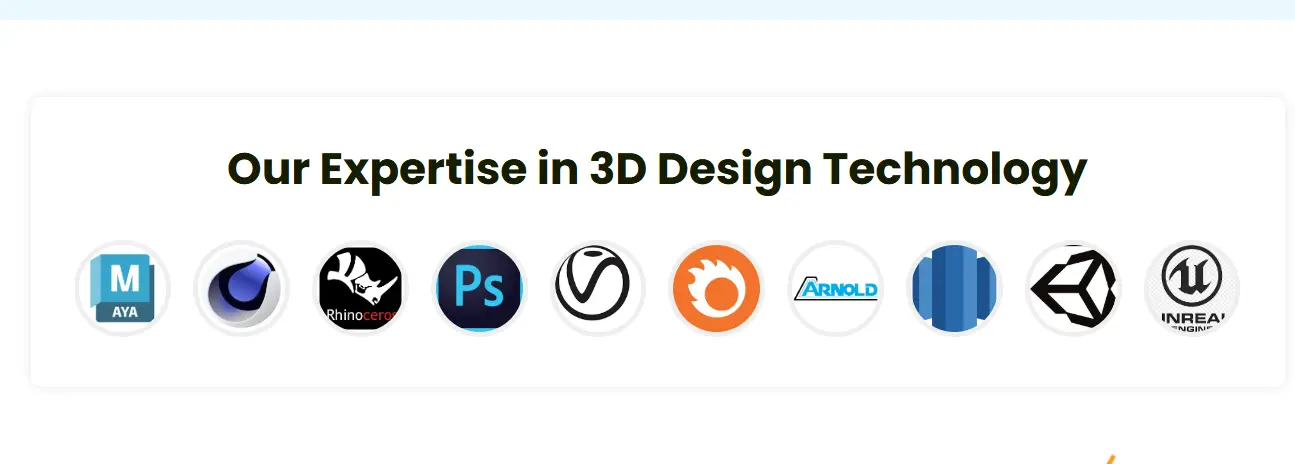
Best 3D Modeling Tools & Software: Pros, Cons, and When to Use Them
3d modeling tools

When I guide clients on choosing the right 3D modeling tools, I always start by asking, “What’s your goal: engineering precision, stunning visuals, immersive AR, or online sales? Different tools serve different purposes. Here’s a practical breakdown from my experience with clients in the USA and Europe.

For Engineering & Manufacturing (CAD)

If your focus is precision and manufacturability, CAD software is your best friend.

Top tools:

  • SolidWorks – Industry standard for mechanical parts; strong parametric modeling .


  • Fusion 360 – Cloud-based, excellent for collaborative projects.

Pros

Cons

Extremely accurate, ideal for production-ready designs

Steeper learning curve for beginners

Handles assemblies and constraints efficiently

Can be expensive for smaller teams

Strong simulation and testing capabilities


Pro tip: Always consider file standards and interoperability. You want your 3D models to work seamlessly with suppliers, manufacturers, or other software tools.

For Visualization & Animation

When the goal is marketing, presentations, or photorealistic renders, visualization tools shine.

Top tools:

  • Blender – Free, versatile, great for animation and rendering.


  • KeyShot – Fast, photorealistic rendering, easy to use for marketing visuals.

Pros

Cons

High-quality, realistic visuals

Not ideal for precision engineering

Flexible for creative concepts

Some tools require separate CAD import/export

Supports animations and interactive media


I’ve seen product teams use Blender to create stunning marketing visuals before production, which helps sell ideas faster and impress stakeholders.

For Immersive Experiences (AR/VR)

AR and VR tools take 3D modeling  beyond the screen, letting clients or internal teams interact with the product virtually.

Top platforms:

  • Unity & Unreal Engine – Build interactive product experiences or VR walkthroughs


  • ARKit/ARCore – Display products in real-world environments via mobile devices

Pros

Cons

Immersive presentations increase client confidence

Setup can be more technical

Enables virtual testing and design reviews

Models may need optimization for performance

Great for modern marketing campaigns

I’ve used AR demos for furniture clients that boosted sales and shortened approval cycles, because stakeholders could “see” products in their own space.

For E-Commerce & Web

If your goal is online sales and interactive shopping experiences, you need tools to integrate 3D on websites.

Top solutions:

  • Sketchfab – Embed 3D models directly on your site


  • Threekit – Product configurators and AR-ready 3D viewers


  • Vertebrae / Shopify 3D tools – Easy integration for e-commerce stores

Pros

Cons

Improves customer engagement and conversion

Some platforms require subscription fees

Let’s shoppers explore products from all angles

Performance depends on web optimization

Often supports AR preview


From my experience, combining 3D product visuals with AR and configurators drastically reduces returns and increases customer confidence, especially for furniture and consumer goods.

💡 Bottom line:
There’s no one-size-fits-all tool. The best software depends on your workflow and end goal: engineering, marketing, AR/VR, or online sales. Most successful teams combine multiple tools for a full 3D modeling pipeline.

Common Challenges & Solutions

Common Challenges & Solutions

When I work with clients adopting 3D modelling, I notice some recurring hurdles. The good news? Most are solvable with the right approach. Here’s what I’ve seen and how to fix them.

Technical Issues (File Compatibility)

One of the most common challenges is file compatibility. Different teams-engineering, marketing, suppliers-often use different software.

Solution:

  • Standardize on common file formats (STEP, OBJ, FBX)
  • Use conversion tools or software that supports multiple export options
  • I’ve helped clients streamline file sharing, which reduced errors and confusion by 70%.

Misconceptions (“CAD Enough,” “Big Brands Only”)

Many teams think 3D modelling is only for large companies or engineering-heavy CAD projects. This stops smaller brands from adopting it.

Solution:

  • Show real ROI examples for SMEs and DTC brands
  • Combine CAD for precision and polygonal/visualization models for marketing
  • I often demonstrate small-scale projects to clients-they realize 3D modeling scales to any size business.

Marketing Left Behind

Sometimes, marketing teams don’t get the 3D assets they need. The result: static images or inconsistent visuals.

Solution:

  • Use the same master 3D model across departments
  • Export renders and interactive visuals specifically for marketing campaigns
  • I’ve seen teams improve engagement and conversions when marketing finally gets high-quality, interactive 3D content.

Integration with Production / PIM

Integrating 3D models into production workflows or product information management systems can feel complex.

Solution:

  • Plan a single-pipeline workflow from design → production → e-commerce
  • Use software that supports interoperable files and PIM integration
  • This reduces duplication and ensures accuracy across all channels.

5 Practical Fixes

Here are my quick, actionable fixes for teams struggling with 3D modeling adoption:

  1. Standardize file formats across teams.
  2. Train small teams on basic 3D tools-they don’t need full CAD expertise.
  3. Share the same master model for design, marketing, and e-commerce.
  4. Integrate 3D into production workflows early.
  5. Use AR/VR or interactive visuals to prove ROI to stakeholders.

💡 Key takeaway:
Challenges are normal-but with planning, standardization, and cross-team collaboration, 3D modelling becomes a smooth, high-ROI workflow.

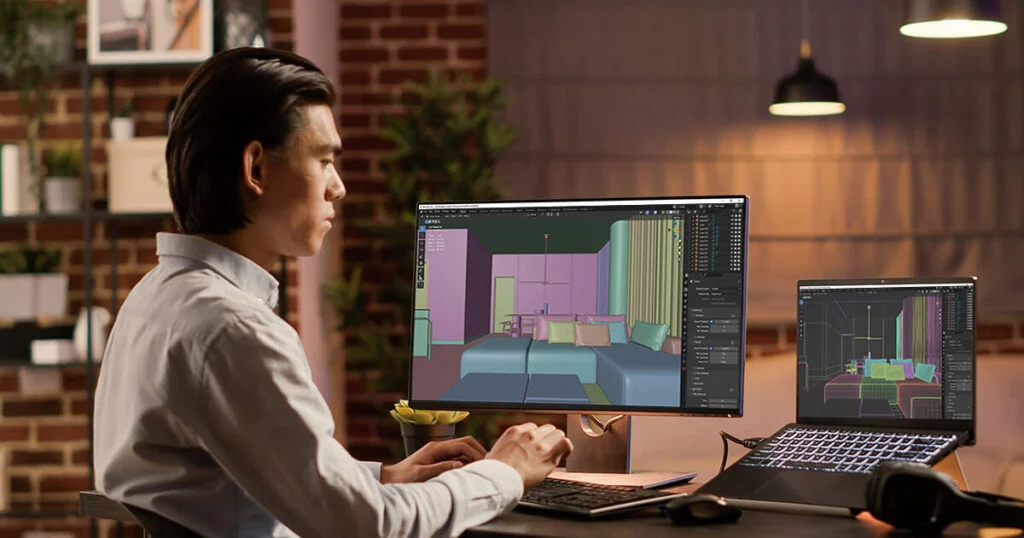
Navigating the 4 Biggest Challenges (With Solutions)

When I work with clients adopting 3D modelling, I often see four major hurdles that can slow down adoption, but each has a clear solution. Here’s how I guide teams through them:

Challenge 1: The “Siloed Model” Problem

Many companies keep separate 3D models for design, marketing, and production. This creates confusion, duplicated work, and wasted time.

Solution:

  • Plan your 3D product modelling workflow from Day 1 with asset reusability in mind.
  • Use one master model for engineering, visualization, marketing, and e-commerce.
  • I’ve seen teams reduce rework by 50% just by centralizing the model.


Challenge 2: Technical Hurdles & File Chaos

File incompatibility, software exports, and version control can easily derail projects.

Solution (for design/engineering teams):

  • Standardize on common file formats like STEP, FBX, or OBJ
  • Implement version control to track iterations
  • Use conversion tools for cross-platform collaboration
  • This approach prevents lost work and ensures everyone works from the latest model.


Challenge 3: Proving ROI to Leadership

Business leaders often hesitate to invest in 3D modelling without a clear return.

Solution (for decision-makers):

  • Calculate the investment vs. gains in speed, cost reduction, and increased sales
  • Include fewer prototypes, faster design cycles, and marketing impact in your metrics
  • I’ve helped clients build dashboards showing ROI, quickly making leadership confident in the investment.


Challenge 4: Integrating with E-Commerce

For marketers and e-commerce managers, turning a 3D model into interactive online experiences can be tricky.

Solution:

  • Choose platforms that support 360° viewers and AR previews
  • Ensure integration with your e-commerce CMS or PIM system
  • Test the workflow before launch so shoppers get a smooth, interactive experience
  • I’ve helped furniture brands implement configurators that boosted engagement and reduced returns.


💡 Key takeaway:
The biggest challenges in 3D modelling aren’t impossible-they’re workflow, standardization, and proving value. Plan, unify your models, and integrate with both production and sales channels to unlock the full potential of 3D product design.

The Future is a Connected Pipeline: 2026 Trends

When I talk to clients about 2026, one thing is clear: 3D modelling is no longer isolated-it’s part of a connected, intelligent pipeline. This isn’t just theory; I’ve seen companies already implementing these trends in the USA and Europe.

AI-Powered Design & Automation

AI is changing how we start 3D product models.

  • Automated sketch-to-3D workflows reduce manual work.
  • AI predicts design flaws before they happen, saving time and money.
  • I’ve tested AI-assisted modelling with clients, and it cut concept-to-prototype time by 30%.


This means your team spends more time on creativity and innovation, less on repetitive modelling.

The Digital Twin & Advanced AR/VR

AR and VR aren’t just for marketing-they’re becoming live, data-driven tools.

  • Digital twins: Real-time, interactive replicas of products connected to actual performance data.
  • Advanced AR/VR: Walk through products, test them, and even simulate maintenance or assembly.

I’ve shown automotive clients how digital twins help monitor products and plan upgrades before anything is physically built. The result? Faster decisions and reduced risk.

The End-to-End Asset

The ultimate goal is a single, seamless pipeline:

  1. Create a master 3D model in CAD or visualization software.
  2. Use the same model for marketing visuals, AR/VR, and interactive configurators.
  3. Feed it directly into production and e-commerce platforms.

I’ve seen furniture and electronics brands implement this fully integrated workflow. The payoff: less duplication, faster time-to-market, and a smoother customer experience.

💡 Key takeaway:
The future of 3D product design is connected, automated, and immersive. Companies that adopt AI, digital twins, and end-to-end pipelines will stay ahead in design, marketing, and customer experience in 2026 and beyond

Frequently Asked Questions (FAQ)

Q: What’s the easiest 3D modeling software for beginners in product design?
A: Tools like Tinkercad or basic features in Fusion 360 are good for beginners before moving to advanced CAD.

Q: Do you need engineering knowledge to start 3D modeling for products?
A: Not strictly; basic modelling can be learned first, but engineering fundamentals help with precision and manufacturability.

Q: How long does it take to learn product design 3D modeling?
A: It varies, but many learners make usable models in weeks with practice and tutorials; mastery takes longer.

Q: Can I convert a sketch or idea into a 3D model myself?
A: Yes, many people start by sketching, then recreate it digitally, or outsource if complexity is high.

Q: Is it worth learning 3D modeling if I want a career in product design?
A: Yes, 3D modeling is a key skill in product design and increases employability, though it takes effort to master.

Q: Do people share 3D modeling tutorials online for free?
A: Yes, many communities (e.g., Blender and CAD forums) share free tutorials and learning resources.

Q: What’s the difference between 3D modeling and product design?
A: 3D modeling is making the digital shape; product design includes research, ergonomics, manufacturing, and planning. 

Ready to Transform Your Product Design?

I’ve worked with clients across the USA and Europe, and one thing is clear: companies that adopt 3D modelling early see faster design cycles, fewer mistakes, and higher sales. If you want to skip the trial-and-error and start seeing results now, our team at Orbe3D can help. We provide end-to-end 3D product modelling services from precise CAD designs to photorealistic renders, AR/VR experiences, and interactive e-commerce configurators.

Let us help you turn ideas into real, sellable products faster. Contact Orbe3D today and see how 3D modelling can give your business a competitive edge.

Overview

Every engaging element on our site and in our promotions has been handcrafted by the Orbe3D Content Marketing Team.

Upload Your Furniture References to Get Started…

We've got all your answers

A stylish chair beside a vibrant vase of flowers, showcasing modern furniture interior design in a 3D-rendered image

Get 3D & AR insights
by subscribing

Stay up-to-date with new features, trends, and

special offers.

Make your eCommerce strategy stand out
with 3D & AR