In my experience working with 3D furniture and product modeling, one question still comes up in 2026: Should we use high poly or low poly models?
Even with faster internet, better GPUs, and advanced rendering tools, this decision still directly affects performance, cost, realism, and ecommerce conversions. A high-poly model can deliver stunning detail but may slow down web performance. A low-poly model improves speed and interaction but may reduce visual depth if not optimized properly.
As ecommerce becomes more competitive and interactive 3D shopping continues to grow, choosing the right model structure is no longer just a technical decision — it’s a business strategy.
In this guide, I’ll clearly explain the real differences, practical pros and cons, and how I decide which one to use based on real-world project needs.
Low Poly vs High Poly Models – Pros & Cons (Quick Comparison)
Feature | Low-Poly Models | High-Poly Models |
Polygon Count | Low (hundreds–thousands) | High (tens of thousands–millions) |
Performance | Very fast, ideal for real-time use | Heavy, requires strong hardware |
Loading Speed | Quick loading on web & mobile | Slower without optimization |
Level of Detail | Basic geometry, relies on textures | Highly detailed, smooth geometry |
Best For | AR, VR, web viewers, mobile ecommerce | Marketing renders, close-ups, hero images |
File Size | Small and lightweight | Large and resource-heavy |
Production Cost | Lower | Higher |
Main Advantage | Speed & efficiency | Maximum realism |
Main Limitation | Limited fine detail | Slower performance |
Short Summary
- Low poly = Performance & real-time efficiency
- High poly = Maximum detail & photorealistic quality
Key Differences: Polygon Count, Number of Polygons, and Level of Detail Compared
When I explain high poly vs low poly to clients, I usually start with one simple thing: polygon count. Everything else — detail, performance, file size — comes from that.
1. Polygon Count (Poly Count)
Polygon count refers to the number of small geometric shapes (usually triangles or quads) used to build a 3D model.
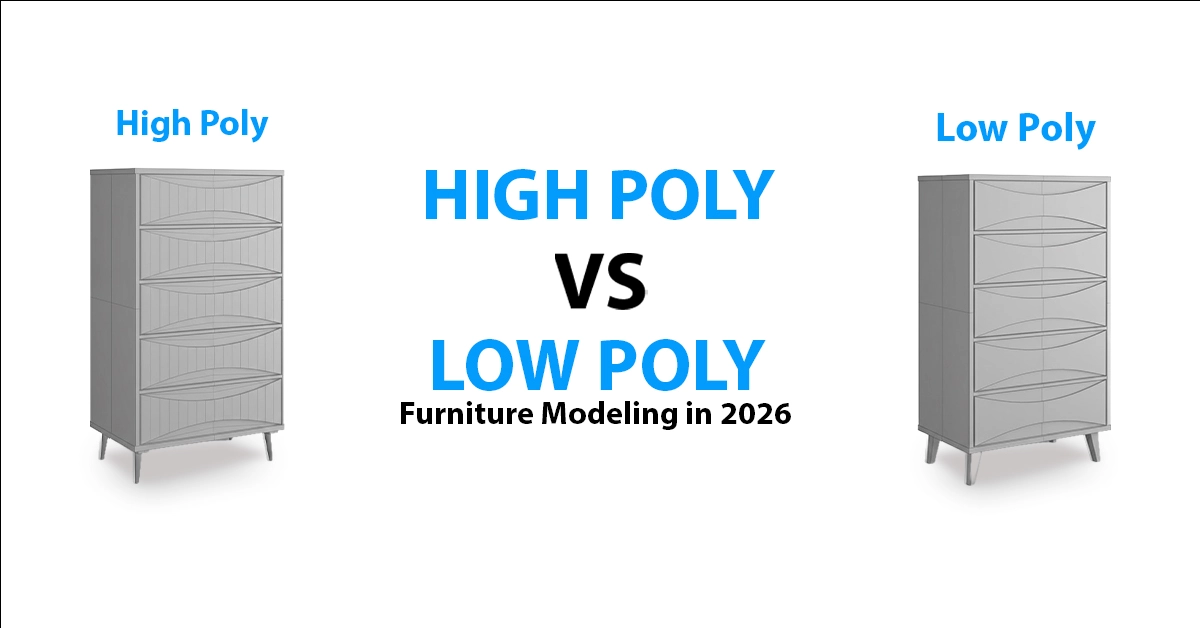
- Low Poly Models typically range from a few hundred to a few thousand polygons.
- High Poly Models can range from tens of thousands to millions of polygons, depending on complexity.
From my experience, the higher the polygon count, the smoother and more realistic the surface becomes. Curves look natural, edges feel soft, and small design details can be modeled directly into the geometry.
But higher polygon count also means:
- Larger file size
- More GPU processing
- Slower real-time performance if not optimized
2. Level of Detail (LOD)
The level of detail is how much visible information the model carries.
- A low poly model simplifies curves and small elements. For example, a round table edge may look slightly angular when zoomed in.
- A high poly model captures fine elements like stitching, bevels, subtle curves, fabric folds, or carved details in furniture.
In ecommerce and product rendering, this difference becomes critical. If the product requires close-up views (like luxury furniture or premium materials), high poly geometry helps create trust through realism.
However, for web viewers, AR previews, or mobile shopping, too much detail can reduce loading speed and affect user experience.
3. Geometry vs Texture Detail
One important distinction I’ve learned over the years is this:
- High poly models rely heavily on geometry to create detail.
- Low poly models rely more on textures and normal maps to simulate detail without adding extra polygons.
This is why a well-optimized low poly model can still look realistic, if the textures and lighting are done correctly.
4. Performance Impact
From a technical and business standpoint:
- High poly = Better realism, heavier processing
- Low poly = Faster performance, lighter files
In real ecommerce environments, performance affects bounce rate, engagement time, and conversion behavior. So the difference is not just visual , it directly influences business results.
My Practical View
In most professional workflows, I don’t treat this as “high vs low” only. I often create a high poly master model, then generate an optimized low poly version for web, AR, or real-time use.
That way, we maintain realism for marketing and performance for interactive platforms, which is the smart approach in 2026.
Pros and Cons of Low-Poly Models: Performance & Real-Time Efficiency
In my ecommerce projects, I use low-poly models when speed and performance matter most – especially for web, AR, and mobile.
Pros:
- Fast loading due to smaller file size
- Smooth real-time performance (web viewers, AR, VR)
- Lower production cost
- Easy to scale for large product catalogs
Cons:
- Less geometric detail
- Not ideal for deep close-ups
- May reduce premium feel if over-simplified
Pros and Cons of High-Poly Models: Maximum Detail & Realism
For marketing visuals and close-up renders, I prefer high-poly models because realism builds trust.
Pros:
- Highly detailed and smooth geometry
- Better lighting and material accuracy
- Stronger visual impact for premium products
Cons:
- Heavy file size
- Slower rendering and loading
- Higher production cost
A Pro tip:
At Orbe3D, we use a smart mid-poly workflow – balancing detail and performance.
This ensures realistic visuals with optimized file sizes, giving our clients both strong product presentation and smooth web performance for modern ecommerce.
The Real Workflow in 2026: Sculpting High Poly → Baking to Optimized Models
In 2026, the professional workflow is no longer just “high vs low.”
In most serious projects (including ours at Orbe3D), the process looks like this:
- Create a High-Poly Model – We sculpt or model with full detail, capturing curves, edges, stitching, bevels, and micro elements.
- Retopology / Optimization – We rebuild or reduce the geometry into a cleaner, lighter structure.
- Texture Baking – We bake normal maps, AO, and other texture details from the high-poly version onto the optimized model.
This way, we keep the visual richness of high poly while achieving the performance of low or mid-poly models.
That balance is what modern ecommerce, AR, and real-time platforms demand.
Polygon Count Guidelines: Low, Mid, or High Poly in 2026
Polygon standards have evolved. What was “high poly” in 2015 may now be considered mid-level today. Based on current industry practice:
Type | Typical Polygon Range | Common Use |
Low Poly | 500 – 10,000 polygons | Web viewers, AR, mobile |
Mid Poly | 10,000 – 80,000 polygons | Ecommerce products, real-time configurators |
High Poly | 80,000+ (often 200k–1M+) | Marketing renders, close-ups, cinematic visuals |
For ecommerce furniture and product modeling in 2026, mid-poly is often the sweet spot – delivering enough realism while staying optimized for performance.
The key is not just polygon count, but how intelligently the geometry and textures are built.
Low-Poly vs High Poly for Specific Applications: Games, Animation & Renders
The right choice between low-poly and high-poly models depends heavily on where the model will be used. In my experience, application matters more than theory.
Real-Time Games & Interactive Apps
For games, AR, VR, and interactive platforms, low-poly or optimized mid-poly models are essential.
- They ensure smooth frame rates
- Reduce GPU load
- Improve real-time responsiveness
Game engines like Unreal or Unity rely on optimized geometry combined with baked textures to maintain performance without sacrificing visual quality.
Animation Projects
For animation, the decision depends on the scene.
- Background assets are usually low or mid-poly for efficiency.
- Hero objects or close-up shots may use higher polygon counts for better realism.
Performance still matters, but visual quality becomes more important than in real-time gaming.
High-Quality Renders & Marketing Visuals
For static renders, product ads, or cinematic visuals, high-poly models are often preferred.
Since the output is a final image (not real-time interaction), higher geometry allows:
- Ultra-smooth curves.
- Better lighting interaction.
- More realistic material depth.
Practical Insight
In modern workflows, especially in ecommerce and product visualization, the smart strategy is optimization -not extremes.
The best results come from matching polygon density to the platform’s technical needs while maintaining visual trust and performance.
2026 Trends: Low-Poly Revival vs High Poly Realism in Real-Time Engines
In 2026, I’m seeing two clear trends happening at the same time.
On one side, there’s a low-poly revival– especially in games, mobile apps, and stylized brands. Clean geometry, fast loading, and smooth interaction are becoming priorities again, particularly for mobile-first audiences.
On the other side, real-time engines like Unreal Engine 5 and advanced WebGL viewers now support much higher detail, making high-poly realism more accessible than before. Better GPUs and optimization tools allow near-cinematic quality in interactive environments.
But here’s the reality: even with powerful engines, performance still matters. The winning strategy in 2026 isn’t extreme high poly or ultra-low poly , It’s smart optimization and balanced modeling.
Common Mistakes & Beginner Tips: Polygon Count, Topology, Textures & LOD
Over the years, I’ve seen beginners make the same mistakes repeatedly:
Common Mistakes
- ❌ Adding unnecessary polygons where textures would work better
- ❌ Ignoring clean topology, leading to shading and rendering issues
- ❌ Using very high-poly models directly on websites
- ❌ Not creating proper LOD (Level of Detail) versions
Beginner Tips
- ✔ Model clean, not heavy
- ✔ Use textures and normal maps to simulate detail
- ✔ Keep topology organized and optimized
- ✔ Always match polygon count to the platform (web, game, render)
- ✔ Test performance early, not at the end
Good modeling isn’t about more polygons, It’s about efficient polygons.
FAQ:
- What is considered low-poly in 2026?
Generally, models under 10,000 polygons are considered low-poly for most web and real-time applications. - Is high-poly better than low-poly?
Not always. High-poly offers more detail, but low-poly performs better in real-time environments. - Can low-poly models look realistic?
Yes. With high-quality textures and normal maps, low-poly models can appear very realistic. - Why are high-poly models not used directly in games?
Because they reduce performance and lower frame rates if not optimized. - What is mid-poly modeling?
Mid-poly is a balanced approach — moderate polygon count with good detail and optimized performance. - Does polygon count affect website speed?
Yes. Higher polygon models increase file size and can slow down page loading. - Which is better for ecommerce: low or high poly?
Optimized mid-poly is often the best choice for ecommerce — balancing realism and performance. - What is LOD in 3D modeling?
LOD (Level of Detail) means creating multiple versions of a model with different polygon counts for performance optimization. - How many polygons are too many?
It depends on the platform. For web use, extremely high polygon counts (100k+) can cause performance issues if not optimized. - Do real-time engines support high-poly models in 2026?
Yes, modern engines support higher detail, but optimization is still necessary for smooth performance.
Conclusion: Choosing Between Low-Poly and High Poly Models in 2026
In 2026, choosing between low-poly and high-poly models is no longer a simple technical decision ,it’s a strategic one.
If you need real-time performance and scalability, optimized low or mid-poly models are ideal.
If you need maximum realism for marketing or cinematic renders, high-poly models deliver stronger visual impact.
In professional workflows (like ours at Orbe3D), the smartest approach is balance – building detailed source models and optimizing them properly for their final platform.
Because today, success isn’t about using more polygons , It’s about using them wisely.