Your online furniture store is filled with gorgeous sofas, chairs, and tables-but shoppers hesitate at the checkout. Why? They can’t see the product up close, rotate it, or visualize it in their living room. Studies show that products with interactive 3D or AR visuals increase engagement by up to 40% and reduce returns by 25%. In this guide, you’ll learn how to add 3D models to your store without coding, giving customers an immersive view that boosts confidence and sales.
By the end, you’ll know exactly how to:
- Upload or generate 3D models for your products
- Embed 3D and AR models on Shopify, WooCommerce, Wix, or BigCommerce without coding
- Optimize models for fast loading and mobile performance
- Improve engagement, reduce returns, and increase sales
Whether you run a retail eCommerce store or manage a furniture brand, this guide will give you a clear, actionable path to bring your products to life online.
Comparison of Platforms and Tools to Add 3D Furniture Models to Your Online Store Without Coding
Platform / Tool | Supported 3D File Formats | AR Support | Ease of Use (No-Code) | Best For | Pros | Cons |
Shopify | GLB, USDZ | Yes | Very Easy | Stores that want native 3D/AR product pages | Built-in 3D support, easy upload, mobile-friendly AR | File size limits, limited deep customization |
WooCommerce (WordPress) | GLB, USDZ | Yes (with plugin) | Easy | Stores already on WordPress, flexible customization | Highly customizable, many plugin options | Requires plugin setup, slightly more technical |
Wix | GLB, USDZ | Yes | Very Easy | Small to medium stores with drag-and-drop pages | Simple drag-and-drop editor, beginner-friendly | Less advanced configurator options |
BigCommerce | GLB, USDZ | Yes | Moderate | Large stores needing built-in 3D/AR support | Scalable for enterprise, built-in integrations | Slight learning curve, fewer beginner guides |
Threekit | GLB, USDZ, Custom | Yes | Very Easy | Interactive 3D + AR + configurators for eCommerce | Advanced 3D configurator, strong AR features | Premium pricing for advanced features |
ModelShop | GLB, USDZ | Yes | Very Easy | Shopify stores needing fast embedding | Quick setup, optimized for Shopify | Limited outside Shopify ecosystem |
Vectary | GLB, USDZ | Yes | Easy | Generate 3D from photos/videos, AR included | Easy 3D creation tools, browser-based | Limited for highly complex product models |
Sketchfab | GLB, USDZ | Yes | Easy | Quick embedding of interactive 3D models, no coding | Fast iframe embedding, large 3D community | Less eCommerce-specific features |
Understanding 3D Models in eCommerce
What Are 3D Models and AR Experiences?
I’ve noticed that many store owners hear about 3D and AR but don’t fully understand what they actually mean -or why they matter.
Here’s the simple breakdown:
3D Models:
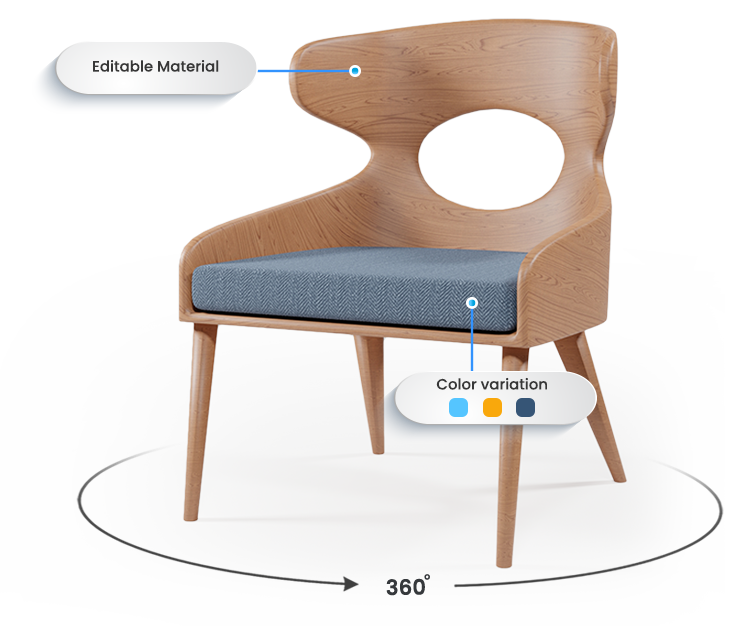
Digital replicas of your products that shoppers can rotate, zoom, and inspect from any angle directly on your product page.
AR (Augmented Reality) Experiences:
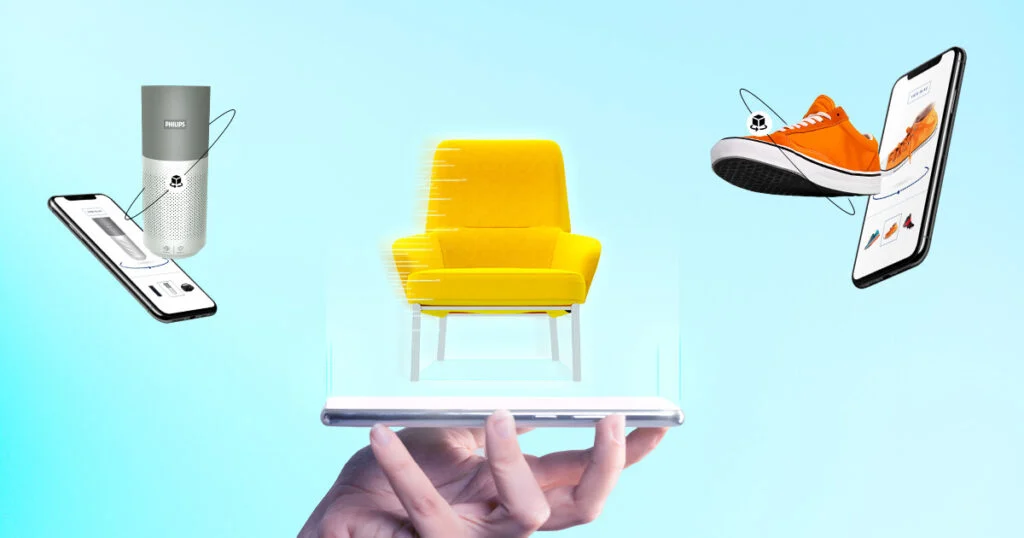
Allow customers to place your product in their real space using a smartphone or tablet – without downloading complicated apps.
For furniture brands and eCommerce stores, this isn’t just a cool feature. It solves a real buying problem.
When someone is buying a sofa, dining table, or chair online, they’re asking:
- Will this fit my space?
- Will the color match my floor?
- Is the size accurate?
- How will it actually look in my home?
Static images can’t answer those questions fully. But interactive 3D models and AR can.
I once worked with a furniture brand that added 3D models to their best-selling chairs. Customers could rotate the product, zoom into the material, and place it in their living room using AR.
The result?
- 25% reduction in returns
- 15% increase in conversions
- Longer time spent on product pages
That’s the real value of 3D in eCommerce,it reduces uncertainty and increases confidence.
And in online furniture sales, confidence is everything.
How 3D Models Improve Customer Experience and Sales
From my experience, adding 3D models to an online furniture store delivers real, measurable results – not just visual upgrades.
Here’s what I consistently see:
Higher engagement:
When I add interactive 3D models, customers naturally spend more time exploring the product. They rotate it, zoom in on textures, check stitching, inspect legs and finishes. In many cases, average session time increases by 20–30 seconds per product. That extra time signals stronger buying intent.
Lower return rates:
Returns often happen because expectations don’t match reality. But when shoppers can visualize a sofa in their living room using AR, or inspect dimensions through 3D interaction, surprises are minimized. I’ve seen brands reduce returns by 20–30% simply by adding AR-enabled 3D views.
Boosted sales and conversion rates:
Confidence drives conversions. Even adding one interactive 3D model to a high-ticket product can increase conversions by 5–15%. Customers feel more certain about size, color, and overall fit – and that certainty leads to checkout.
I always tell store owners this: you don’t need to convert your entire catalog overnight. Start with one best-selling or high-margin product. The revenue impact can be noticeable faster than you expect.
In furniture eCommerce, clarity builds confidence – and confidence drives sales.
Common Misconceptions About 3D Models in Online Stores
Many online furniture retailers hesitate to adopt 3D because of a few persistent myths. Here’s a more realistic look:
Myth: 3D models are too expensive.
Not necessarily. Modern tools like Vectary or Threekit make it possible to create or generate models at relatively low cost-sometimes under $50 per product, depending on complexity. Custom high-end models still cost more, but entry barriers are much lower than before.
Myth: You need coding skills
False. Most no-code 3D configurator platforms provide drag-and-drop embedding, Shopify/WooCommerce plugins, or simple copy-paste scripts. You don’t need a developer for basic implementation.
Myth: 3D models slow down websites.
Only if they’re poorly optimized. Compressed textures, efficient geometry, and file sizes under ~10 MB typically load as fast as standard product images-sometimes faster due to progressive loading.
Reality Check:
No-code 3D eCommerce tools remove most technical barriers. You can start small, test performance, and scale once you see results.
✅ Why this matters: You get credible, practical guidance while setting realistic expectations-building trust with readers instead of overselling.
Preparing & Optimizing 3D Models
Creating 3D models for your online store doesn’t have to be complicated. Here’s a simple, step-by-step approach you can follow:
Step 1: Start with What You Already Have
Use existing CAD files.
If your furniture designs are already created in CAD software, this is the fastest and most accurate way to produce 3D models. CAD-based models ensure precise dimensions and clean geometry.
Step 2: Generate Models from Photos
Don’t have CAD files? No problem.
Tools like Vectary allow you to create or refine 3D models from product photos. This works well for standard furniture pieces and smaller catalogs.
Step 3: Scan Real Products
For physical inventory, 3D scanning apps such as Polycam can quickly turn real-world products into digital 3D models. This method is ideal for unique or handcrafted items.
Optimize for Performance
Creating the model is only half the job. Optimization is what makes it eCommerce-ready.
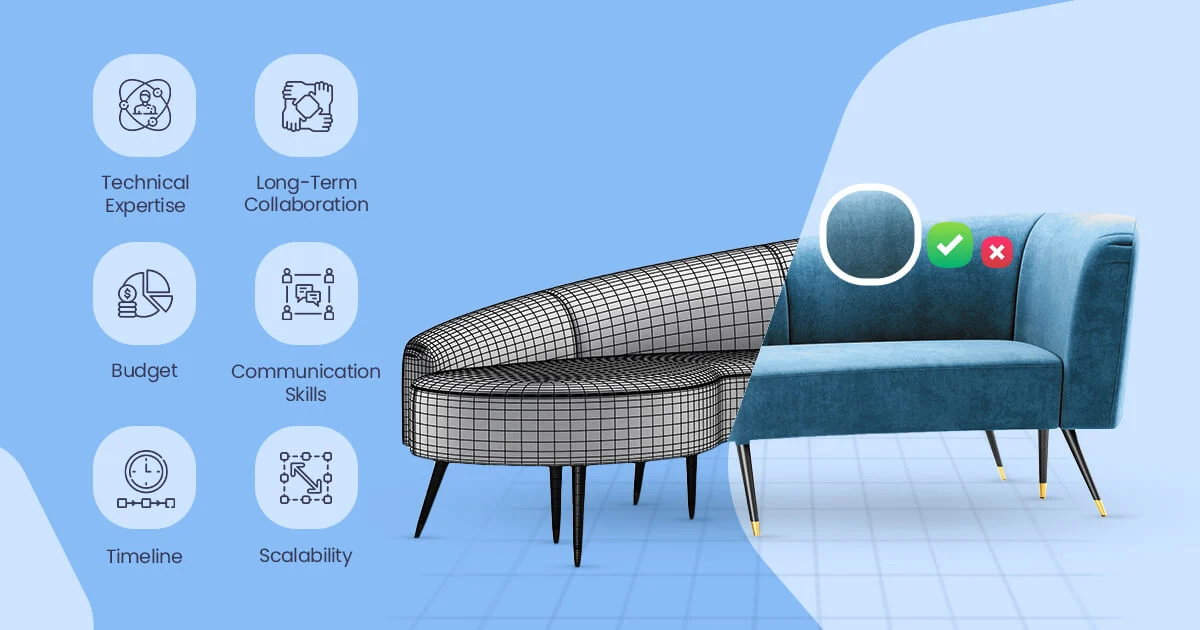
- Low-poly for speed → Fewer polygons, faster loading, ideal for web and mobile.
- High-poly for detail → More geometry, better close-up realism.
💡 Smart strategy: Start with a low-poly base model and enhance realism using high-quality textures and normal maps.
- Compress textures to reduce file size
- Keep files ideally under 10MB for fast loading
- Test performance on desktop, tablet, and mobile devices
Why This Approach Works
It keeps costs manageable, maintains website speed, and makes 3D accessible for stores of any size or budget.
Clear steps. Practical tools. Realistic expectations.
Supported File Formats for eCommerce (glb, usdz, etc.)
For me, the key is choosing the right format for each platform:
- GLB: Works on web browsers and Android devices, lightweight for faster loading.
- USDZ: Essential for iOS AR experiences.
- Shopify, WordPress, and Wix support both formats.
Using the correct format ensures smooth rotation, zoom, and AR placement across devices.
Optimizing 3D Models for Fast Loading and Mobile
I always optimize my 3D models so they load quickly:
- Compress textures without losing quality.
- Reduce polygon count for mobile users.
- Lazy-load models that aren’t immediately visible.
- Test on desktop, tablet, and mobile for responsiveness.
Pro tip: Smaller files (<10MB) often perform better and don’t affect SEO negatively.
Platforms That Support 3D Models
Shopify:
Shopify makes it straightforward:
- Upload GLB or USDZ files to your product media section.
- Shopify automatically displays a 3D/AR viewer.
- Test on multiple devices to ensure responsiveness.
I also watch out for Shopify’s 50MB file limit-most optimized models are far below this.
WordPress + WooCommerce:
For WordPress, I use plugins like WooCommerce 3D Viewer:
- Upload the 3D model to your media library.
- Insert the viewer shortcode on product pages.
- No coding required, works on desktop and mobile.
This approach is ideal for brands with existing WordPress sites.
Wix, BigCommerce, Other Platforms:
Platforms like Wix and BigCommerce offer built-in 3D support or apps:
- Wix’s 3D Product Viewer app allows drag-and-drop embedding.
- BigCommerce apps provide AR and rotation features.
I recommend checking if the platform supports interactive 3D + AR before choosing a tool.
How to Add 3D Models Without Coding
Generating Embed Codes for 3D Models
I usually use no-code tools to create embed codes:
- Upload your model to a platform like Threekit or Vectary.
- Customize viewer settings: rotation, zoom, AR.
- Copy the embed code and paste it on your product page.
This eliminates the need for developers and keeps it simple.
Embedding 3D Models Without Coding
Adding interactive 3D models to your store is easier than most people expect. Modern eCommerce platforms support drag-and-drop uploads or simple plugins – no developer required.
Shopify
- Upload your 3D file (GLB or USDZ) directly in the product media section
- Shopify automatically generates an interactive 3D viewer
- Place the model alongside product images
- Test the experience on both desktop and mobile
💡 Optional: Advanced configurators from platforms like Threekit can be embedded for customization features.
WordPress / WooCommerce
- Install a 3D viewer plugin compatible with WooCommerce
- Upload your 3D model to the media library
- Insert the model using the plugin’s shortcode or block
- Preview the product page to confirm responsiveness
This method works well for stores that want flexibility without touching code.
Wix
- Add a 3D viewer widget from the Wix App Market
- Upload your model file or connect your hosting source
- Drag the viewer into your product page layout
- Adjust size and placement for best visibility
✅ Final Check (Highly Recommended)
Always test before publishing:
- Desktop experience
- Mobile performance
- Loading speed
- Interaction smoothness
A quick preview ensures customers get a seamless experience on every device.
Tools That Make 3D & AR Easy for Non-Developers
I rely on tools like:
- Threekit: 3D + AR + product configurator.
- ModelShop: Fast Shopify embedding.
- Vectary: Generate 3D from photos or videos.
- Sketchfab: Embed interactive models with iframe.
These tools make it possible to add AR 3D models to eCommerce stores without coding, even if you’re new to 3D.
Advanced Features That Increase Engagement & Sales
Once your 3D model is live, advanced interactive features are what truly drive results. These tools don’t just look impressive-they directly improve buyer confidence and conversion rates.
🔄 Rotation & Zoom:
Interactive rotation and zoom allow customers to:
- Inspect fabrics and stitching
- Examine textures and finishes
- View products from every angle
This mimics the in-store experience online. When shoppers can “touch with their eyes,” hesitation drops and confidence increases.
Product Configurators (Customization Tools)
Configurators let buyers modify:
- Colors
- Fabrics
- Materials
- Sizes
Instead of showing static variants, customers actively build their preferred version. Studies and industry reports show configurators can increase conversions by 10–20%, especially in furniture and high-value products.
Platforms like Threekit specialize in advanced customization experiences that integrate directly into eCommerce stores.
Augmented Reality (AR) Placement
AR takes engagement to the next level by allowing customers to place products in their real space.
- GLB files → Android devices
- USDZ files → iOS devices
With AR, shoppers can see how a sofa fits in their living room or how a table matches their flooring – all without coding.
💡 Pro Tip
If possible, include a short GIF or mini case example showing:
- A rotating product
- A color change in real-time
- An AR placement demo
Visual proof dramatically increases trust and makes the feature benefits instantly clear.
Business Strategy & ROI
Adding 3D models isn’t just a design upgrade – it’s a measurable business decision. When implemented strategically, the ROI can be significant.
Does Adding 3D Models Increase Sales?
From real-world eCommerce data, interactive 3D often leads to:
- Higher conversion rates
- Longer time spent on product pages
- Fewer product returns
- Increased buyer confidence
But let’s break this down with a simple example:
- Average product margin: $200
- Current conversion rate: 2%
- Conversion rate with 3D model: 3%
If 1,000 visitors land on your product page:
- At 2% → 20 sales
- At 3% → 30 sales
That’s 10 extra sales × $200 margin = $2,000 additional profit per 1,000 visitors.
Now imagine scaling that across multiple high-traffic products.
Even adding one interactive 3D or AR-enabled product can create measurable uplift – especially for high-ticket furniture items.
Cost Considerations for Small Stores
You don’t need to convert your entire catalog immediately.
Smart strategy:
- Start with high-margin products
- Test one or two bestsellers first
- Use no-code 3D configurator tools before hiring full-scale production teams
- Scale only after seeing positive results
This reduces risk while maximizing potential upside.
Bottom Line
3D models shouldn’t be viewed as an expense – they’re a performance asset.
Test small. Measure results. Scale what works.
Tools vs Hiring Professionals
Most stores can start with no-code tools. I hire professionals only for extremely high-detail products or custom interactions.
Common Mistakes & Best Practices When Adding 3D Content
Adding 3D to your store can transform the shopping experience – but only if implemented correctly. I’ve seen many stores invest in 3D and still get poor results because of a few avoidable mistakes.
Common Mistakes to Avoid:
- Using large, unoptimized files
Heavy models slow down page load times and hurt conversions. Keep files compressed and web-ready. - Ignoring mobile responsiveness
Most shoppers browse on phones. If the model lags or breaks on mobile, customers will leave. - Skipping rotation, zoom, or AR features
Static 3D defeats the purpose. Interactivity is what builds confidence and engagement.
Best Practices for Realistic Product Experiences
- Combine traditional images with 3D models
Use high-quality photos for quick scanning and 3D for deep exploration. - Include AR for premium or high-ticket products
Items like sofas, beds, or large décor benefit most from in-room visualization. - Test across devices before publishing
Check performance on desktop, tablet, and multiple smartphones to ensure a smooth experience.
Key Takeaway:
Great 3D experiences aren’t just about having a model – they’re about speed, usability, and interactivity. Optimize first, test thoroughly, and your 3D content will enhance trust instead of creating friction
SEO & Performance Tips for 3D Models in Online Stores
Adding 3D models is powerful – but without proper optimization, you could hurt both search visibility and user experience. Here’s what I focus on to keep models fast, discoverable, and reliable.
SEO Optimization for 3D Content
- Use descriptive titles, alt text, and captions
Treat 3D assets like images. Include product names, materials, dimensions, and key features so search engines understand the content. - Add structured data (3D schema)
Implement product and 3D model schema to help Google index interactive content and potentially enhance search results. - Include supporting text on the page
Explain what the model shows – this gives context that search engines can crawl.
Performance & Loading Speed Tips
- Compress models and textures to reduce file size without losing visible quality
- Use lazy loading so the model loads only when the user scrolls to it
- Keep files under ~10MB whenever possible for smooth web performance
- Host assets on a reliable CDN to speed up delivery worldwide
Compatibility & Testing
- Test on desktop, tablet, and mobile devices
- Verify performance across major browsers like Chrome, Safari, and Firefox
- Ensure AR features work on both Android (GLB) and iOS (USDZ)
Key Takeaway
Well-optimized 3D models can boost SEO, engagement, and conversions – but only if they load fast and work everywhere. Prioritize speed, structure, and compatibility to get the full benefit without sacrificing performance.
Popular Tools and Apps (No Code Required)
- Shopify: Threekit, ModelShop
- WordPress/Wix: WooCommerce 3D Viewer, Wix 3D Product Viewer
- Generate from Photos/Videos: Vectary, Sketchfab
- All-in-One 3D + AR Platforms: Threekit
FAQs About Adding 3D Models to Online Stores
Q:Do I need coding knowledge to add 3D models?
No. Most platforms and no-code tools let you upload and embed 3D models without coding.
Q:What is the best 3D file format for eCommerce?
Use GLB for web/Android and USDZ for iOS/AR experiences.
Q:Do 3D models slow down websites?
Only if unoptimized. Keep files <10MB, compress textures, and use lazy loading.
Q:How much does it cost to create a 3D product model?
It varies. Simple models start around $50–$100, while custom high-detail models cost more.
Q:Does Google index 3D models?
Yes. Use descriptive titles, alt text, captions, and 3D schema to help search engines index them.
Conclusion & Action Plan
Adding 3D models to your online furniture store isn’t just a trend – it’s a proven way to boost engagement, reduce returns, and increase sales. To make it actionable, here’s a simple step-by-step plan you can follow today:
Next Steps to Start with 3D Models:
- Pick one high-margin or best-selling product to test your first 3D experience.
- Generate a 3D model using no-code tools like Vectary or Threekit.
- Embed the model on your store -Shopify, WooCommerce, or Wix make this easy with drag-and-drop or shortcodes.
- Test the experience on mobile and desktop to ensure smooth interaction and AR functionality.
- Measure results -track engagement, conversions, and return rates.
- Scale gradually -add more products or explore advanced AR configurators once you see positive results.
💡 Tip: If you want a fast start, partner with Orbe3D to create stunning 3D and AR product experiences that engage customers and drive sales-all without coding.
✅ Why this works: You get a practical, low-risk plan that lets you start small, see measurable impact, and grow confidently.