
As more retailers adopt 3D product visualization, augmented reality (AR), and interactive product viewers, one technical factor becomes extremely important:
3D file optimization.
Many brands focus heavily on creating beautiful 3D models, but they often overlook the technical work required to make those models perform well online.
Let’s break down what 3D optimization really means and why it is critical for success in modern e-commerce.
Even the most beautiful 3D model becomes useless if it cannot load quickly or render smoothly for the customer.
Unlike offline CGI rendering or game development, where extremely large files can sometimes be acceptable, e-commerce has a very strict rule:
Performance matters.
Online shoppers expect fast, responsive experiences. They will not wait for a heavy 3D model to load or struggle with slow product viewers.
Retailers who ignore optimization often end up with large, bloated files that:
- Load slowly on websites
- Fail to run on mobile devices
- Crash browsers or AR viewers
- Create frustrating shopping experiences
- Reduce customer engagement and conversions
In e-commerce, even small performance issues can have a major impact on sales and customer satisfaction.
Why Optimization Is Non-Negotiable for e-Commerce
3D models used in online retail must balance visual realism and performance.
If the file is too heavy, it becomes difficult to load in real time. But if the model is too simple, it may look unrealistic and fail to showcase the product properly.
That’s why optimization is essential.
Here is a simple comparison between optimized and unoptimized 3D assets used in e-commerce.
Without Optimization | With Optimization |
Large file sizes (100MB or more) | Lightweight files (often under 5MB) |
Slow or failed loading | Fast rendering |
Poor mobile compatibility | Smooth cross-device performance |
High bandwidth usage | Efficient data streaming |
Customer frustration | Higher engagement and conversions |
Today, many online retailers rely on 3D viewers, AR product previews, and interactive configurators.
Without optimized models, these technologies simply cannot work effectively.
The Key Elements of 3D Model Optimization
Professional 3D artists follow several technical processes to ensure models are visually realistic while still being lightweight and fast.
Below are the most important elements of proper 3D optimization.
1. Polygon Count (Polycount)
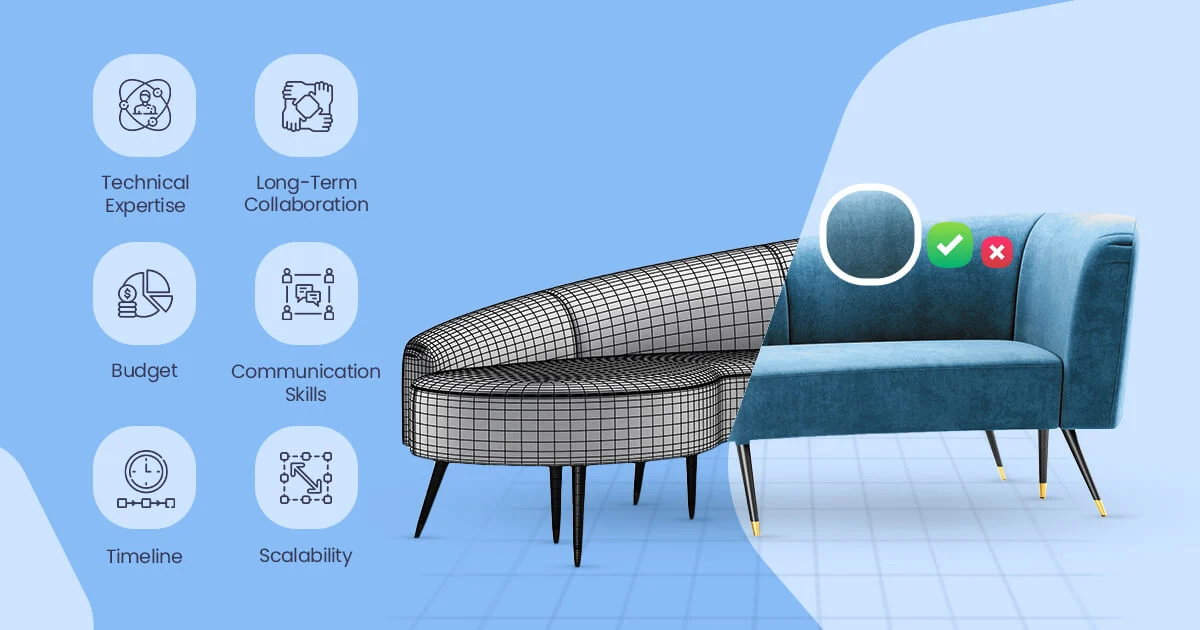
Polygon count refers to the number of triangles used to create the shape of a 3D object.
Every 3D model is built using thousands of small polygons.
More polygons usually mean:
- More detailed shapes
- More realistic curves
- Better visual quality
However, higher polygon counts also create larger file sizes and slower performance.
For e-commerce visualization, the goal is to maintain realism while keeping polygon counts as low as possible.
Most optimized product models used in online stores fall between:
10,000 and 100,000 polygons, depending on the complexity of the product.
For example:
- A simple product like a chair may require around 15,000 polygons
- A complex sofa with stitching details may require 80,000 or more
Managing polygon count carefully ensures the model remains lightweight enough for real-time viewing on websites and mobile devices.
2. UV Mapping
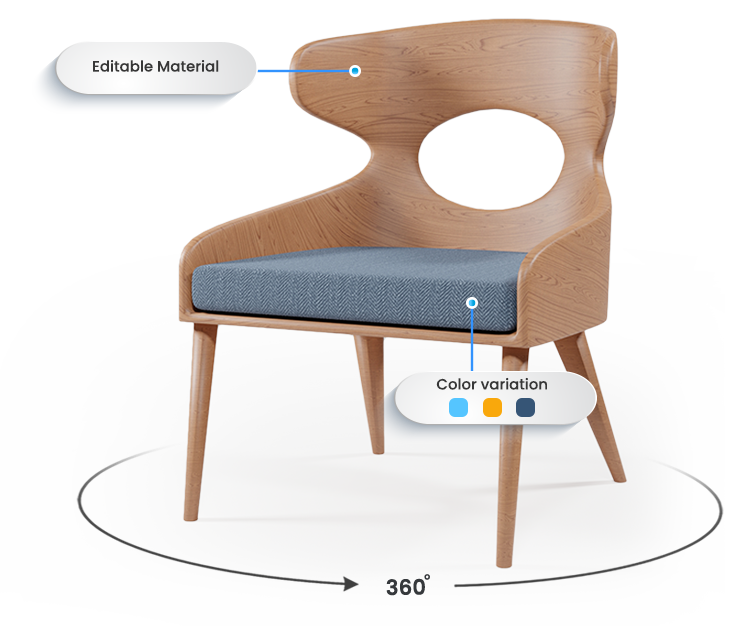
UV mapping controls how textures wrap around the surface of a 3D object.
Think of UV mapping as the process of unfolding a 3D object into a flat template, similar to how clothing patterns are cut before sewing.
Textures such as wood grain, fabric, metal, or leather are then applied to this template.
If the UV map is poorly created, textures can appear:
- Stretched
- Distorted
- Misaligned
For example, wood grain might appear warped or fabric patterns may look unrealistic.
Proper UV unwrapping ensures that materials appear natural and consistent across the entire product surface.
This step is extremely important because even a perfectly modeled object can look unrealistic if the UV mapping is done incorrectly.
3. PBR Materials (Physically-Based Rendering)
Another key part of realistic 3D models is PBR materials, which stands for Physically-Based Rendering.
PBR technology simulates how light interacts with real-world surfaces.
This allows 3D products to react naturally to lighting conditions, making them look far more realistic.
A PBR material typically includes several texture maps:
- Albedo / Diffuse Map – base surface color
- Metallic Map – determines metal reflections
- Roughness Map – controls how shiny or matte a surface appears
- Normal Map – adds small surface details without extra geometry
- Ambient Occlusion Map – creates realistic shadows in corners and edges
The better the PBR material setup, the more photorealistic the model appears in different lighting environments.
This is one of the reasons modern 3D product visuals can sometimes look almost identical to real photography.
4. Texture Compression
High-resolution textures can dramatically increase the size of a 3D file.
For example, a single 4K texture image used for wood grain or fabric patterns can quickly add several megabytes to the model.
When multiple textures are used, file sizes can grow very quickly.
Texture compression helps reduce these sizes while maintaining acceptable visual quality.
Proper compression prevents common visual problems such as:
- Blurry surfaces
- Color banding
- Visible artifacts
Professional 3D artists carefully balance texture resolution and compression settings to maintain realism while keeping file sizes manageable.
- File Packaging (GLB / glTF)
Once the model, textures, and materials are complete, everything must be packaged into a format suitable for web and AR deployment.
One of the most widely used formats today is GLB, which is part of the glTF standard.
GLB packages all elements of a 3D asset into a single optimized file, including:
- Geometry
- Materials
- Textures
- Lighting information
This makes it much easier to deploy the model across:
- Web-based 3D viewers
- Augmented reality experiences
- Product configurators
- Interior planners
Because of its efficiency and compatibility, GLB has become a standard format for e-commerce 3D assets.
What Happens When Optimization Is Ignored
Retailers sometimes invest in creating 3D models but fail to consider how those models will perform online.
When optimization is ignored, several problems can occur.
Common issues include:
- Frustrated customers abandoning slow experiences
- AR previews failing to load or crashing
- Mobile devices struggling to render the model
- Increased website bandwidth usage
- Lower conversion rates
Poor performance can also affect search engine rankings, since page speed is an important factor for SEO.
In some cases, companies spend thousands of dollars on 3D assets that cannot be used effectively on their websites.
Optimization Is Both Technical and Creative
Many people assume 3D modeling is purely an artistic process.
In reality, professional 3D production for e-commerce requires a combination of creative skill and technical expertise.
Artists must constantly balance two goals:
- Creating visually realistic products
- Ensuring the models run smoothly in real-time environments
This balance is what separates professional e-commerce 3D modeling from traditional CGI work used in films or advertising.
When done correctly, optimized models can power a wide range of modern shopping experiences, including:
- Interactive product viewers
- AR product previews
- Product customization tools
- Virtual showrooms
- 3D product configurators
These experiences help customers better understand the product before buying, which often leads to higher engagement and increased conversions.
Final Thoughts
As e-commerce continues to evolve, visual technologies such as 3D product viewers and augmented reality are becoming more common.
However, these technologies only work effectively when the underlying 3D assets are properly optimized.
Without optimization, even the most detailed models can cause performance issues and damage the customer experience.
With proper optimization, retailers can deliver fast, smooth, and immersive product experiences across both desktop and mobile devices.
And in today’s competitive online market, delivering a high-quality visual experience can make the difference between losing a visitor or gaining a customer.